
Inspiring
Apr 23, 2024 11:50 AM UTC
Answered

Blue Windows instead of blue screen after latest Update (Windows)

Hi, 

I have just installed this update by Creative Cloud:

 

But this nice blue window appears after the first start of ID:
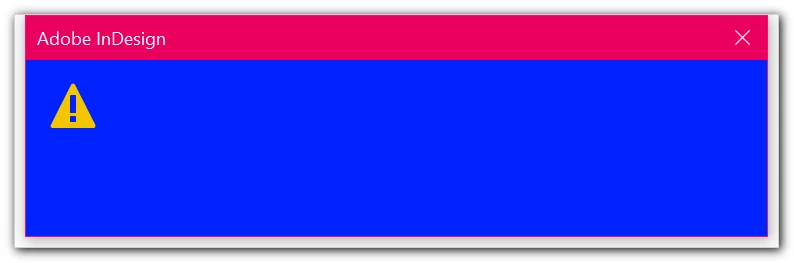


Maybe blue text on blue background...?


Any ideas what this could be?

This topic is closed to new replies. Start a new post to keep the conversation going.
typesetter2007Correct answer
Participant
Aug 2, 2024 8:30 AM UTC

Even after an update things can go wrong. 

So the routine thing to do is the usual tricks.

The link for resetting prefernces also has a more in-depth method of clearing your cache too.


If they are not working then let us know.


As stated here at Adobe forums, it has to do with a sync error of Indesign libraries stored on the remote server/storage. Removing such libraries from the server, starting Indesign, declining the recovery dialog, and putting the libraries back solved the problem for me.

4 replies

Community Expert
Apr 23, 2024 12:19 PM UTC

Try resetting your preferences:

Windows: Start InDesign, and then press Shift+Ctrl+Alt. Click Yes when asked if you want to delete preference files.
macOS: While pressing Shift+Option+Command+Control, start InDesign. Click Yes when asked if you want to delete preference files.
A dialog will appear asking to delete the InDesign Preferences, select 'Yes' on this dialog.
Further info and instructions here if needed:
https://helpx.adobe.com/in/indesign/kb/indesign-preferences-support-file-locations.html


Reinstalling rarely fixes everything - you can do a complete reinstall using the
Creative Cloud Cleaner Tool https://helpx.adobe.com/creative-cloud/kb/cc-cleaner-tool-installation-problems.html


Translate
my ccAuthor
Inspiring
Apr 23, 2024 12:59 PM UTC

Okay, so it's maybe an unknown cause and therefore the usual trick for everything & for years: resetting and loosing the preferences ... 😞


But at the moment ID starts normally. Maybe just a "temporarily bug" after this latest small update.


Translate
Community Expert
Apr 23, 2024 1:21 PM UTC

Even after an update things can go wrong. 

So the routine thing to do is the usual tricks.

The link for resetting prefernces also has a more in-depth method of clearing your cache too.


If they are not working then let us know.

Translate