JoePeg
Inspiring
May 7, 2019
Answered

Check Mark reappears in PDF Checkbox after exporting

  • May 7, 2019
  • 3 replies
  • 5026 views
I've noticed that no matter how you change the normal-on appearance of a checkbox in InDesign, once it is in the PDF and selected, the selection is indicated with a check mark. Is there any way for the PDF to retain the appearance of the normal-on state that you create, rather than revert back to the check mark?

    Correct answer Barb Binder

    Hi Barb,

    Thank you for the test file. With your help, I think I have finally determined what was going on.

    When I opened your document in Acrobat, I saw the dreaded checkmark instead of your custom art. So my first thought was that maybe the behavior was caused by a Preference setting. I opened Acrobat Preferences and looked at the Forms prefs.

    Under the Highlight Color section, the "Show border hover color for fields" was enabled in my preferences. I turned that off. Low and behold, both your test file and mine behaved the way we intended.
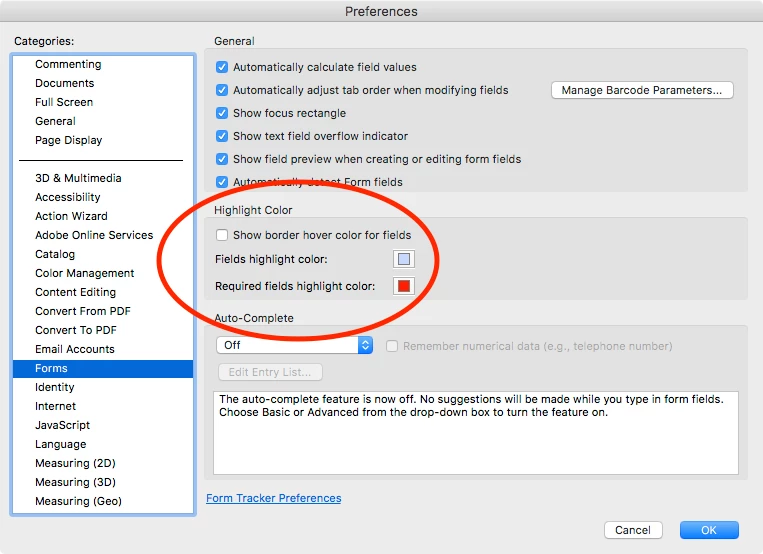
    I think this may have been my issue. Would you mind confirming that suspicion by looking at your preferences and verifying that your Highlight Color option is deselected.

    THANK YOU for all your help!

    Joel


    Hi Joel:

    Yes, I can confirm that I keep Show border hover color off—I'm not a fan.

    Once I turned it on, I do see the black checkmark flashing by. So strange.
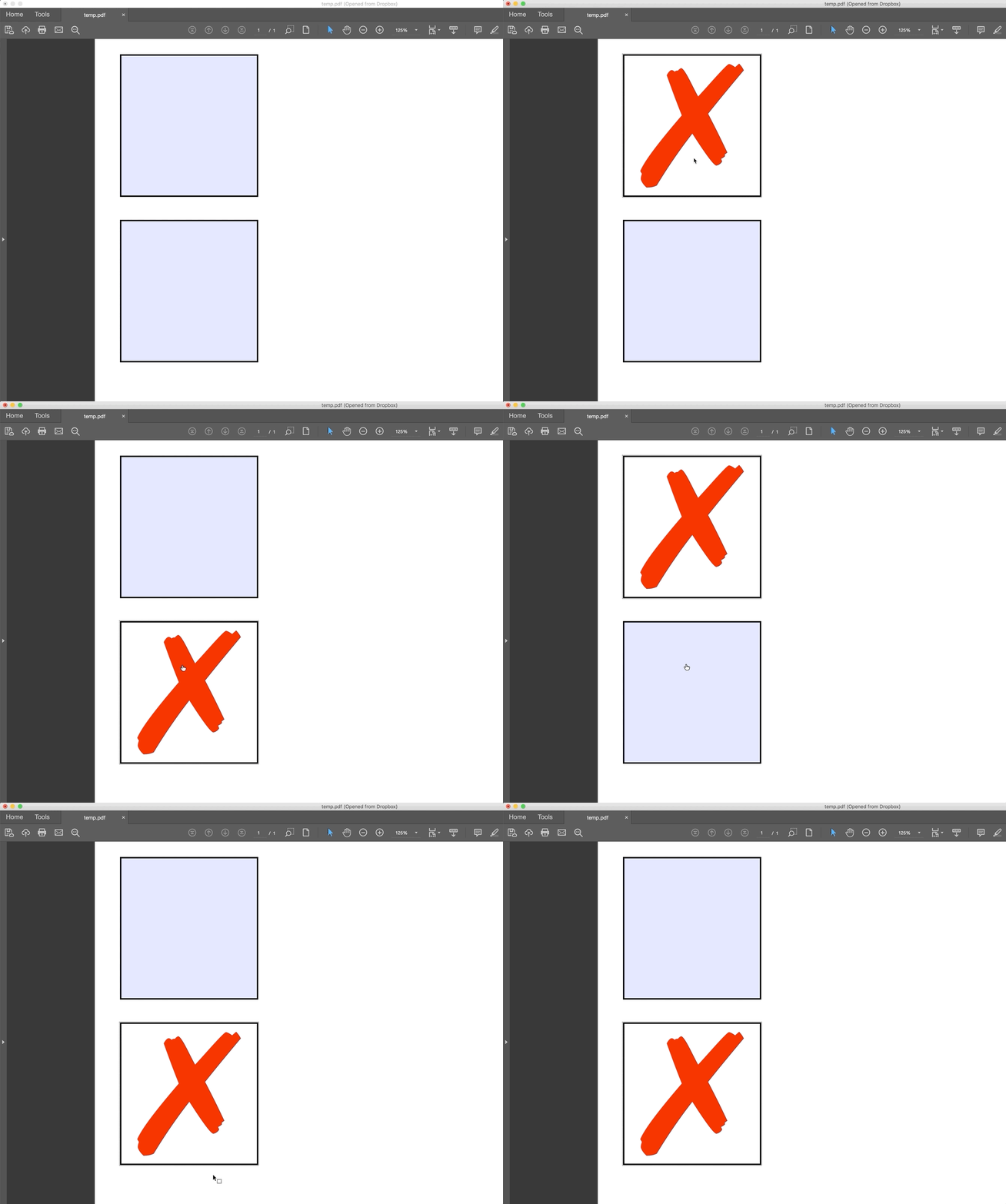
    It doesn't do it when Show border hover is off:
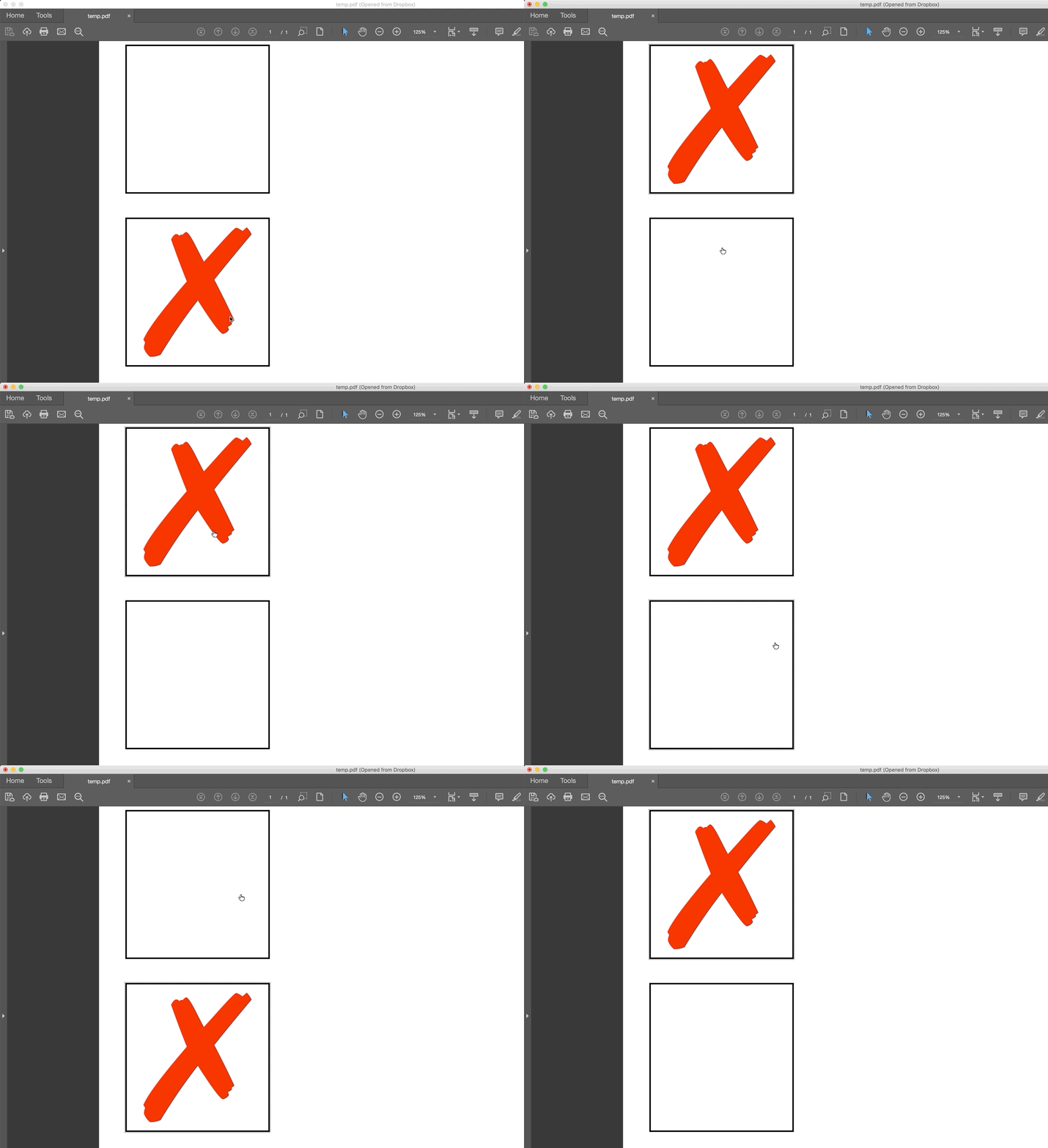
    ~Barb

    3 replies

    vinny38
    Brainiac
    May 16, 2019

    JoePeg

    Be aware that "Highlight existing fields" feature is an application pref, not a document one.

    Meaning that you might have it disabled and that an other user might have it on.

    Have a look at this thread: https://forums.adobe.com/message/10205359#10204847 for a javascript trick.

    Also please reade Uwe's comment on another similar thread: Re: Check boxes: checkmark resizes on click away

    Barb Binder
    Community Expert
    May 16, 2019

    Hi vinny38:

    That's a good tip. And I received a notice this morning that​ amaarora is taking a look.

    ~Barb

    ~Barb at Rocky Mountain Training
    Barb Binder
    Community Expert
    May 8, 2019

    Hi Joel:

    I just created new checkboxes entirely in Acrobat (right column, below) . No mysterious checkmarks, which makes me think this is an InDesign issue as opposed to an Acrobat issue. You can report it as a bug here: Adobe InDesign Feedback. Be sure to reference this thread.

    ~Barb

    ~Barb at Rocky Mountain Training
    JoePeg
    JoePegAuthor
    Inspiring
    May 9, 2019

    Hi Barb,

    Thanks so much for your help. We have resolved my initial mystery to my satisfaction.

    I replicated your diamond checkbox in Acrobat with the same result that you had attained. Thanks for the neat GIF figures! I agree that something gets lost in the translation from InDesign to Acrobat. The downside of creating the checkboxes in Acrobat is that it is much less convenient when you are creating a document that's several pages long with quite a few selections to be made per page — not to mention the limitation of the variety of checkbox graphics in Acrobat. 

    I will report the bug to InDesign referencing this thread.

    In past projects, I've created forms for which the appearance of the mundane checkmarks have been sufficient. I'm about to begin a series of forms for a new client whose branding is more sophisticated, and I needed options to reflect that sophistication. I'm now confident that I'm adequately equipped to accomplish that end result.

    Thanks again for your insights and assistance!

    Joel

    Barb Binder
    Community Expert
    May 9, 2019

    Always happy to help, Joel!

    ~Barb

    ~Barb at Rocky Mountain Training
    Barb Binder
    Community Expert
    May 7, 2019

    Hi JoePeg:

    Be sure to uncheck the checkbox for Selected by Default.

    Off:

    On:

    ~Barb

    ~Barb at Rocky Mountain Training
    JoePeg
    JoePegAuthor
    Inspiring
    May 8, 2019

    Hi Barb,

    Thank you for your response. And thanks for your use of images. Very helpful.

    I don't think my initial question was as clear as it could have been. Thanks to you, I'm going to include some images to help focus in on what I'm asking.

    I've created a custom red "X" as the glyph I prefer when any item is selected in a list. "Selected by default" is unchecked.

    When I export the PDF and it opens, I see what I expect — the highlighted boxes. When I make my first selection, I see the box with the red X.

    However, when I tab to, or click to make the selection of the next box, the red x goes away and a check mark appears instead.

    And that continues to be the case after I leave each checkbox to move on to other selections.


    Is there any way to direct the red X (or any other designated art) to remain in place as the indicator of a selection in the PDF,  rather than reverting to the check mark image?

    Thanks again for your help!

    Barb Binder
    Community Expert
    May 8, 2019

    Hi JoePeg:

    Yes, we can figure this out, but I don’t see where the check is coming from. Can you scroll down and show the other appearance states?

    ~Barb

    ~Barb at Rocky Mountain Training