
jonathangledson
Participant
November 21, 2022
Answered

Endnotes to restart numbering by chapter

  • November 21, 2022
  • 2 replies
  • 1724 views

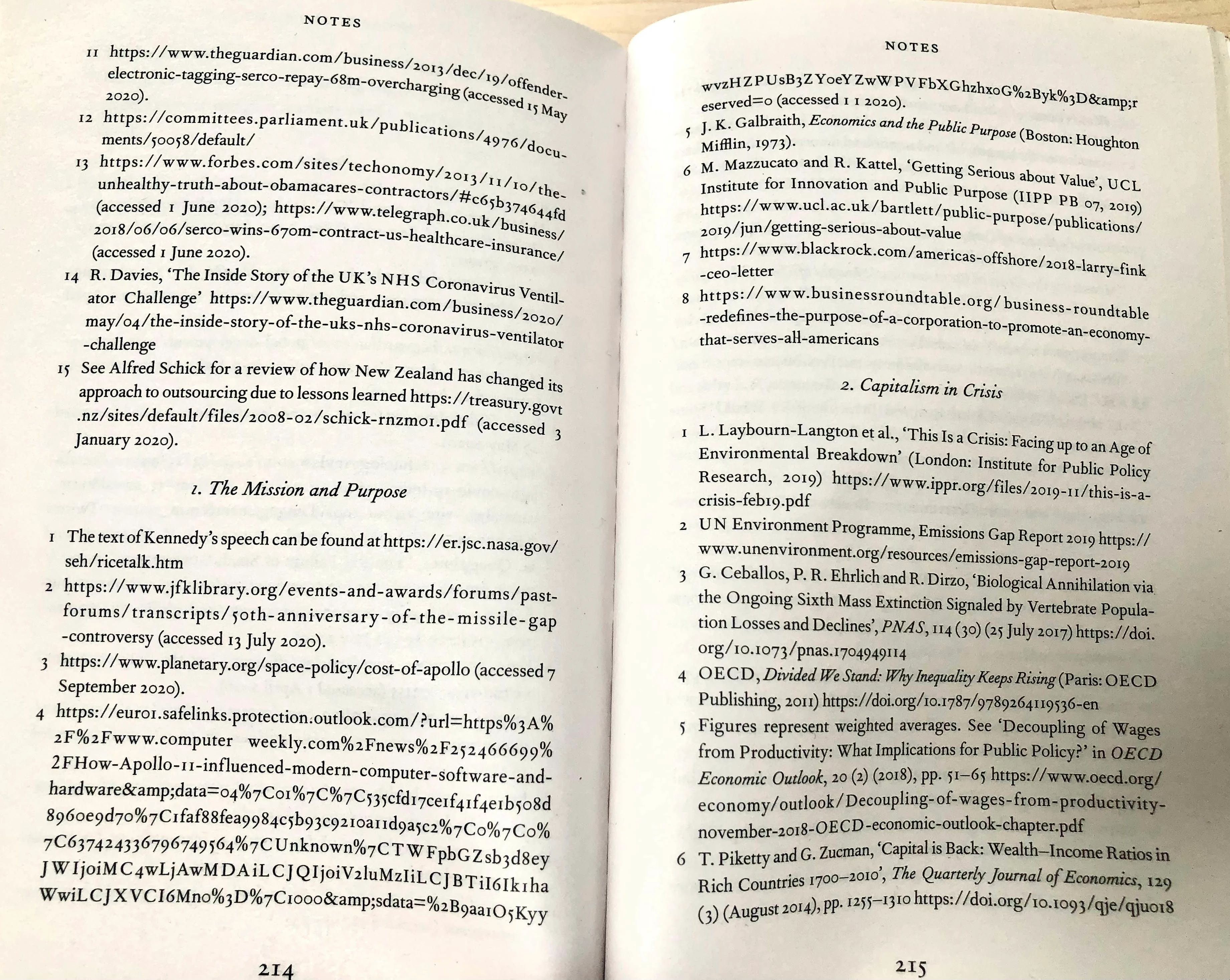
All non-fiction books that I have read have their references organised by chapter. They are all at the end of the book, before the index, but split up by the chapter titles they come from and restart their numbering from 1 after each chapter subheading.


This is a universal norm in academic and non fiction books but there doesnt seem to be any easy/automated way of doing it in InDesign. How would you do it? 
Correct answer Eugene Tyson

Hey


Someone else requested something similar here - I don't think there is a way to do it without manually doing it.

https://community.adobe.com/t5/indesign-discussions/need-to-place-endnotes-at-end-of-chapters-and-at-end-of-book-was-quot-footnotes-and-end-notes-issue/td-p/10819819


You can make a feature request here

https://indesign.uservoice.com/


2 replies

Participant
January 31, 2025

I found this video on it. It requires a javascript hack: https://www.youtube.com/watch?v=QxjJGQIQi-M

Eugene TysonCommunity ExpertCorrect answer
Community Expert
November 22, 2022

Hey


Someone else requested something similar here - I don't think there is a way to do it without manually doing it.

https://community.adobe.com/t5/indesign-discussions/need-to-place-endnotes-at-end-of-chapters-and-at-end-of-book-was-quot-footnotes-and-end-notes-issue/td-p/10819819


You can make a feature request here

https://indesign.uservoice.com/