

Chris Tammar
Participating Frequently
January 23, 2024
Answered

Error when updating share for review link - There Was an Error Updating the Artifact

  • January 23, 2024
  • 42 replies
  • 28236 views

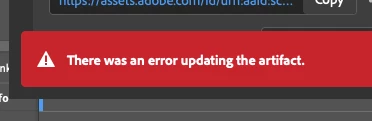
When I go to update a review link in InDesign, I keep getting this error message "there was an error updating the artifact". After that, the link does not work for most people. I am signed in to Adobe. Everything is up-to-date.... But this issue still persists. Can Adobe please fix this issue? It's emarassing when I go to send the review link to my leaders and they just get an error message when they try opening it.
 

<Title renamed by moderator>

Correct answer Abhishek Rao

Hi everyone,


Thanks for your continued patience and for sharing all the detailed findings here. I understand how disruptive this has been, especially when it affects your review workflow.

I wanted to share an update that the issue related to “There was an error updating the artifact” for larger or more complex documents has been fixed in the latest InDesign Prerelease build 21.4.0.49.

Could you please try this latest Prerelease version from Creative Cloud Desktop under the Apps tab and test the Share for Review update workflow again? This will help confirm if the fix resolves the issue in your case.

If you are not part of the Prerelease program, you can join following the links below:
https://blog.developer.adobe.com/how-to-join-creative-cloud-prerelease-programs-ccecc10ae7d3
https://www.adobeprerelease.com/beta/C6DFA254-C40C-4EEB-8F6D-F4AEDA2E6171
https://community.adobe.com/t5/indesign-discussions/invitation-to-indesign-prerelease/td-p/12371924

Once installed, please test and share your observations. If you still notice the issue, let me know with your document details so I can take it further with the team.


Looking forward to your update.

Abhishek


42 replies

curranh53626830
Participant
November 19, 2025

I am having the same problem here from InDesign. I updated to the latest version too.

philippepetitpas
Participant
November 19, 2025

Medidos de noviembre 2026 y este problema es peor que antes. En Indesign 2025, usualmente aparecía este mensaje, pero el contenido sí se actualizaba. Desde que cometí el error de actualizar a Indesign 2026, cada documento que comparto (y en mi work flow comparto muchos documentos todos los días con colaboradores y clientes) aparece este error. La única manera es crear un nuevo enlace. Pero qué pasa con los comentarios hechos por mis colaboradores? Es una verguenza que Abode lance productos a medio terminar. Realmente el monopolio le ha hecho muy mal a esta compañía. 

Participating Frequently
November 19, 2025

It's so incredibly bad that this isn't fixed by Adobe. I use this feature in all my InDesign projects and it creates an incredible amount of more work for me. This is something I pay to have work and it has been messing around on and off for many years. Time to get Adobe to step up and deliver.

Participant
November 18, 2025

I am now getting this error for the first time. Why is this still an issue??

e.e.DeGroot
Participating Frequently
November 13, 2025

Well, it's now 2025 and I'm on version 21.0, Sequoia 15.6.1, and I'm still getting the artifact error. When it used to do this in previous versions, I could usually get it to update at least twice but now it's only letting me do the initial link creation file update. I have to make a whole new file to any any further updates to post, losing my editors' comments. The previous version of INDD was actually fairly stable and I didn't get any errors that I recall over the past several months. It was kind of awesome and my clients were so happy not to have to deal with this!

Thoughts, suggestions?

Participant
November 17, 2025

I am also getting this error! It won't update the link. I have tried restarting, reinstalling the software, trying different documents and its the same thing. Can't update the link. 

Participating Frequently
November 12, 2025

Still getting the error also

Participating Frequently
November 11, 2025

This issue deffinately has not been resolved. Im having this same issue with multiple files still

Participant
November 11, 2025

Can the admins please unmark this issue as solved based on the latest feedback? This seems to be a major bug impacting many users, clearly this is not resolved yet.

J E L
Community Expert
Community Expert
November 11, 2025

Yes, I am still getting the artifact error!

Participant
November 7, 2025

I have this bug for several years now, happening randomly.
Now again in v21.0
Sometimes it even kills the app.
Happens with or without unmapped comments (which happen if the object related to the comment is moved outside the visible board)
I'm trying to guess what happens with the background task panel, and it seems to break at 99%. Not sure why it breaks at that moment.
What would be helpful, before a fix is eventually published, would be to display logs in this background task panel.
At least, we could understand what works, and what breaks in our file...
@Abhishek Rao ?

Participant
October 30, 2025

Getting this issue a lot. I've found if I only have one file open at a time then it doesn't error. Maybe that will help others get around the bug until Adobe gets around to fixing it (seems like its been years and years).

NOcreationsBE
Inspiring
October 30, 2025

@sungkhum don't bother: I hardly ever have more than one document open in InDesign and I get the error anyway. It is quite random, but usually happens only after multiple updates of the Share for Review file and after that the error usually persists.

Participating Frequently
November 4, 2025

I am unable to update the content in Share for Review. It keeps giving me an error message: There was an error updating the artifact.

Also, it says that I last updated 4 days ago. So it is not pushing the updated content to the cloud.


I have tried closing the application and restarting. 


I am on OS 15.5 and the latest Indesign 2026.