
Known Participant
December 27, 2019
Question

Excel Spreadsheet Import error "Cannot place this file" in InDesign CS6 on macOS 10.14.6

  • December 27, 2019
  • 5 replies
  • 1792 views

I am trying to import an Excel spreadsheet into InDesign CS6, I've done this many many times before with no issues until now. I follow the correct procedure and the import dialogue box does not come up, instead an error message. A screenshot is attached. I've tried changing the file from xlsx to xls and no change. I have over 40 tables to import into this book and don't really want to cut and paste, any suggestions? Using Mac OS 10.14.6
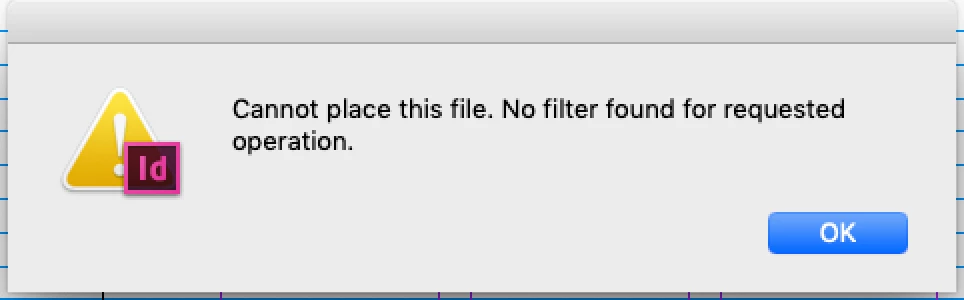


{Renamed by MOD}

This topic has been closed for replies.

5 replies

veryfedupAuthor
Known Participant
January 12, 2020

Sorry for taking so long, another project took priority for a while. None of the proposed solutions have helepd, I'm having to cut and paste which is a nuisance. Seems like a glitch here!

BobLevine
Community Expert
Community Expert
January 12, 2020

Nor are they likely to. As I told you originally, CS6 is not supported under anything later than 10.10.

If this is the only problem you're having, you're lucky. If you're trying to use this combination in a production environment, you're doing yourself and your clients no favors.

Dave Creamer of IDEAS
Community Expert
Community Expert
December 28, 2019

If the Excel file is an .xlsx file, open it and save as an .xls. Try the opposite if the file is already .xls.

David Creamer: Community Expert (ACI and ACE 1995-2023)
veryfedupAuthor
Known Participant
December 29, 2019

Please accept my apologies, I had set the query to send an email to replies but no emails arrived! Today I checked and saw all these. Many thanks. Tomorrow I'm going to try a couple and see how it goes and will report back. Once again apologies and thanks. 


Question why don't I get emails?!

jane-e
Community Expert
Community Expert
December 27, 2019

Was the Excel spreadsheet created in Excel or in Google Docs? If it was created in Google Docs as an Excel workbook, then try saving it as .csv or open it in Excel and save it there.

~ Jane

BobLevine
Community Expert
Community Expert
December 27, 2019

CS6 is not supported under anything later than 10.10. 

Ashutosh_Mishra
Inspiring
December 27, 2019

Hi there,


Thanks for reaching out. I have found a similar discussion on https://community.adobe.com/t5/indesign/cannot-place-xlsx-file-in-indesign/td-p/10396948
Please check it out and let us know if it helps.


Regards,

Ashutosh