sofied17832405
Participant
October 15, 2019
Question

Exporting Interactive PDF not working.
  • October 15, 2019
  • 4 replies
  • 1449 views

Hi,
I am trying to export an interactive PDF. (Fillable form)
After going true all the steps and I click save.
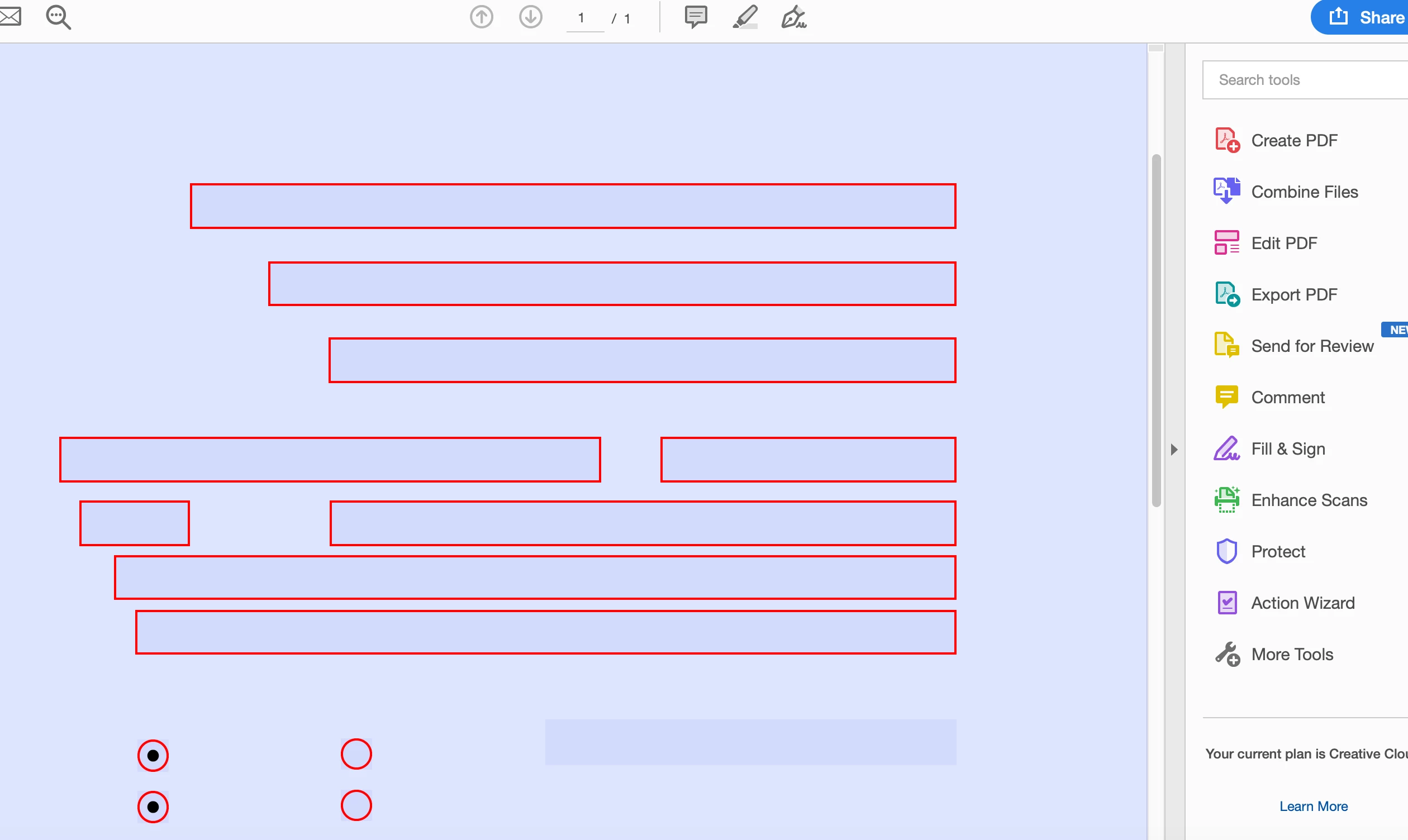
The document opens in Acrobat but I see only the buttons, textboxes and checkboxes but no images or questions...
Can somebody help me out please?

    This topic has been closed for replies.

    4 replies

    Community Expert
    October 15, 2019

    It appears as though there is a large form field on the page. This form field will obscure text and graphics below when viewed in Acrobat.

    Bevi Chagnon - PubCom.com
    Legend
    October 15, 2019
    |    Bevi Chagnon   |  Designer, Trainer, & Technologist for Accessible Documents ||    PubCom |    Classes & Books for Accessible InDesign, PDFs & MS Office |
    sofied17832405
    Participant
    October 15, 2019
    I'm on a Mac running macOS Mojave 10.14.6
    Bevi Chagnon - PubCom.com
    Legend
    October 15, 2019

    Some ideas:

    1. If you used layers, flatten/merge down to just one layer.
    2. Did you use the File / Export / PDF(interactive) utility?
    3. In the export settings, is the option to include forms and media checked? (see screen capture)


    |    Bevi Chagnon   |  Designer, Trainer, & Technologist for Accessible Documents ||    PubCom |    Classes & Books for Accessible InDesign, PDFs & MS Office |
    sofied17832405
    Participant
    October 15, 2019

    Thank you for you reply. I will merge down and try again.

    Derek Cross
    Community Expert
    Community Expert
    October 15, 2019

    I think you must be missing a vital stage in creating the interactive PDF. I suggest you set up a new test document with just a couple of text fields and go through the steps and see if it works (or doesn't) till you track down the issue and you can apply it to your original form.

    (I suggest you make a copy of the original InDesign form so you can return to it for any subsequent updates.)