
Participating Frequently
November 22, 2018
Answered

FR: How to Disable "Learn More" Pop-Ups in InDesign

  • November 22, 2018
  • 52 replies
  • 36066 views

After a recent update, my InDesign is now showing all these stupid pop-ups the whole time.


Screenshot attached.  To be absolutely clear, I am talking about the entire dialogue box, not the tool-tip illustrateed in a section of the dialogue box shown.


How do I kill them off once and for all ?  I've looked through Preferences but canot spot anything obvious.
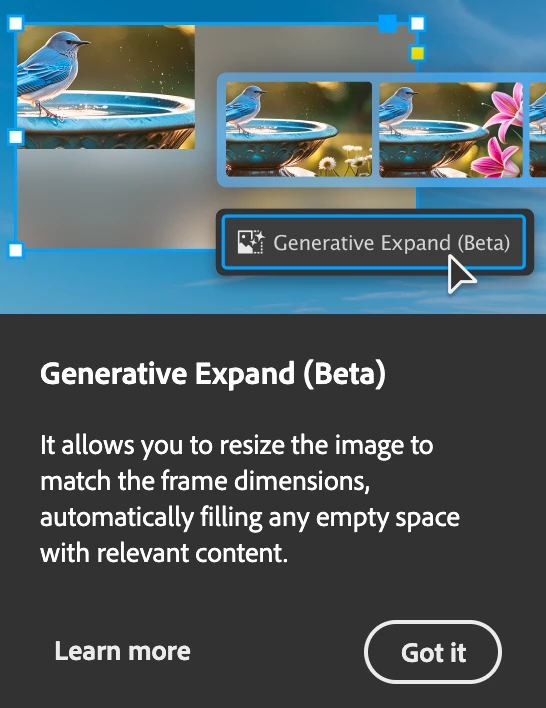


<Title renamed by MOD>

Correct answer Abhishek Rao

Hi everyone,


First of all, thank you for continuing to share your feedback on this issue. I completely understand how frustrating it can be to have pop-ups interrupt your workflow, especially when you're working on deadlines and using InDesign every day. Many of you have been following this discussion for quite some time, and I appreciate your patience and persistence in helping us improve the experience.

I wanted to follow up on this discussion and see how things are looking today. We've delivered several updates and fixes over the past few releases, and I'd like to know whether you're still seeing any of these unwanted pop-ups in the latest version of InDesign 21.4.

If you're still seeing unwanted "Learn More", onboarding, tutorial, or other disruptive pop-ups in InDesign 21.4, could you please reply to this post with a screenshot of the pop-up along with a brief description of when it appears? For example, whether it shows up when opening a document, selecting an image, exporting a file, working with panels, or during any other specific action.

The more examples we can gather, the easier it will be for me to investigate them individually with the product team and determine whether they're expected prompts, or issues that still need attention.


Thank you again for your feedback and for sticking with us on this. I look forward to your updates.

Best,
Abhishek


<Marking as correct for better visibility on the thread>

52 replies

June Rabbit
Known Participant
July 18, 2024

Every time I move an image in InDesign, I see this annoying popup trying to coax me into using the next AI beta feature that Adobe is cramming into its software these days. I see Adobe community posts going back more than 6 years asking how similar annoying popups can be disabled on a number of Adobe apps. Please advise. And Adobe Development team, please make these optional without the need for the user to make registry edits!


And no, I don't want to keep clicking "Got It". I just want these helpul annoying popups to stop spamming my workflow.

June Rabbit
Known Participant
July 18, 2024

So, for anyone else tired of this particular annoyance, you can go to Windows > Contextual Task Bar and make sure it is unchecked.

JPDL
Participating Frequently
October 7, 2024

No longer in that place in the current version : 19.5

Of course, there is always a choice.

There are several other progs that do the same, some a lot cheaper as well.....


Participant
November 22, 2018

Does anyone know how to turn these off permanently in all Adobe Products?

hammer0909
Community Expert
Community Expert
November 22, 2018

It is my understanding that after you dismiss the pop ups 3 times, they will no longer appear.

Participant
November 28, 2024

That's not the case for me at least. Every couple of days for the past month or so the cycle of pop ups reset, often combined with my workspace being reset. Such an annoying feature when it's not properly working.