
Participating Frequently
November 4, 2024
Answered

HELP! Crash on start, dark gray screen, unresponsive

  • November 4, 2024
  • 1 reply
  • 1174 views

Hello,


I've seen a couple of similar posts, but can't find anything specific on this. 


When I load in Design, it looks like it is about to start up normally, then diverts to this darker grey screen. No response with any element of the interface:
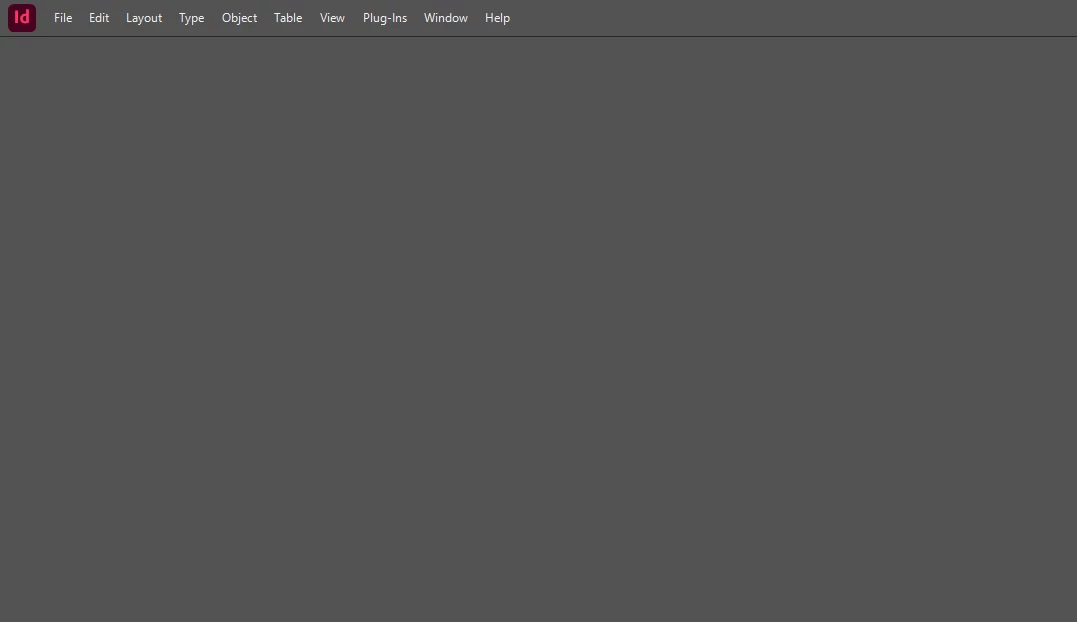
 

It's still using CPU/memory, so something is happening.

I have tried deleting cache settings, full purge and re-install. Installing older versions. Installing on other SSD. 

I have tried v19.0 and v20.0.

v19.0 nearly loads... I get slightly further before it all freezes.


Checked firewall 

Low on ideas now, save for wiping my PC and I would rather not do that 

This topic has been closed for replies.
Correct answer derekwatson

Are you sure its not trying to read the from the D drive, I'd never try to boot an application from an external.

try restoring preferences https://community.adobe.com/t5/indesign-discussions/help-crash-on-start-dark-gray-screen-unresponsive/m-p/14962625#M595970

you could also try the CC Cleaner Tool https://helpx.adobe.com/creative-cloud/kb/cc-cleaner-tool-installation-problems.html


1 reply

Anshul_Saini
Community Manager
Community Manager
November 4, 2024

Hi @Bringing_back_Comic_Sans,


Let’s troubleshoot this further. Could you confirm whether InDesign stays stuck on the gray screen and is unresponsive or if it crashes right after launch?


Here are a few things to try:


1. Turn Off the Internet: Try launching InDesign with your internet connection turned off. Sometimes, this can help bypass specific issues.

2. Run as Administrator: Launch InDesign as an administrator or try running it under compatibility mode.

3. System Specs and Install Location: Could you share your system specifications and the exact location where InDesign is installed?


This will help us understand if there might be conflicts based on your setup.


Let me know how it goes or if you spot any changes!


Best,

Anshul Saini

Participating Frequently
November 4, 2024

Hey Anshul! 


It stays on the grey screen.


Series of events:

  • Start In Design
  • It loads
  • Just as you would expect to get the landing screen with existing projects etc it changed from a light grey to a darker one
  • it's then totally unresponsive but still taking up resources 
  • the mouse seems to lag a bit too


 Your suggestions: 

1 - It didn't work, but I got further than I have previously. It moved off the lighter gray and nearly loaded the landing screen

2 - will try next

3 - Overview
Operating system: Microsoft Windows 11 Home (10.0, Build 22631)
Processor: 11th Gen Intel(R) Core(TM) i9-11900KF @ 3.50GHz 8/16
Motherboard: ASRock Z590 Pro4
RAM: 64 GB
STORAGE1: Samsung SSD 870 QVO 4TB (3.6 TB/Fixed hard disk media)
STORAGE2: ST2000DM008-2UB102 (1.8 TB/Fixed hard disk media)
STORAGE3: LaCie Rugged USB-C SCSI Disk Device (3.6 TB/External hard disk media)
STORAGE4: Samsung SSD 980 PRO 2TB (1.8 TB/Fixed hard disk media)
STORAGE5: Samsung SSD 980 PRO 2TB (1.8 TB/Fixed hard disk media)
Graphics card: NVIDIA GeForce RTX 4090 (24.0 GB)
DISPLAY1: Dell Computer Corp. DELL S2421HSX (1920x1080 / 24 Inch)
DISPLAY2: AOC International (USA) Ltd. AG352UCG6 (3440x1440 / 35.1 Inch)
DISPLAY3: Dell Computer Corp. DELL S2421HSX (1920x1080 / 24 Inch)
Audio1: Arctis Pro Wireless
Audio2: Microsoft Streaming Service Proxy
Audio3: NVIDIA High Definition Audio
Audio4: HD Pro Webcam C920
Audio5: STRIX SOUND CARD
Audio6: High Definition Audio Device
Audio7: NVIDIA Virtual Audio Device (Wave Extensible) (WDM)
Audio8: TC-Helicon GoXLR Mini
Audio9: SteelSeries Sonar Virtual Audio Device
Keyboard1: Razer Cynosa Chroma
Mice1: Razer Basilisk V2


Participating Frequently
November 4, 2024

Tried as administrator and as in compatibility mode. Same result. Grey screen.