
Inspiring
May 17, 2022
Answered

Hidden characters visual problem in Story Editor

  • May 17, 2022
  • 3 replies
  • 1147 views

When I turn on Show Hidden Cahracters while in Story Editor, I see a lot of grey overlapping symbols and it's impossible to work really like that. I thought Story Editor is supposed to make basic formatting easier? Can I adjust this somehow?

thanks 
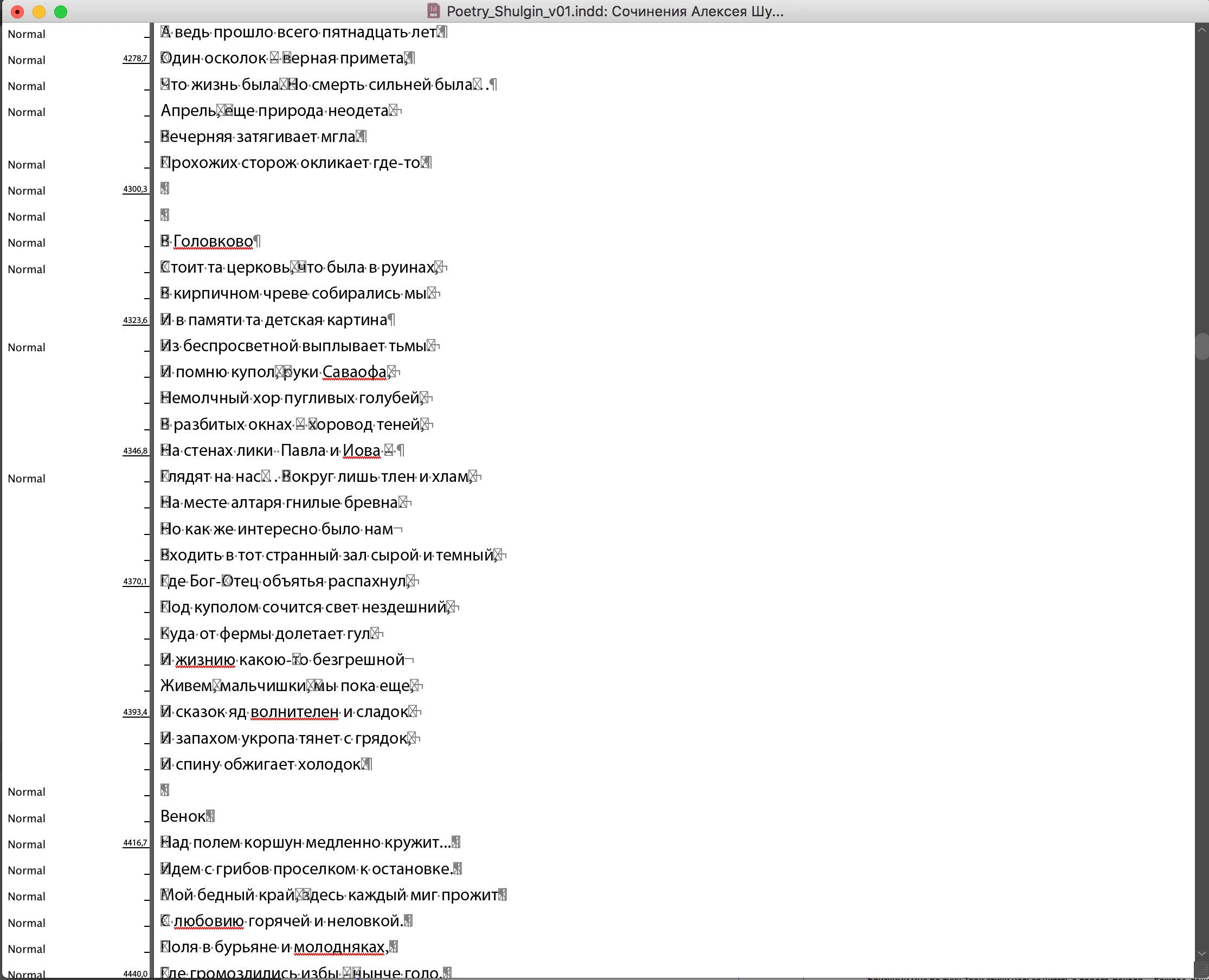
This topic has been closed for replies.
Correct answer Sesamme

Hi Sesamme,

my Windows version of InDesign does NOT show the issue.

This is clearly a Mac version problem, only!


Regards,
Uwe Laubender
( Adobe Community Professional )


You are right. I just checked and on Windows it's Ok, but on Windows I work with a later version of InDesign. Anyway - I will have to upgrade my Mac OS in a month, then I will check again with the updated version. thanks for checking

3 replies

Community Expert
May 18, 2022

Hi Sesamme,

this once was a bug with an older version of InDesign. Only the MacOs version of it.


What could perhaps help:


[1] Move all pages to a new document.


[2] Open the document under InDesign on Windows.

Save As to a new name and move the file back to the Mac.

Would like to test this with one of your sample InDesign documents.

I'm on Windows 10 where the issue does not exist.


[3] Trash InDesign cache and preferences.


You may find a solution here:


First character of story editor and Notes panel displays incorrectly
Document Geek, Nov 07, 2017
https://community.adobe.com/t5/indesign-discussions/first-character-of-story-editor-and-notes-panel-displays-incorrectly/td-p/9549599


Weird Character Overlay of first character of each line in the Notes Panel and Story Editor
Document Geek, May 13, 2022

https://community.adobe.com/t5/indesign-discussions/weird-character-overlay-of-first-character-of-each-line-in-the-notes-panel-and-story-editor/m-p/12940869


Regards,
Uwe Laubender
( Adobe Community Professional )

Community Expert
May 18, 2022

Below two screenshots from that old version 13.0.1 on a Mac from November 2017.

The Notes panel is showing the issue:

The same document from 2017 with the Story Editor open. Also watch out for the table cells:


Regards,
Uwe Laubender
( Adobe Community Professional )


SesammeAuthor
Inspiring
May 25, 2022

Yes - it looks like the same bug.

Thanks for the advice, but going through Windows at this point is too much hassle for this - I can easily edit it in the normal edit view, but I will try it when I get to my Windows machine

Brad @ Roaring Mouse
Community Expert
Community Expert
May 18, 2022

The grey boxes are usually the symptom of missing glyphs. I would suggest changing your default font in Story Editor to another one that supports the language and see if it clears up the issue.

SesammeAuthor
Inspiring
May 25, 2022

tried that - didn't help, thanks

Joel Cherney
Community Expert
Community Expert
May 18, 2022

That's... odd. I don't think that it is displaying as it ought to. I mean, I'm over here working on a Russian layout myself, and it doesn't look like that! I've seen a few posts here recently about problems with the font used internally by InDesign to display those hidden characters, which all seemed to be resolved by the user resetting their preferences. That may be your first stop.


If that doesn't work, do you see hidden characters in those places when you're not in the Story Editor? Are those legitimate hidden characters failing to display? Or something else?

SesammeAuthor
Inspiring
May 27, 2022

I tried resetting all the prefs and changing default display font, etc - nothing helped. Other users in this thread confirmed this bug with similar OS and InDesign version combination.