
Participant
August 30, 2021
Answered

HOW-TO__ get the version of InDesign which supports CJK formatting

  • August 30, 2021
  • 1 reply
  • 1174 views

Hi, 

I would like to know how to download

the version of InDesign which supports CJK formatting,

allowing me to add vertical Chinese/ Japanes text...


As to SOLUTIONs tried but failed: 

1/ modified language & region in the personal account_____FAILED

2/ re-downloaded_____FAILED
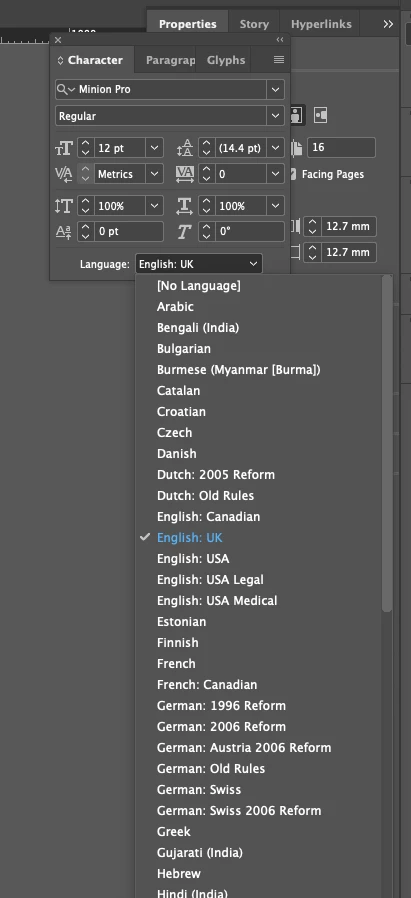
 

Thus, gratiful to know........-^へ^ -

This topic has been closed for replies.
Correct answer Willi Adelberger

Go to the CC application

Creative Cloud Preferences > Applications

Scroll down near to the end.

There is an entry Installation Language

Change to a language which applies to your language system, here CJK

Now install the applications you need. Additional plugins will be installed which expand the capability to work with these languages. We have different systems, like RTL (Hebrew, Farsi Arabic), Asian (CJK) and Indic additional to the standard western languages (English, German, Russian, Greek, etc.)


But take care: Do not install more than 1 additional language system as InDesign looses stability. Eg. Asian OR RTL but not both on the same computer.

1 reply

Willi Adelberger
Community Expert
Willi AdelbergerCommunity ExpertCorrect answer
Community Expert
August 30, 2021

Go to the CC application

Creative Cloud Preferences > Applications

Scroll down near to the end.

There is an entry Installation Language

Change to a language which applies to your language system, here CJK

Now install the applications you need. Additional plugins will be installed which expand the capability to work with these languages. We have different systems, like RTL (Hebrew, Farsi Arabic), Asian (CJK) and Indic additional to the standard western languages (English, German, Russian, Greek, etc.)


But take care: Do not install more than 1 additional language system as InDesign looses stability. Eg. Asian OR RTL but not both on the same computer.

yo5FC3Author
Participant
September 1, 2021

Willi Adelberger, 

thanks for your response. 


Your clarity helps me out of hourly search for the solultion. 

Very gratiful for your time & suggestion for plug-ins. 

Best wishes. 

Yo.