
Known Participant
January 27, 2023
Question

How to put footnotes in a separate text box in the sidebar in InDesign?

  • January 27, 2023
  • 2 replies
  • 1030 views

Hi there! Wondering if there is an inherent way to insert footnotes but have them display in separate text boxes instead of at the bottom of the page. Basically, I'm trying to create this layout, but where there are asterisks there would be numbered footnotes. This would be much easier to manage than manually inserting numbers/asterisks every time: 
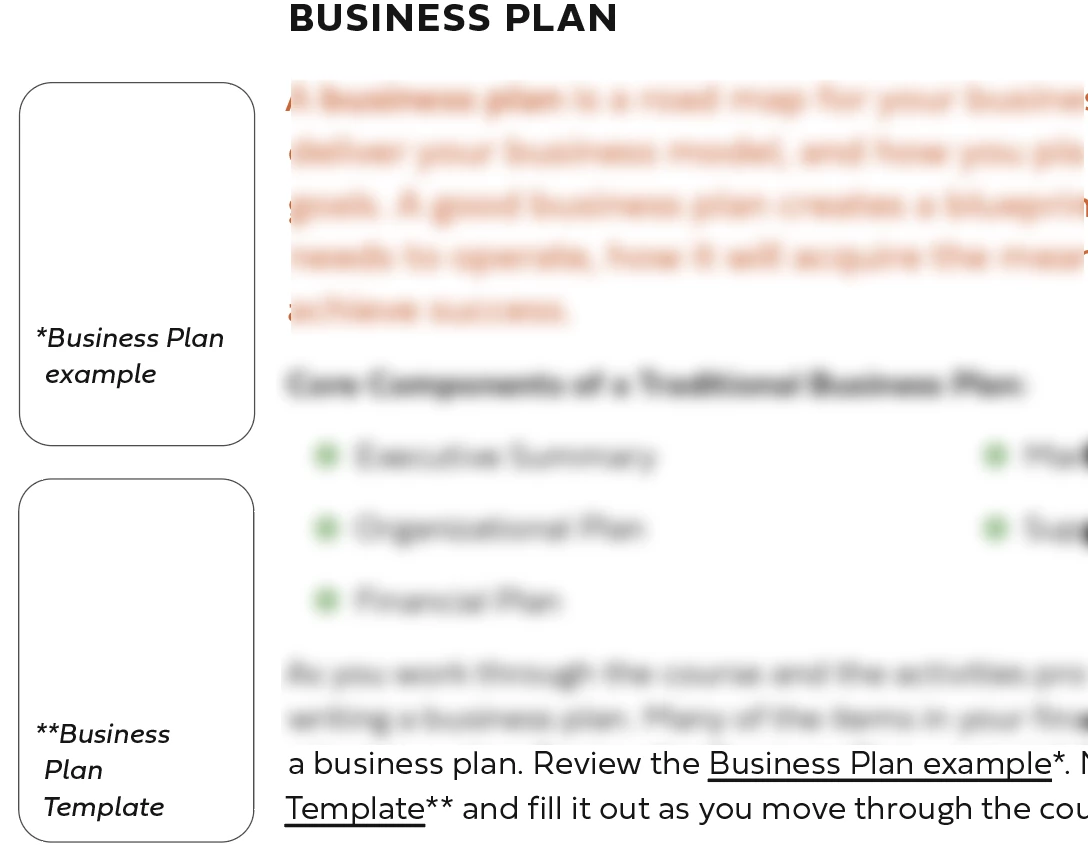


(I did see a similar question while searching the forum, but it was from several years ago and required a script download, and I don't want to download anything. Just thought I'd check if there have been any updates since that would allow this.)


Thank you!


<Title renamed by moderator>

This topic has been closed for replies.

2 replies

Steve Werner
Community Expert
Community Expert
January 27, 2023

Peter Kahrel has an InDesign side notes script which works well:


https://creativepro.com/files/kahrel/indesign/sidenotes.html

HARSHIKA_VERMA
Community Manager
Community Manager
January 27, 2023

Hi @Delightful_Dragonfly0D4C,


Thank you for reaching out. I have found a similar post on our community that might help you with your question. Please see this post: https://community.adobe.com/t5/indesign-discussions/footnotes-in-side-bar-text-boxes/m-p/8765390#M34321 and see if that matches your requirement.


I am also keeping the discussion open for our experts who might have more suggestions for you.


Thanks,

Harshika

Known Participant
January 27, 2023

Hi, thank you! This is the post I saw from a few years ago. Unfortuantely we want to avoid downloading any scripts, so I don't think this will work for this particular instance. Was hoping InDesign might have had an update since 2016 that I didn't know about. If not we'll just keep the asterisks!