
Participant
April 21, 2023
Question

How to save [InDesign file] to adobe cloud after ticking "Don't Show Again" on Mac OS?

  • April 21, 2023
  • 2 replies
  • 12552 views

Hi, I saw there was something explaining how to do this on Windows OS a few years ago by clicking an option under the "Save as" menu, but I don't see the same option on mac OS, as seen here:
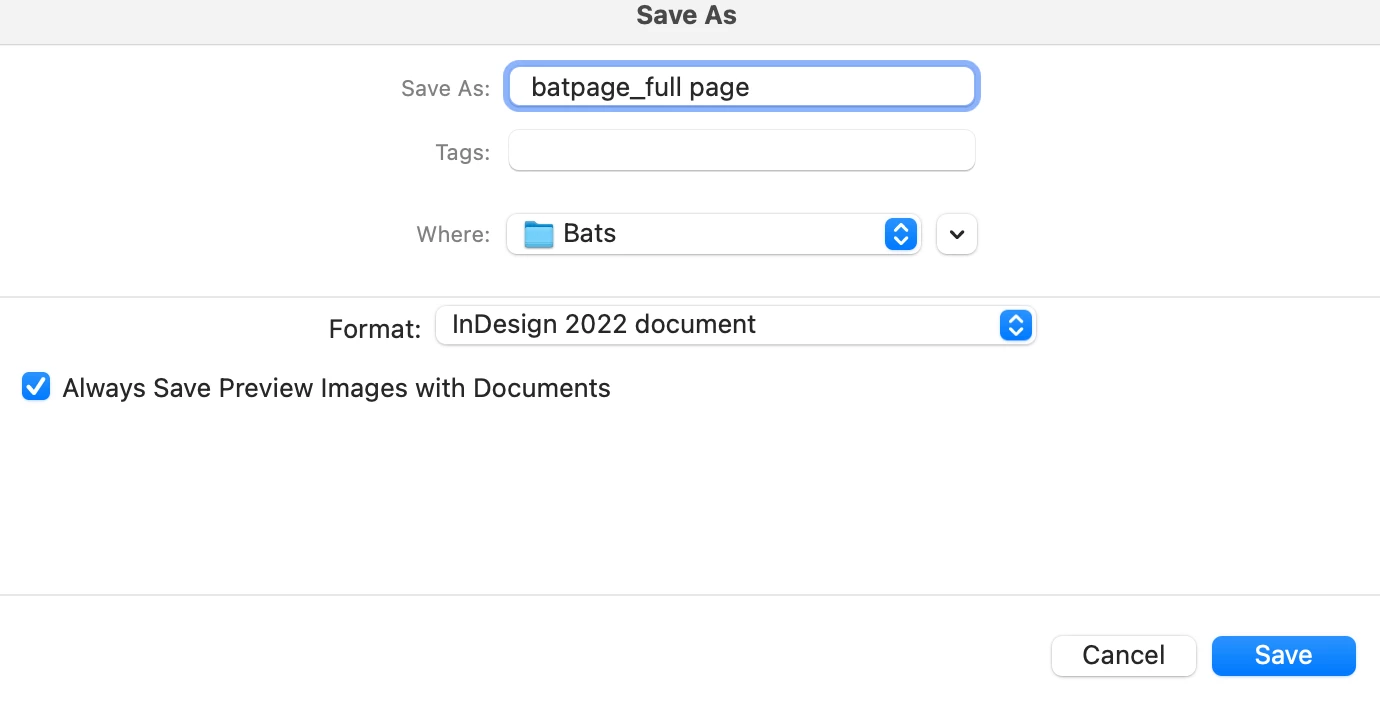
 

I'm not even sure if I clicked "don't show again" for sure or not, but it isn't giving me the usual menu to save my file as a cloud file now that I've first saved it on my laptop.

This topic has been closed for replies.

2 replies

Jeff Arola
Community Expert
Community Expert
April 21, 2023

Looks like your screenshot is from Adobe InDesign and not Photoshop.


As far as i know, saving cloud documents is only in the InDesign Beta:

https://helpx.adobe.com/indesign/using/cloud-documents.html

Participant
April 21, 2023

Oh whoops, didn't realize I'd ended up in the photoshop section specifically. Wouldn't saving files be similar? If not, I'll find the other forum

Jeff Arola
Community Expert
Community Expert
April 21, 2023
Inspiring
April 21, 2023

Not a Mac user, but probably the same settings here