


Question
How to Selectively Unlink Entries in the Table of Contents in InDesign
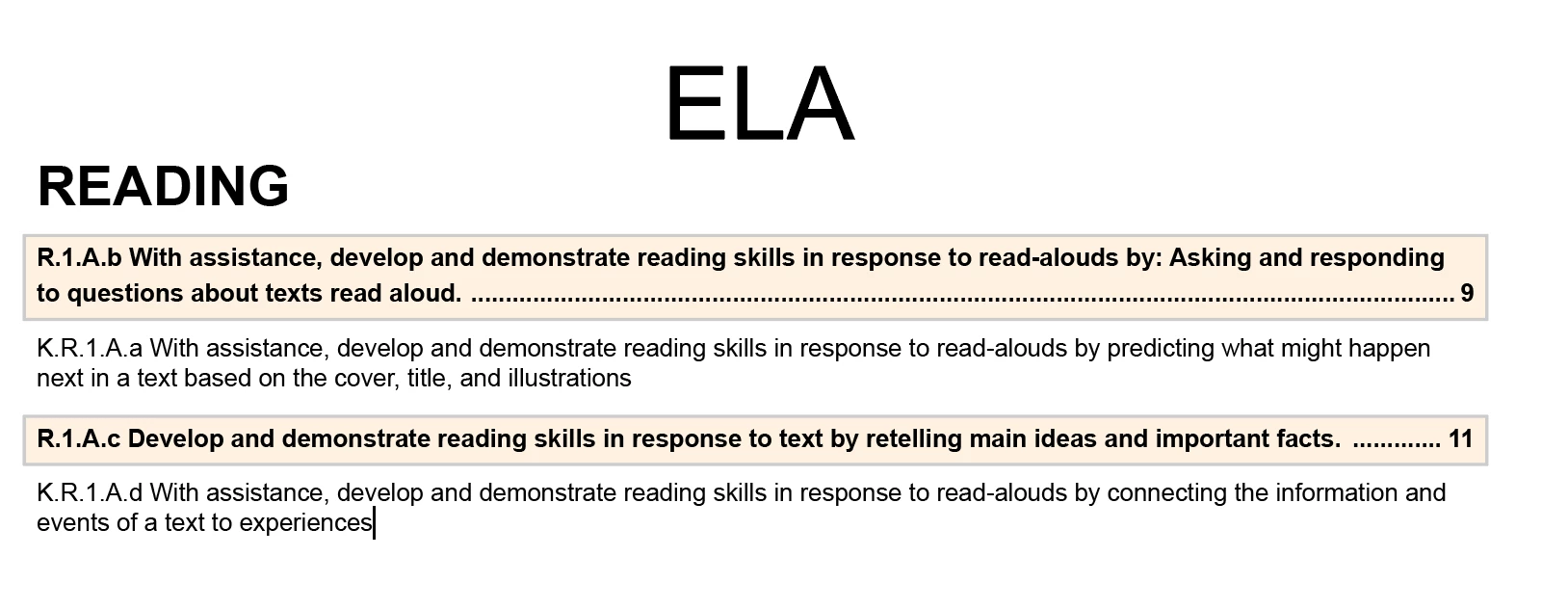
I was curious if there was a way to "unlink" certain elements in the table of contents. For example, I am using the TOC to set up my table of contents and have the elements I want linked shown up in a highlighted yellow, and the ones that are not linked are in white without pages numbers. (The ones in white are hidden text on a page)
When I export to a PDF, they are all linked. Is there a way to turn off for a specific paragraph style or somewhere in the TOC to tell it to NOT link for those not hightlighted?
My client wants the table of contents to include all these standards in order, with the ones in yellow going to her specific document as an interactive PDF. Any help would be appreciated. Thank you!
<Title renamed by MOD>
 AdChoices