

Keira Kingdom
Participant
July 5, 2022
Answered

Images from a shared library gray boxes when placed

  • July 5, 2022
  • 1 reply
  • 697 views

Hello, 

I have a shared library that is owned by our editor that many of us use to develop documents. I had no problems with this library but suddenly every placed image in the library just shows up as a gray box when I try and place it. I have tried changing all the display performance settings as recommended, our images are stored in the cloud since we all use them through Google Drive so I don't know that it is a linking issue,  and other images in the document that were there previously work just fine. My work laptop isn't great, so I do not believe it even has a GPU I could turn on and off as I have seen recommended elsewhere as well. Are there any other solutions we might be missing? Our IT team is pretty terrible at anything Adobe except for installing it so they haven't been of much help either. Thanks for any ideas!
This topic has been closed for replies.
Correct answer rob day

Hi Keira, There have been a number of posts about problems with Google Drive—an alternative would be to use your CC account’s Creative Cloud Files folder for sync sharing. See this thread:


https://community.adobe.com/t5/indesign-discussions/link-path-to-google-shared-drives-inconsistent-in-id-from-one-mac-to-another/m-p/13042035#M482774


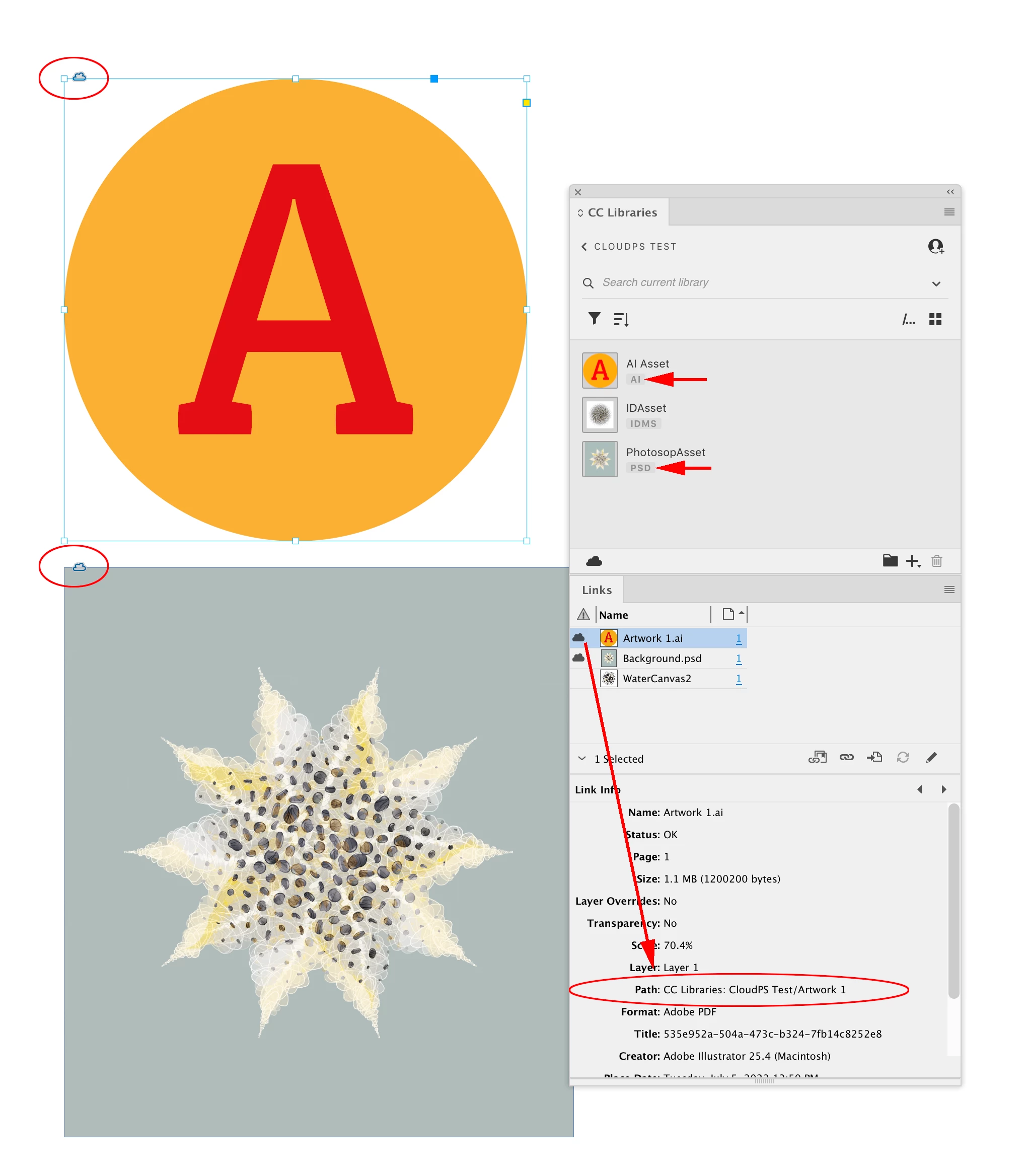
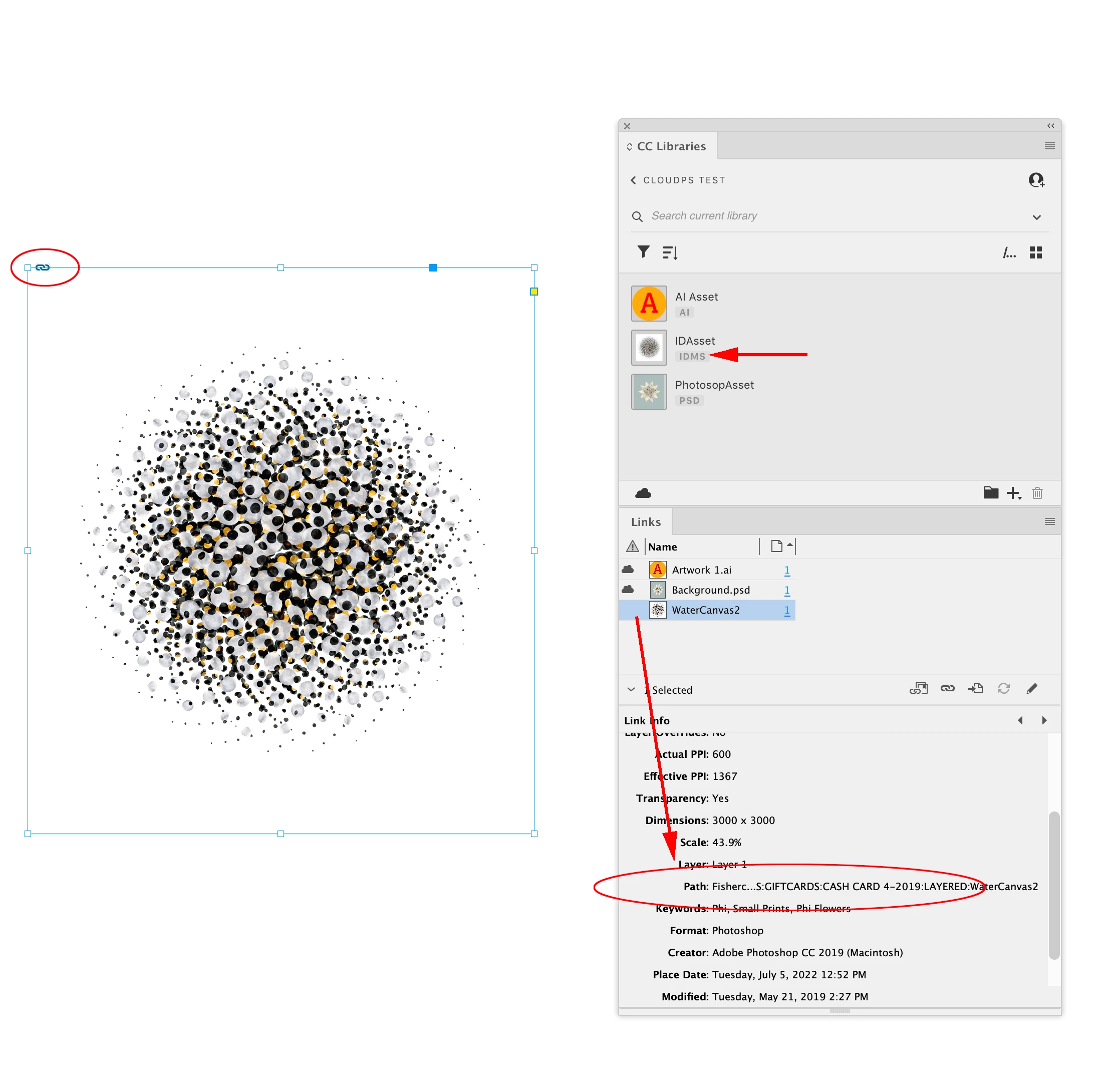
Also, how you add assets to the CC Libraries panel determines whether the link is a cloud or local link. It looks like in your case the book icon was added from InDesign and the link to the parent frame was local.


If the art is added to the CC Library from the app that created it (Photoshop or Illustrator), it will be a Cloud link when you drag it on to an ID page. For example these two CC Library items are listed as AI and PSD. When I drag them on to the page, the link shows a cloud icon and the Path contains a CC Libraries prefix indicating it’s to the shared CC Library:


If the asset was created by placing a locally saved image on a page, and dragging into the CC Library, it’s listed as an IDMS asset. When the IDMS asset is dragged on to a page, it gets a regular local chain icon, and the Path is to my local volume not the cloud. This link would break on a remote computer with a different CC account.


1 reply

jmlevy
Community Expert
Community Expert
July 5, 2022

The question mark above the frame indicates that the link is missing. And if the file has been exported in idml format, the preview of the missing link turns into a grey background. You need to relink the image.

Keira Kingdom
Participant
July 5, 2022

Hello,

Thanks so much for your response! If this is a shared library, and all of our images are in a shared google folders that I am the manager of, and I did not have this problem a few weeks ago, do you have any ideas as to why they wouldn't be linked all of a sudden?


I did get a new laptop with Windows 11 back in March but they worked fine until about 3-4 weeks ago. I also have tried going back to older versions of ID but that didn't help either. 

jmlevy
Community Expert
Community Expert
July 5, 2022

Someone has removed the file or renamed it. But if it was only this, you would see a low res preview in the file. Are you sure that nobody has exported the InDesign file to idml then replaced the old one by a new one? Do the coworkers work with the same version of InDesign?