


Inspiring
November 4, 2025
Answered

InDesign 2026: Drop Shadows graphical glitch

  • November 4, 2025
  • 58 replies
  • 2897 views

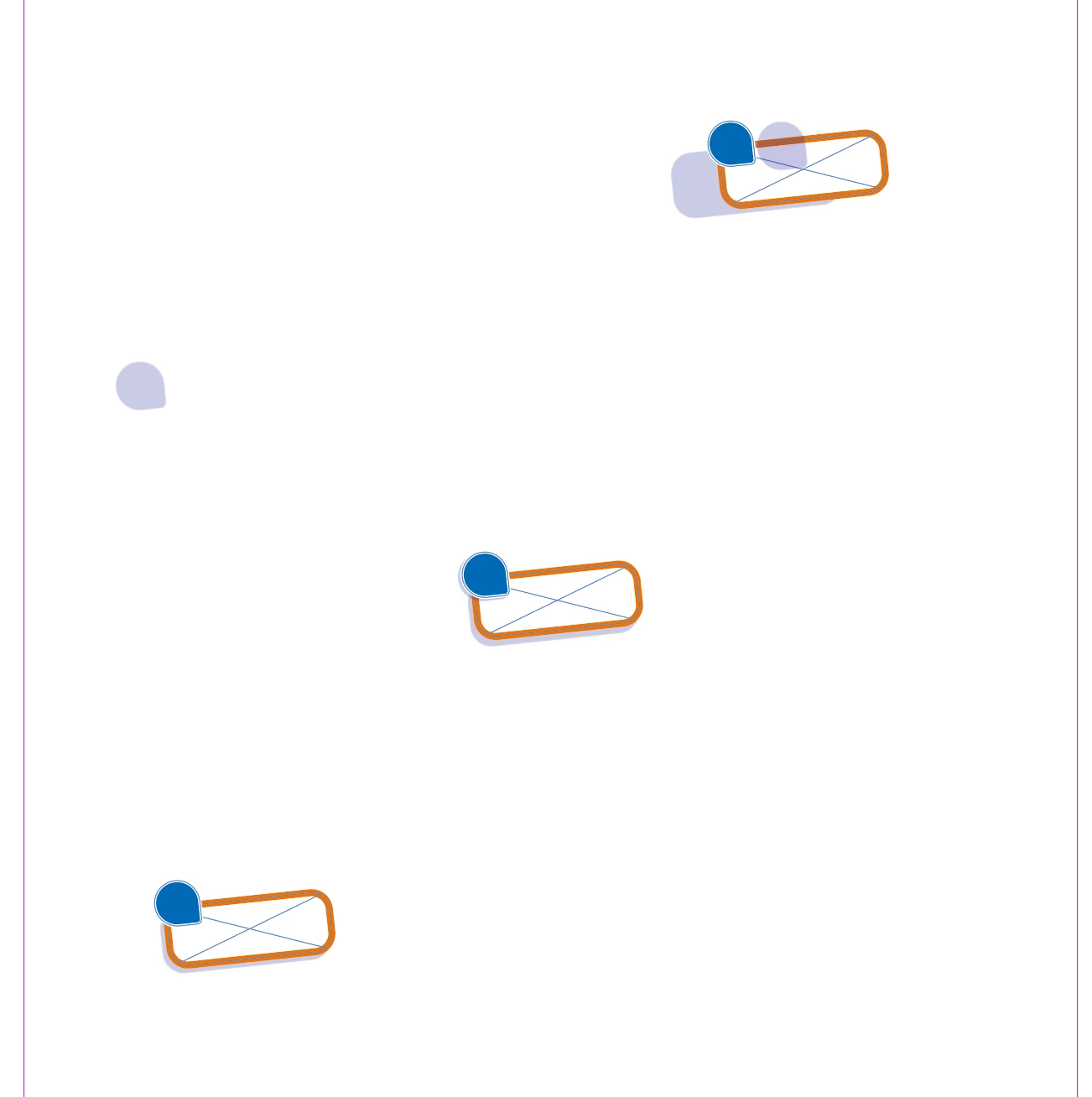
After the most recent update I had to create a document using assets from older indesign files that previously never gave any issues. Now the dropshadows from multiple (different objects) move all over the place (away from the object as if theres a fixed lightsource) when I move these objects. When I turn off the dropshadow of the object, move the object and then turn the shadow back on it will have the shadow in it's correct position. When I move the object around multiple times it will start glitching the entire page until I move my cursor over it again. When I change the path of the object the displaced shadow will snap back into it's correct position, making me think this is a graphical display issue. 


In the example below you can see how the dropshadows moved. (left one moved up when moving the object down and to the left. Right one stayed closer to it's original position but offset, middle is the original position before copying and moving). 


i'm working on a Macbook Pro m2MAx Sequoia Version 15.6.


Correct answer Abhishek Rao

Hi ​@Trancilian  and everyone following this thread,


Thank you all for your patience and for continuing to share your feedback.

I'm sorry to let you know that this issue appears to have resurfaced in the current release. The team is aware of it and is actively working on another fix. I'll continue to track the progress closely and will keep this thread updated as soon as I have any new information to share.

In the meantime, you can follow and upvote the related UserVoice report to stay informed about any updates:
https://indesign.uservoice.com/forums/601180-adobe-indesign-bugs/suggestions/51041536-drop-shadow-changing-position-and-shape-on-rotated


Thank you again for your continued support, patience, and feedback throughout this investigation.

Abhishek

58 replies

Participant
February 5, 2026

Have this bug, probably form 2 or 3 months already. 2 or 3 indesign updates have passed, but this thing still persists.


Inspiring
February 5, 2026

So what? The problem still exists in InDesign 21.2 on Mac.

Thomas Gregorc
Participant
January 29, 2026

So, what's the status now? The bug report is two months old and the error still exists! My tests haven't been able to confirm rotation as the cause. It doesn't matter what text or object is positioned, how, or where; the drop shadow is always shifted when exporting to PNG. This is extremely annoying and it's high time it was fixed.

Participant
January 28, 2026

This is still a HUGE issue, why hasn’t this been fixed already? 


Abhishek Rao
Community Manager
Community Manager
November 10, 2025

Hi everyone,


Thanks for sharing all your observations and examples. I've noted the details from each of your reports, and I'm currently checking this behavior with the product team. I'll update this thread as soon as I have more information or next steps from them.


Appreciate your patience in the meantime.

Abhishek

Abhishek Rao
Community Manager
Community Manager
November 11, 2025

Hi everyone,


Thanks again for all the details, screenshots, and files you've shared regarding this behavior. I wanted to let you know that a bug has been logged for this issue, and the product team is actively working on a fix in Adobe InDesign.

I’ll share an update here as soon as more information becomes available or the fix is implemented.


Appreciate your patience and collaboration while the team works on resolving this.

Abhishek

Participant
November 13, 2025

In the meantime, what do you recommend as a workaround? 

Participant
November 10, 2025

I'm working on Windows 10 Pro and I have the same problem since my update to InDesign 2026 (v21.0). I never had this issue before. Turning GPU Preview on or off doesn't help here. However, it seems to me that the problem only occurs when the object is rotated. Obejcts without any rotation (i.e. 0°) behave like they should. But any degree of rotation leads to the problem.

Inspiring
November 10, 2025

@Fotofant Well spotted! Can confirm that rotation breaks the shadow, doesn't matter if it's grouped or not

Parksite Karl
Inspiring
November 10, 2025

Same for me - super helpful Adobe.  Doesnt matter if it is a group or a single object.  

Abhishek Rao
Community Manager
Community Manager
November 4, 2025

Hi @Trancilian,


Thanks for sharing the details and the screenshot. Could you please try switching from GPU Preview to CPU Preview under the View menu and check if the shadows display correctly there? This will help confirm if the issue is related to GPU rendering. It would also be really helpful if you could share a short screen recording of the behavior along with an affected sample file, so I can test it on my end and have it reviewed by the team.


Looking forward to hearing back.

Abhishek

Inspiring
November 4, 2025

Hi @Abhishek Rao 

Thank you for the quick reply! I've included an indesign file with the object and a screenrecording below in which I show/tried the following:

1. The visual consists of 2 groups within another main group (not made by me, but my client). So 2 separate shadow layers as well. First I move them around to show the glitch.

2. I turn the shadows on and off to show how they reset to the correct position.

3. I turn on CPU preview (this causes InDesign to stutter)

4. Show my preferences gpu settings

5. Show the dropshadow settings


Also good to know: When I export the file everything looks fine.

Participating Frequently
November 10, 2025

Yep, me too. changing the GPU does not fix it
