



Mr. Met
Inspiring
Feb 28, 2026 6:51 PM UTC
Answered

InDesign 21.2 Undo Greyed Out and History Panel Blank on macOS Tahoe and Ventura

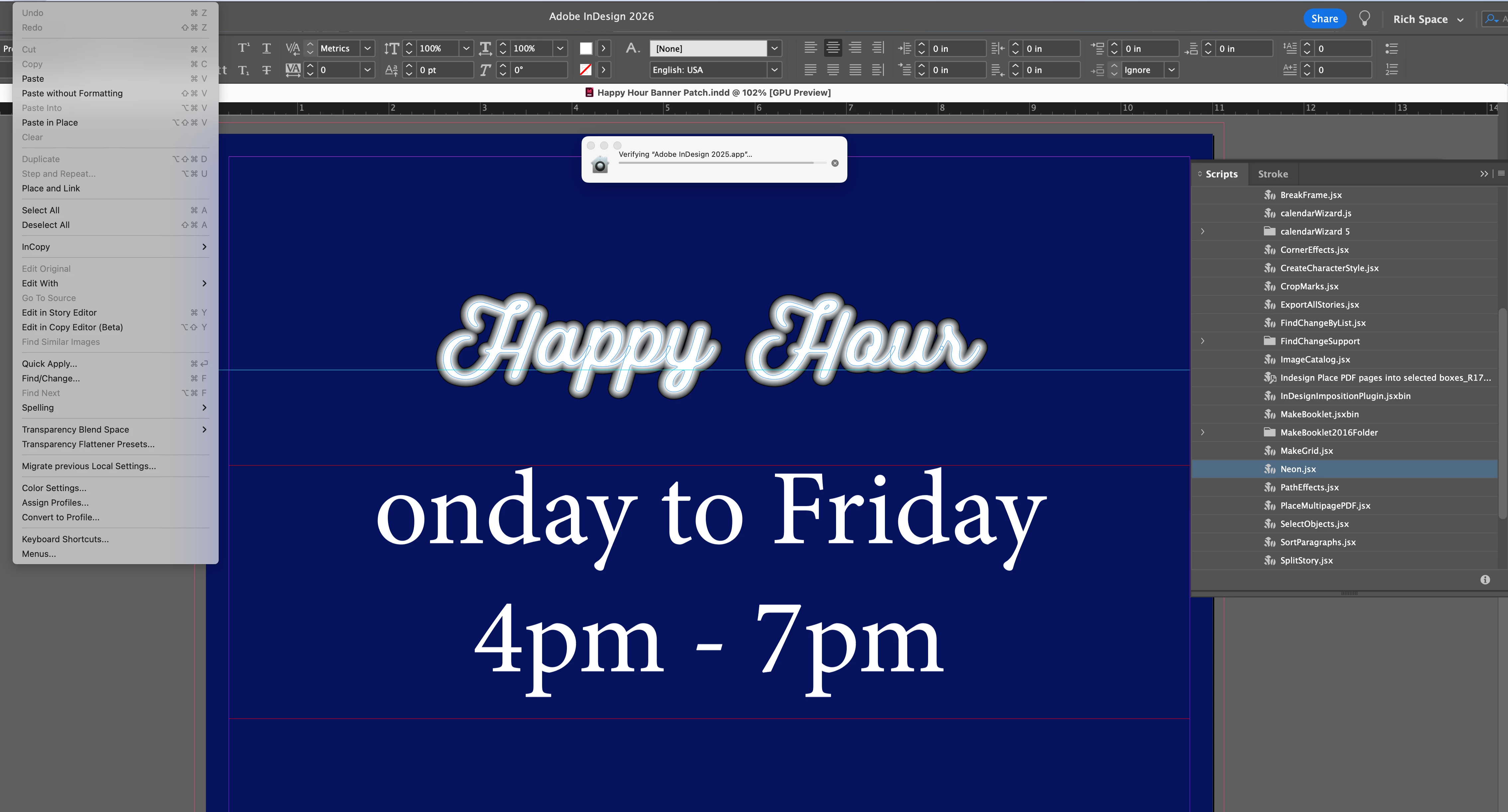
I installed Adobe 2026 on my imac. Now undo doesn’t work. It’s permanently grayed out. ID 21.2 on a Retina 5K running Ventura 13.7.8.


If you look at screen shot, I can’t undo the neon effect I made or undo the letter ‘M’ I deleted. 

I’m opening 2025 ID to see if that helps.
 

    nik.m
    nik.mCorrect answer
    Community Manager
    Jul 20, 2026 6:41 PM UTC

    Hi Matt, the team is working on a fix for this. 

    Please share the logs requested in the response from Sanyam(here) along with a video. These would help us investigate things in more detail.

    Meanwhile, please try the workarounds suggested in the reply. Additionally, could you try disabling the Generative AI options in InDesign Preferences and let us know if that makes any difference?


    Thanks, 

    Nikunj 

    69 replies

    Mike Witherell
    Community Expert
    Community Expert
    Mar 1, 2026 3:17 AM UTC

    Hi Met,

    Have you tried resetting InDesign?

    Translate
    Mike Witherell
