
Participant
May 18, 2021
Answered

InDesign Beta Build Has Expired

  • May 18, 2021
  • 11 replies
  • 11330 views

Hello.


In the middle of working in the beta version of indesign (I have a Macbook pro 2020 with the M1 chip), I got an error notification saying InDesign Beta Build has expired. I've reached out to support, who recommended I uninstall the program and reinstall. They also recommended I log out of all adobe accounts, restart my laptop and try the reinstallation again. To no avail.


For the technical team, this is what I was doing while it happened: 


1. I was reinstalling my creative cloud (it randomly stopped working and I could not repair it for a week. After countless uninstallations and reinstallations, I tried again and it worked). The error happened in the middle of the reinstallation. 

2. I was activating fonts (I also tried manually dragging installed fonts into adobe/fonts in my library)


This is what the error looked like:
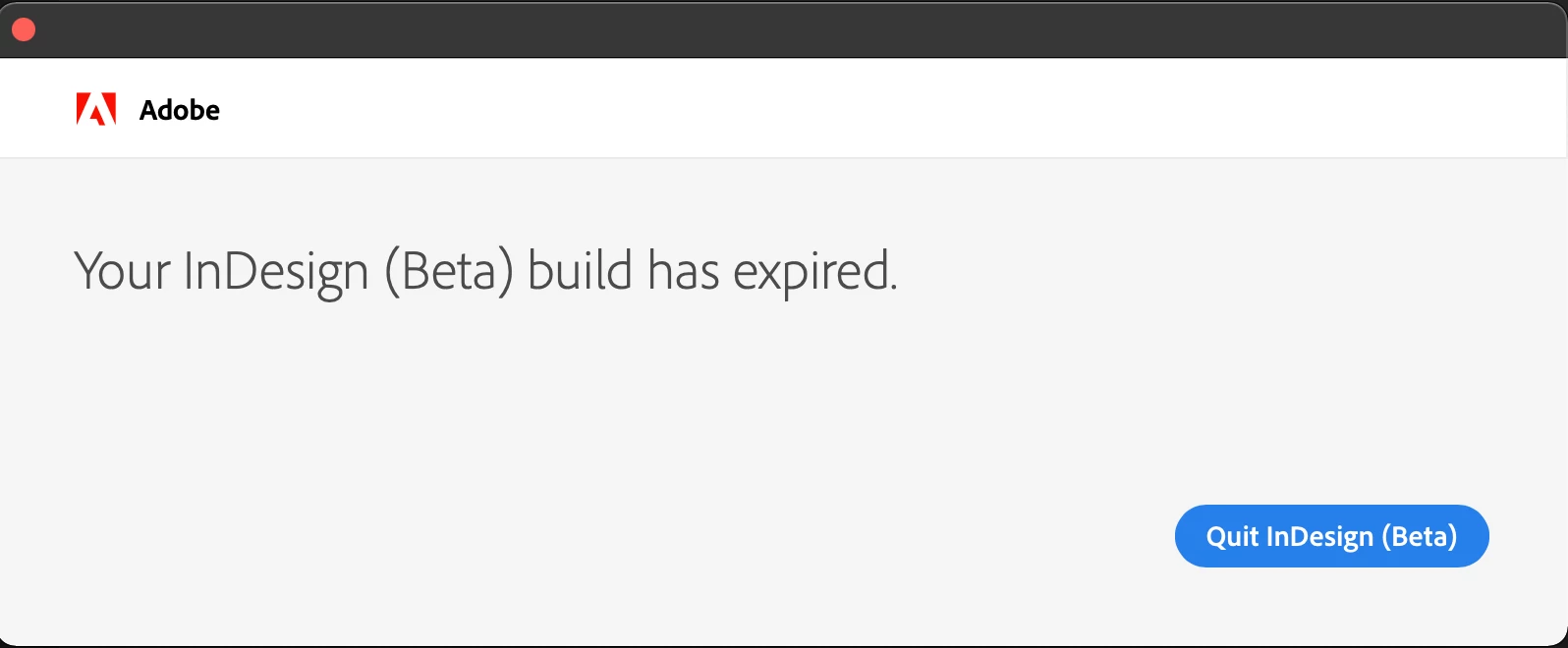
 

Is there any solution to this? Thank you for responses in advance. 

This topic has been closed for replies.
Correct answer Srishti Bali

Hi all,


InDesign for Apple silicon (16.3.2 ) is now available for all. Download the app from the Creative Cloud desktop app and share your experience with us.


Regards,

Srishti

11 replies

Srishti Bali
Community Manager
Srishti BaliCommunity ManagerCorrect answer
Community Manager
July 14, 2021

Hi all,


InDesign for Apple silicon (16.3.2 ) is now available for all. Download the app from the Creative Cloud desktop app and share your experience with us.


Regards,

Srishti

Participant
July 28, 2021

Hi Srishti, I've installed 16.3.2 - I'm on an imac with the M1 processor. My InDesign is still basically unuseable for creating documents with text. Whenever I do something in a text box (type, delete, move, copy/paste) the text in the box disappears and I have to click on a button to make it reappear (normally I use command/- or + as that seems to be the quickest way of making it reappear). I'm working at about 20% capacity as I'm creating a large illustrated book. I'm using the Overprint Preview workaround at the moment which someone accidentally discovered on a forum somewhere, but I can't do everything I need to in overprint preview mode. I've wasted so much money buying this new Mac and no longer have my old one. Please fix it - I'm going mad! 

Participating Frequently
July 28, 2021

same issue here – still trying to figure out what causes this problem.

Inspiring
June 18, 2021

Non si apre la versione Beta di Indesign (utile per mac M1)

LinSims
Community Expert
Community Expert
June 18, 2021

Let me move this to the InDesign forum for you, which is the appropriate forum for your question.

The Using the Community forum is for help in using the Adobe Support Community forums, not for help with specific programs. Product questions should be posted in the associated product community.


Please provide information on your hardware setup and operating system and any error messages you've seen, as the information will help others troubleshoot your problem.

Participant
May 27, 2021

Hallo zusammen,

ich nutze InDesign auf einem Macbook mit M1 Chip. Leider ist die Creative Suite immernoch nicht für die neue Hardware optimiert, weshalb es bei mir regelmäßig zu Systemabstürzen kommt. Besonders bitter – Zoom oder andere Software mit Audio-Output laufen in solchen Situationen weiter, ansonsten geht nichts mehr und es lässt sich nur mit einem harten Reset beheben.


Zwischenzeitlich gab es allerdings eine Beta-Version, die stabil funktioniert hat, allerdings wird mir seit einigen Tagen beim Start folgendes angezeigt:

Ihr InDesign (Beta)-Build ist abgelaufen.

Das kann doch irgendwie nicht sein, oder?


Habt ihr eine Idee, was ich machen kann, um die Beta wieder zu benutzen?

Viele Grüße

Srishti Bali
Community Manager
Community Manager
May 28, 2021

Hi there,


Apologies for the inconvenience. The fix for this issue is available in the latest InDesign Prerelease build. Please follow the instructions share on this page and let us know how it goes.


Regards,

Srishti

Participating Frequently
May 25, 2021

I've been using the Beta version and was very happy with it. Now all of a sudden I can't open the Beta app anymore. The regular version keeps freezing up on me. I'm stuck with my work at the moment. Any sight on a new release of the Beta app...? 

Steve Werner
Community Expert
Community Expert
May 25, 2021

To help you, we'd need more information about your system: Please tell us what operating system (exactly) you're running. You're referring to "the Beta version": What exact version is this and how did you acquire it? To me it suggests that you downloaded a Prerelease version of InDesign from the Creative Cloud app by being a member of the InDesign Prerelease program. Is that true?


You also refer to "the regular version". Exactly what version of InDesign is that? 


You can view the version by choosing About InDesign within the program.

Participating Frequently
May 26, 2021

I'm working on an M1 Macbook Pro running Big Sur 11.3.1. With the regular CC indesign version 16.2.1. I've had the Beta downloaded from the CC panel beginning of April which I was very happy with. Yesterday I started the Beta version and I got the warning that my licence for the Beta version had passed. So after that, I started up the 16.2.1 version again and that keeps freezing on me.

Ashutosh_Mishra
Inspiring
May 19, 2021

Hi All,


Apologies for the inconvenience. Beta build for Apple silicon has expired as it has completed its lifecycle.


We do not plan to post another beta build for Apple Silicon. We will be posting corresponding builds on our pre-release portal soon & we request you to join our InDesign Prerelease program to evaluate those. Please find more information on Adobe InDesign UserVoice post to know how you can install the new build once available.


Furthermore, we are in the advanced stage of doing a public release of InDesign and InCopy on Apple Silicon. Your patience is appreciated in the meantime.


Regards,

Ashutosh


Participant
May 19, 2021

Hello, and thank you for your response!


What is an ETA of an Apple Silicon version of inDesign? 

The Intel Version keeps crashing my mac, so its not usable at the moment. 

Participant
May 19, 2021

Same issue here (MacBook Pro 2020 M1).

The Intel version with rosetta 2 is crashing the whole MacBook after a few minutes, so im not able to get into a workflow...

Participant
May 19, 2021

Same issue, sadly. Couldn't get any help from the Adobe service since InDesign Beta didn't show up in my "files". 

Participant
May 19, 2021

Same Issue

Till Krueger
Inspiring
May 19, 2021

Same issue here, May 18, since early morning...I'm on a MacBook Air M1 and have InDesign Beta 16.3.0.5.

Briefly got excited when I got an update notice for three Adobe Beta apps, but InDesign wasn't one of them...what to do?

jonj16597407
Participant
May 19, 2021

Don't think there is anything we can do until Adobe pushes a new beta or changes the expiry date on the current one.

Participating Frequently
May 19, 2021

same issue here

jonj16597407
Participant
May 19, 2021

I have the same issue. Received an alert this morning, checked for updates but none available. I suspect that Adobe had intended to push a fresh beta before the old one expired but haven't managed it. 

Participant
May 19, 2021

Hi,

Same issue this morning, just starting up the app.

Reinstall did not solve it, same as abovementioned steps.


KR.

Participant
May 19, 2021

Same issue for me.