
Participating Frequently
January 9, 2023
Question

InDesign exporting paragraph tags instead of Header tags for accessible PDFs

  • January 9, 2023
  • 3 replies
  • 366 views

Is anyone experiencing this???
I'm using Adobe InDesign and exporting to accessible PDFs. The tagging isn't exporting correctly. When I export to the PDFs, copy is being tagged with the paragraph style names, instead of the header tag I assigned. Please see example.
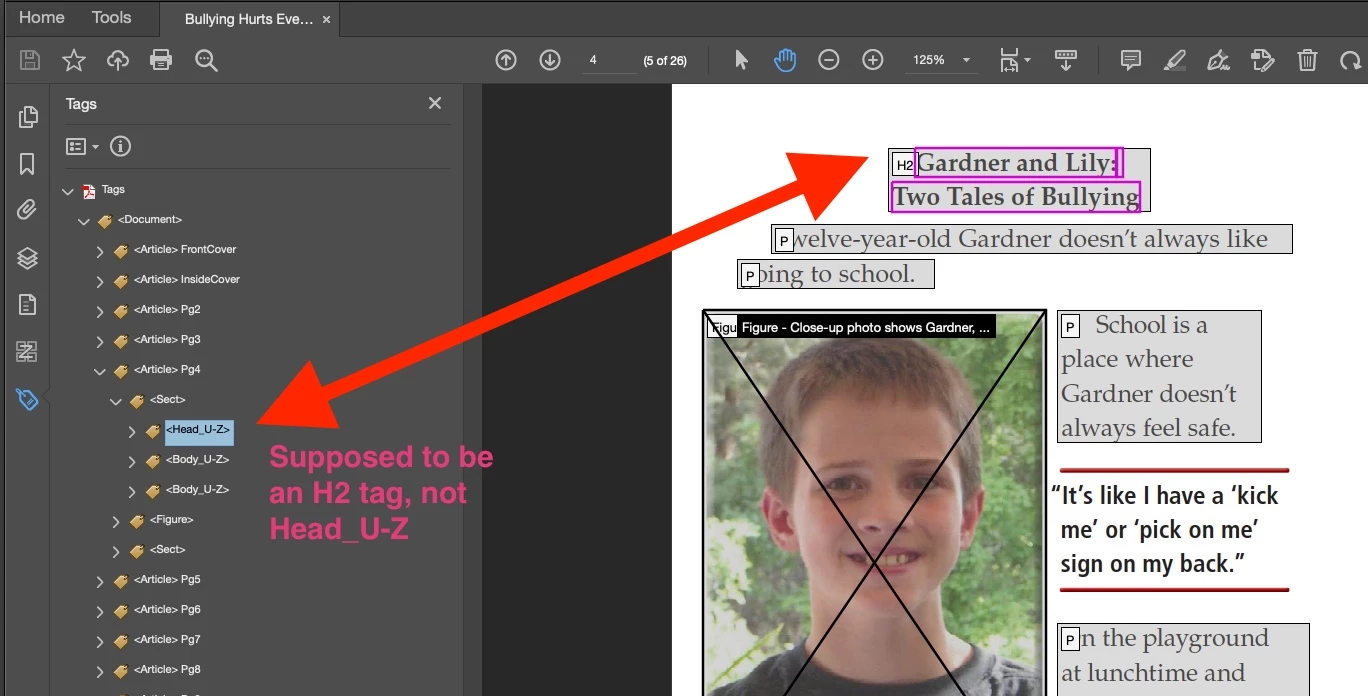
 

The copy is supposed to be assigned <H2> but instead it's <Head_U-Z>, which is the paragraph style name. When I use a Screen Reader NVDA, to navigate, it's not recognizing it as a Header.
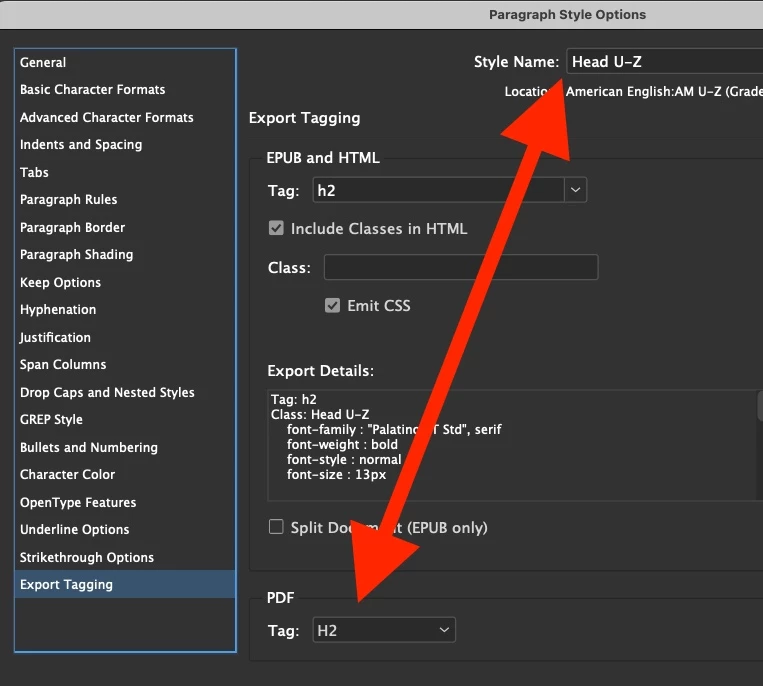
In InDesign I have the Head_U-Z mapped correctly to export to H2. But's it not doing it.

This topic has been closed for replies.

3 replies

Participating Frequently
January 17, 2023

For those who are interested on how I ended up fixing this. It had to do with long paragraph styles names as mentioned on this thread. https://community.adobe.com/t5/indesign-discussions/problem-with-role-mapping-paragraph-styles-to-tags-from-indesign-to-pdf/m-p/12871330/page/2#M473157
I ended up shortening up my paragaph style names, and exports started working again. Cheers, everybody. 

James Gifford—NitroPress
Legend
January 9, 2023

There was just a lengthy discussion of this topic, so you're not the only one. You might follow up here:


https://community.adobe.com/t5/indesign-discussions/acrobat-tags-not-matching-indesign-tags/td-p/13468568


Participating Frequently
January 9, 2023

Thank you, James. I tried what was recommended on that thread. It still doesn't fix it. It feels like the Tag Exporting from InDesign is just broken. 

kglad
Community Expert
Community Expert
January 9, 2023

<moved from enterprise and teams>