Participating Frequently
April 25, 2025
Answered

InDesign file (.inddc) won’t open – app crashes instantly without error (v20.2 & 20.3) - urgent

  • April 25, 2025
  • 1 reply
  • 727 views

Hi everyone,
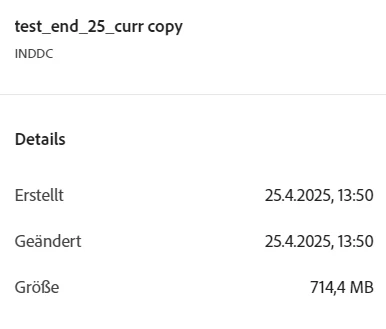
I’m having a serious issue with an InDesign document (.inddc) that suddenly won’t open anymore. As soon as I try to open the file, InDesign crashes immediately without showing any error message. I’ve tested this in versions 20.2 and 20.3 – same result.

Here’s what I’ve already tried:

  • Reset InDesign preferences

  • Restarted my computer

  • Uploaded the file to the Creative Cloud

  • Shared it with a second Adobe account

  • Transferred the file to that second account’s files

I also tried accessing and downloading the file both via the Creative Cloud desktop client and via the browser, but no luck – the file can’t be opened or downloaded from either account or interface. Still no specific error messages.

Has anyone experienced something like this before or found a way to recover a file in this state?

Any help would be greatly appreciated!

Correct answer Eugene Tyson

That's what I'm stuck with.


Looks like a permissions issue to me - it's not downloading the file. The file in the folder is 0kb. 


https://community.adobe.com/t5/indesign-discussions/can-t-open-or-download-indesign-file-from-cloud/td-p/14806809


1 reply

Community Expert
April 25, 2025

why is the extension .inddc?


Should it be .indd? Was that a typo?

Community Expert
April 25, 2025

Oh it's a Cloud file - hmm I don't deal much with Cloud docs


Strange it's not working - are you on Mac or Windows?
If you're on windows this script might make an idml file for you

http://kasyan.ho.ua/indesign/all/blind_open_and_idml-export.html


mvb88Author
Participating Frequently
April 25, 2025

Thank you so much for the suggestion! Unfortunately, it doesn’t work because I can’t download the file from the Cloud, and I don’t have a local copy of it.

It's a Cloud file, so I'm unable to access it directly from my local machine. I will keep trying different solutions, but for now, I’m stuck without a local version.

And I'm on Windows 😕😕

Thanks again for your help!