Participant
March 24, 2024
Question

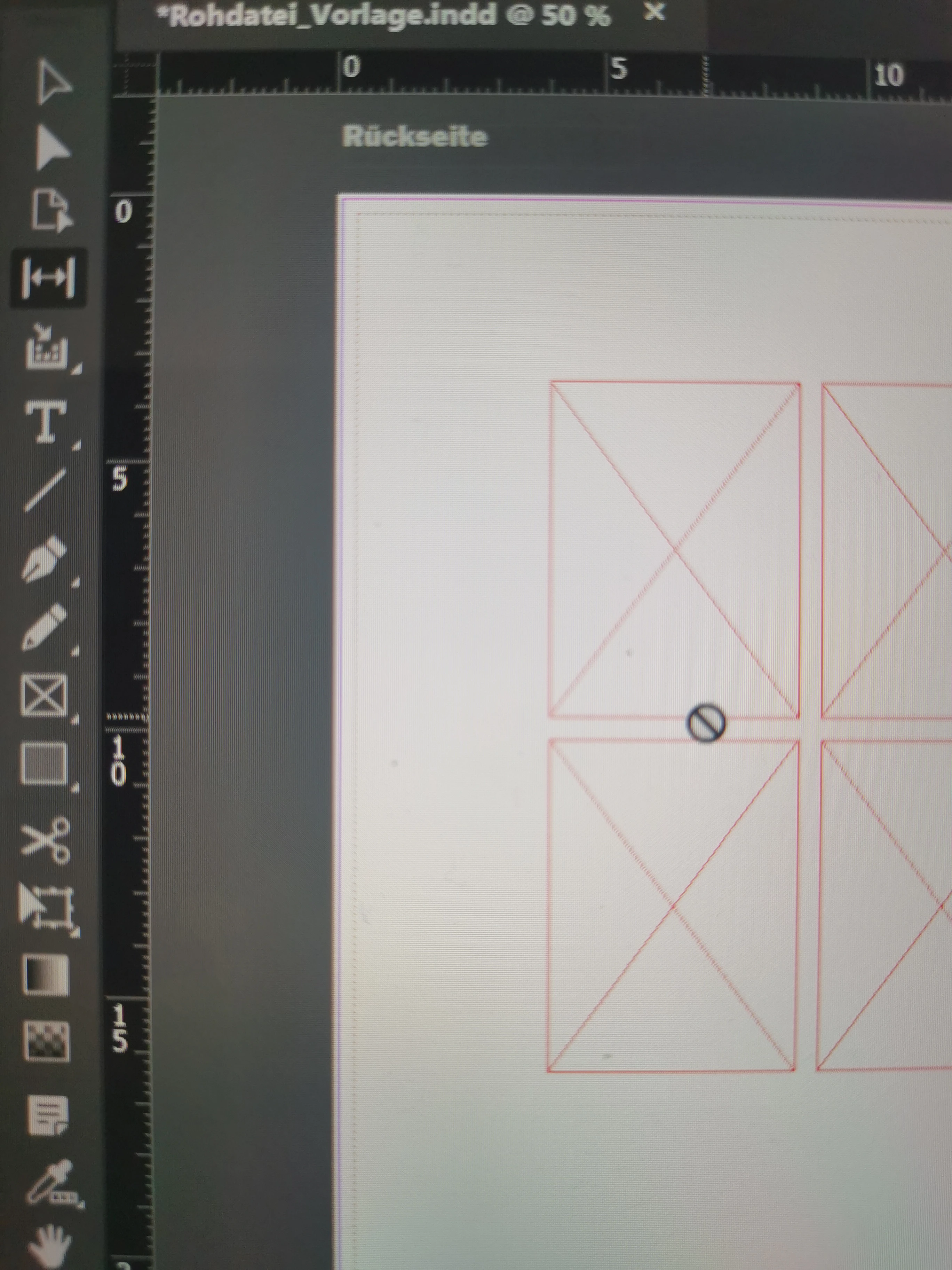
Indesign Gap tool doesn't work

  • March 24, 2024
  • 4 replies
  • 1098 views

Hello everyone,


I often have the problem that my gap tool in indesign blocks and I can't edit the gaps with it. 

I hope someone can solve my problem! 


Kind regards 
 

This topic has been closed for replies.

4 replies

Barb Binder
Community Expert
Community Expert
March 24, 2024

Like @Robert Tkaczyk I use the align and distribute tool to space items.


As do I Eugene, but as an instructor, I'm obligated to understand how all the tools work, so that I can answer questions about them in class and offer choices to my students, who may not like/can't use a more mainstream workflow. For the duration of the Adobe Certified Instructor program, I was tested regularly on InDesign's feature set. Choosing to ignore a tool wasn't an option. 


~Barb

~Barb at Rocky Mountain Training
Barb Binder
Community Expert
Community Expert
March 24, 2024

Hi @Sophiehasaquestion:


I use the Gap tool, and haven't ever had an issue with it not working. I suspect Eugene has mentioned the reason why: locked frames, locked layer, objects on the parent page or a corrupt preferences issue. Objects on a parent page will show that particular cursor, though, so that's my guess.


~Barb


~Barb at Rocky Mountain Training
Community Expert
March 24, 2024

Yeh I tested it and it shows on initial but turns to circle with line after first go


No idea why it doesn't work. I don't like the gap tool its highly inaccurate and not intuitive to use. 


No idea why it's even a tool to be honest


Like @Robert at ID-Tasker I use the align and distribute tool to space items.


If others find it useful great, have at it.

Robert at ID-Tasker
Legend
March 24, 2024

@Sophiehasaquestion 


Like @Eugene Tyson - I never use this "tool" - but this:


Or when you move objects - InDesign will show you something like this:


Community Expert
March 24, 2024

Locked layers?
Locked objects?


Are they on a Parent Page? If they are you need to go to the Parent Page in the pages panel to adjust.


I don't think I've ever used the Gap Tool - never understood how it was even added to the program to be honest.


If it's completely not working

Try resetting your preferences:

Windows: Start InDesign, and then press Shift+Ctrl+Alt. Click Yes when asked if you want to delete preference files.
macOS: While pressing Shift+Option+Command+Control, start InDesign. Click Yes when asked if you want to delete preference files.
A dialog will appear asking to delete the InDesign Preferences, select 'Yes' on this dialog.
Further info and instructions here if needed:
https://helpx.adobe.com/in/indesign/kb/indesign-preferences-support-file-locations.html
