



InDesign Share for Review - FAQ
Using Share for Review in InDesign’s June 2020 release, you can share your designs for online review, and manage feedback right within the app. Stakeholders can open the shared document in a browser to provide feedback. Share for Review streamlines and simplifies the review process for both designers and their stakeholders.
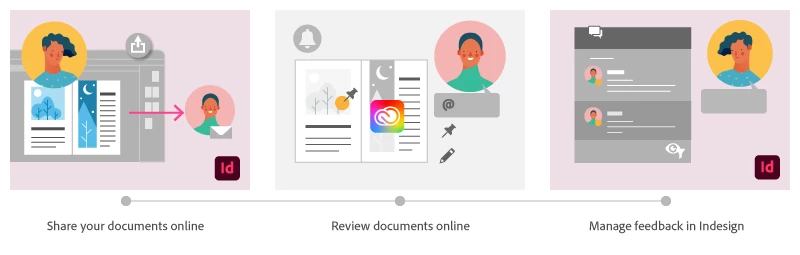
The following FAQs provide clarity on common questions around Share for Review:
Share the document for review - FAQ
How is Share for Review different from the ‘Integrated comment and review’ feature in InDesign CS5? How does it compare to the Import PDF Comments (IPC) feature?
Adobe is investing in features and services that make creative collaboration easier and more enjoyable.
With Share for Review, our aspiration is to make reviewing and editing InDesign creative more seamless, and address the following limitations in CS Review:
- Requirement for a flash plugin to use this feature
- Lack of support for key features such as email notifications
- User challenges with feature discoverability
Compared to Import PDF Comments (IPC), Share for Review reduces time by eliminating the need to create and share PDFs and collate the resulting feedback. We will be working to enhance the reviewing features and capabilities in Share for Review, which will soon help this tool surpass the experience of IPC, from end to end.
Does Share for Review include text commenting capabilities?
This first version of the feature allows you to provide feedback through the sticky note and pencil tools. We will continue to improve the experience, and we will soon incorporate more text commenting capabilities, including text highlight, text strikethrough, and the ability to accept text comments in a single click.
Is this feature being introduced into InCopy?
It is not. Instead, we’ll be making significant updates to InCopy by taking it to the Web to provide better collaboration capabilities. Stay tuned!
What text capabilities do I have as a reviewer?
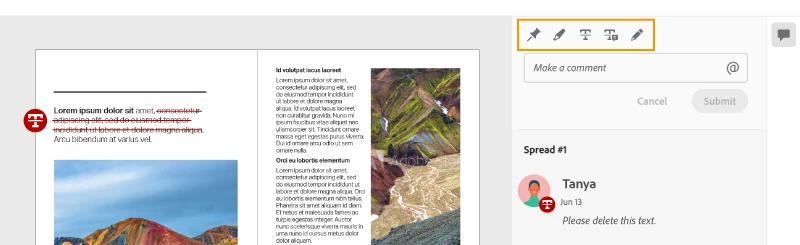
As a reviewer, you will be able to highlight text, strikethrough text, and replace text corresponding to your comment.
Let us know of any challenges, or questions you have for us around Share for Review and we’ll be happy to assist you.

 AdChoices