
Participant
March 21, 2018
Answered

Interactive Button Values

  • March 21, 2018
  • 1 reply
  • 3525 views

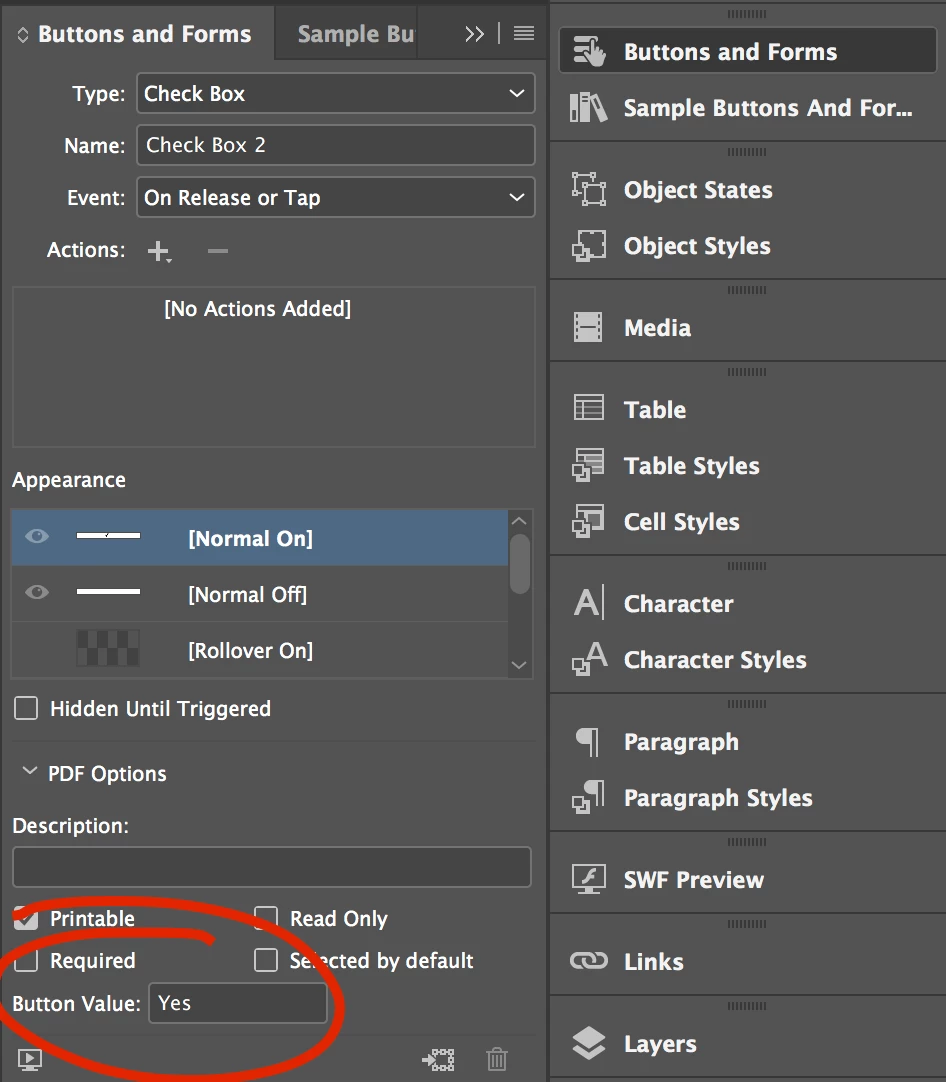
I am creating an interactive pdf using InDesign. When I create a checkbox or radio button, I notice there is a field for a button value. It defaults to Yes or Choice, respectively. This also implies other values might be assigned for potentially more control. Does anyone know if there a list of button values anywhere?
    This topic has been closed for replies.
    Correct answer John Mensinger

    filmbufs  wrote

    I was hoping to find a list of button values

    It's an open field; it can be anything.

    If you have a series of radio buttons which allow the user to choose among colors, for instance, their export values might be Yellow, Green, Blue, Red, etc. That way, collected data will clearly show that field's output (export value) as the actual color name. It also facilitates Javascripting arguments like:

    if (colorbutton.value == "RED")

            {

            this.getField("REDShoes").display = display.visible;

             }

    Theoretically, this would set the display of a field which shows red shoes to 'visible' when the radio button group's export value equals "RED"

    1 reply

    Srishti Bali
    Legend
    April 25, 2018

    Hi filmbufs,

    Button Value corresponds to the export value in Acrobat and can also be used to identify a radio button in a group in an accessible form.

    For more information please refer to following threads:

    Work with forms in InDesign

    Assign radio button values

    Regards,

    Srishti

    filmbufsAuthor
    Participant
    April 25, 2018

    Thank you for your reply, srishtib8795206​.

    I was hoping to find a list of button values one could input into this field. Or, at the very least, some other options besides "Yes" for a checkbox or "Choice" for a radio button.

    John Mensinger
    Community Expert
    John MensingerCommunity ExpertCorrect answer
    Community Expert
    April 25, 2018

    filmbufs  wrote

    I was hoping to find a list of button values

    It's an open field; it can be anything.

    If you have a series of radio buttons which allow the user to choose among colors, for instance, their export values might be Yellow, Green, Blue, Red, etc. That way, collected data will clearly show that field's output (export value) as the actual color name. It also facilitates Javascripting arguments like:

    if (colorbutton.value == "RED")

            {

            this.getField("REDShoes").display = display.visible;

             }

    Theoretically, this would set the display of a field which shows red shoes to 'visible' when the radio button group's export value equals "RED"