

dublove
Legend
August 23, 2025
Question

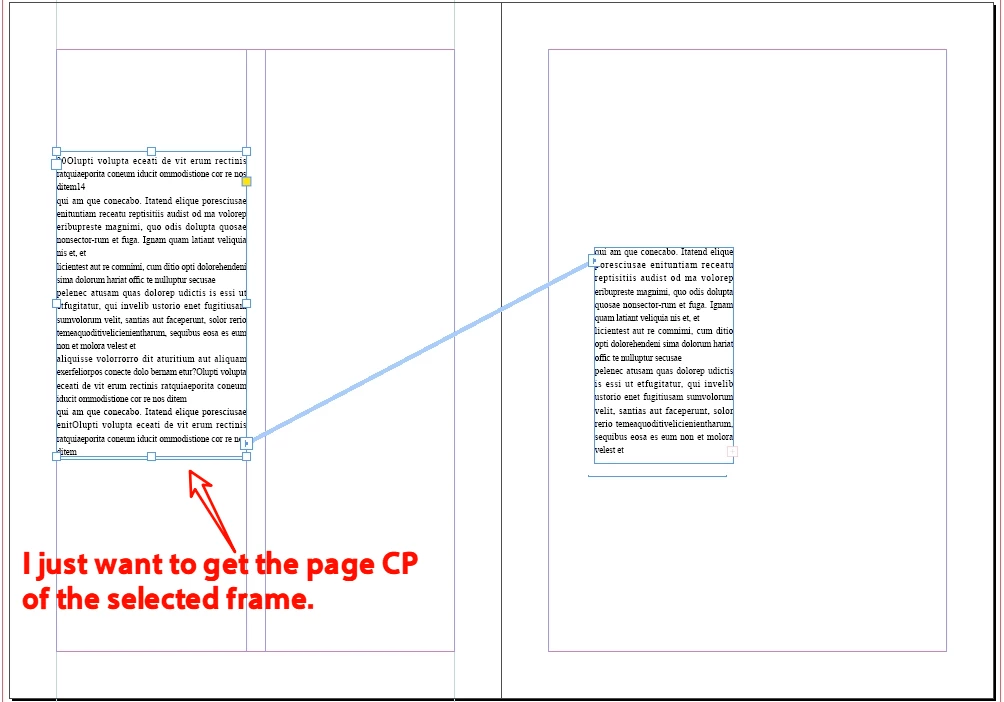
Is it possible to only obtain the columnsPositions(cp) of the page where the frame is located?

  • August 23, 2025
  • 1 reply
  • 152 views

When my document has more than two column layouts (for example, some pages have two columns and others have one column).
I find that my cp[1]-cp[0] have different values.
I only want to obtain the cp of the page where the current frame is located.

var sel = app.documents[0].selection[0];
var pp = sel.parentPage;
var cp = pp.marginPreferences.columnsPositions;
alert(cp[1] - cp[0]);
1 reply

Fred.L
Inspiring
August 23, 2025

Hey dublove,


I'm not sure what is your intend in knowing the column position of a textframe, but here is what I would do.
Note that there is a script ou there (I can fetch it if you're interested in it) that applies an object style to the whole story based on the one applied on the selected textframe. As usual, we can easily tweak it if needed.


The property .marginPreferences.columnsPositions is a page property. Hence, it will give you information regarding the page settings, not the actual selected frame. You can however get the location of the selected textFrame and compare it with the settings of the page. Create then an alert that shows you what you want.


That brings another issue. Coordinates in Indesign can be a bit messy, especially if you use millimeters (like me). I found it helpful rounding up the numbers.

The code could then be like this

// =========================== Function Round decimals  ============================
function RoundWithDecimal(number, decimals){
    var multiplier = Math.pow(10,decimals);
    return Math.round(number*multiplier)/multiplier;
}

// ================================ Main Function  ==================================
function main() {
    if (app.selection.length === 0 || !(app.selection[0] instanceof TextFrame)) {
        alert("Please select a text frame.");
        return;
    }
    
    var selectedTf = app.selection[0];
    var selectedFrameX = RoundWithDecimal(selectedTf.geometricBounds[1], 2); // x1 coordinate in mm, rounded to 2 decimals
    
    if (selectedFrameX === 20) {
        alert("Position = Column 1");
    } else if (selectedFrameX === 109) {
        alert("Position = Column 2");
    } else {
        alert("X position: " + selectedFrameX + " mm");
    }
}

main();


dublove
dubloveAuthor
Legend
August 23, 2025

Hi Fred.L 
Thank you very much.

My question mysteriously disappeared.
Perhaps I changed other structures.