
Inspiring
May 29, 2018
Answered

Is there a better way? (circular name list)

  • May 29, 2018
  • 3 replies
  • 3158 views

[image removed on request of the poster]

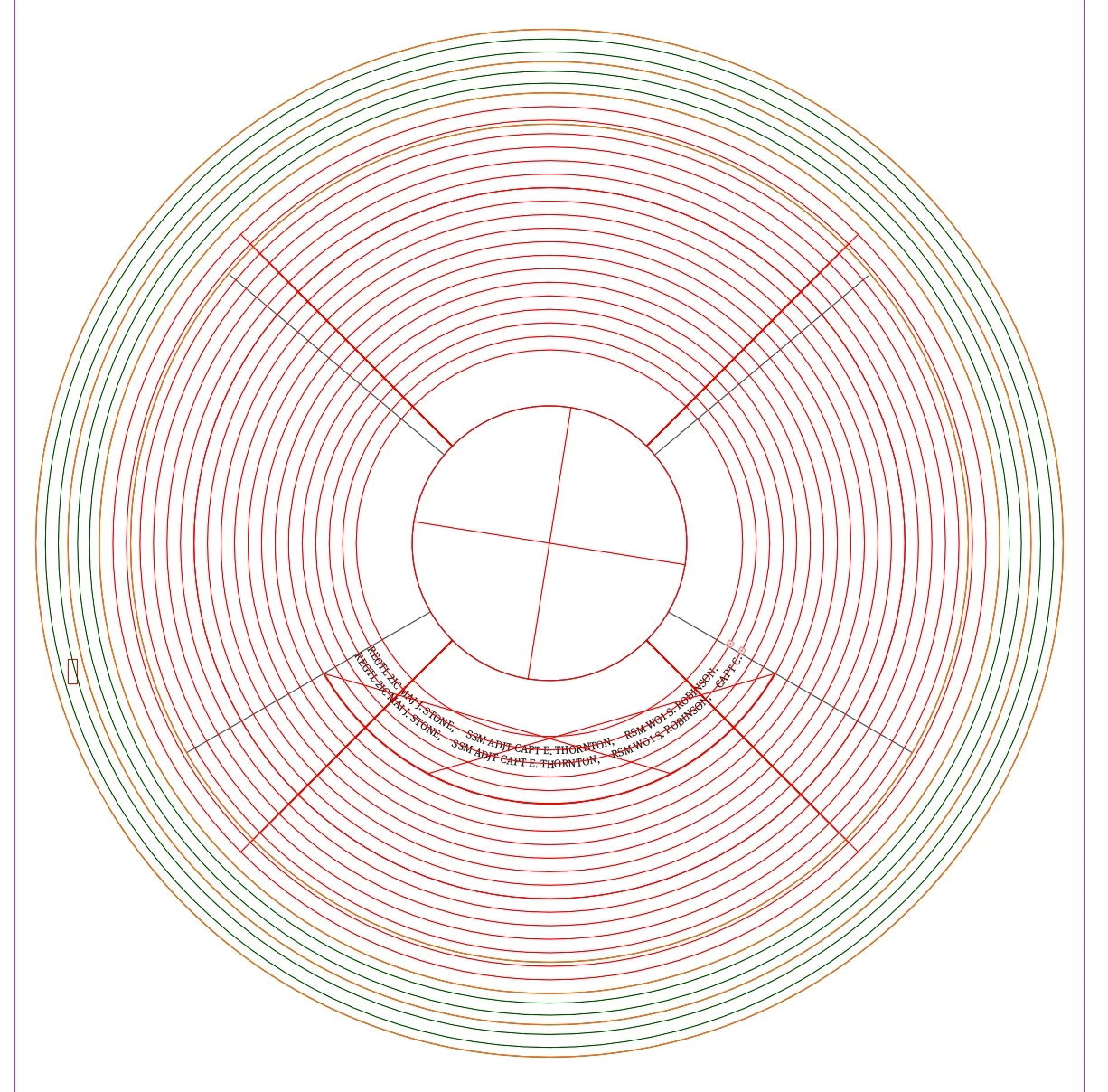
Im producing artwork for a client of mine that has lists of names as per attached image above created in inDesign.

Currently i create a circle for each row of names then type or paste the names onto the frames using 'type on path' and then over flow it onto each smaller circle until filled top to bottom and pull each circle's type on path text frame edges in to the correct alignment position as per the dividing line.

This forms one segment of a much larger piece that can have as many as 5-8 of these segments and can contain thousands of names when finishe (see second attached image below), as you can imagine having lots of layers and each layer having lots of circles of names can get confusing and difficult to select each frame as and when needed.

So i ask 'is there a better way' to do this.... The solution doesn't have to be solely inDesign as i have all CC apps if needed. Ideally the segments text need be easily editable as positioning of the names can change during the proofing process.
    This topic has been closed for replies.
    Correct answer FRIdNGE

    Hi Andy,

    I talk about a script that doesn't exist yet! …

    I've already studied this kind of layout and it's scriptable!

    I'll write such a script later when time!

    I especially think about a script with text greater and greater out of the circle! …

    Similar samples:

    Best,

    Michel


    … Now, it exists! … 

    Best,

    Michel, from FRIdNGE

    3 replies

    Andy_BazAuthor
    Inspiring
    June 21, 2018

    Michel ...that is a powerful and awesome script...well done.

    Please let us know how we can purchase it / donate towards it!

    hammer0909
    Community Expert
    Community Expert
    May 29, 2018

    I agree with Jeffrey, this is better suited to Adobe Illustrator. Jeffrey's on the right track but it can be made a bit easier. In Illustrator, if you create the paths using any number of methods and convert them to Type on a Path objects, you can then choose Type > Threaded Text > Create to thread them all together. There's a trick though. In the stacking order, make sure that the top most element is at the bottom of the stacking order and then build up from there in the layers panel. It would be the reverse of what you visually want to appear but then they'll be threaded in the correct order. I know we're getting off topic here in an InDesign post so if this helps, I'll move it over to Illustrator.

    Community Expert
    May 29, 2018

    There are some advantages to doing this Illustrator.

    First, you can use the Polar Grid Tool to easily create the concentric circles. Note: the Polar Grid Tool is found under the Line Segment Tool.

    Second, text can flow/thread from circle to circle in Illustrator. Note: this is a little tricky, and here are a few tips: Place returns in the text for each new line breaks. Select each and every circle with type on path tool to define that it will have text. Then flow text onto first circle. You can now continue to thread the remaining circles.

    Community Expert
    May 29, 2018

    Jeffrey_Smith  wrote

    … Second, text can flow/thread from circle to circle in Illustrator. …

    Hi, InDesign can do that as well.

    I'd prefer InDesign for that job, if text wrap could affect text on path.

    But unfortunately that's not the case!

    Regards,
    Uwe

    FRIdNGE
    May 30, 2018

    Hi,

    I totally follow Uwe on doing it in InDesign! …

    More, It could be done in 1 click!

    Just 2 things to be defined: the limits defined by the 2 black lines [instead of a wrapping that could not work here] and the "virtual leading".

    No need to cut the circles (that will allow the user to adapt the limits and launch the script again!]

    Here, I've used "circles" for the quick sample [threaded of course].