

dublove
Legend
March 15, 2025
Question

Is there a solution to the 3mm left/right misalignment of the layout after adding or removing pages?

  • March 15, 2025
  • 3 replies
  • 382 views

I think I've seen someone write a script.
That script but changes the entire page.
I've found that only the content in the typearea will be misplaced.
Is there any way to move the affected pages, by odd, or even, 3mm to the left or right, respectively?
Objects within the page center do not need to be moved.

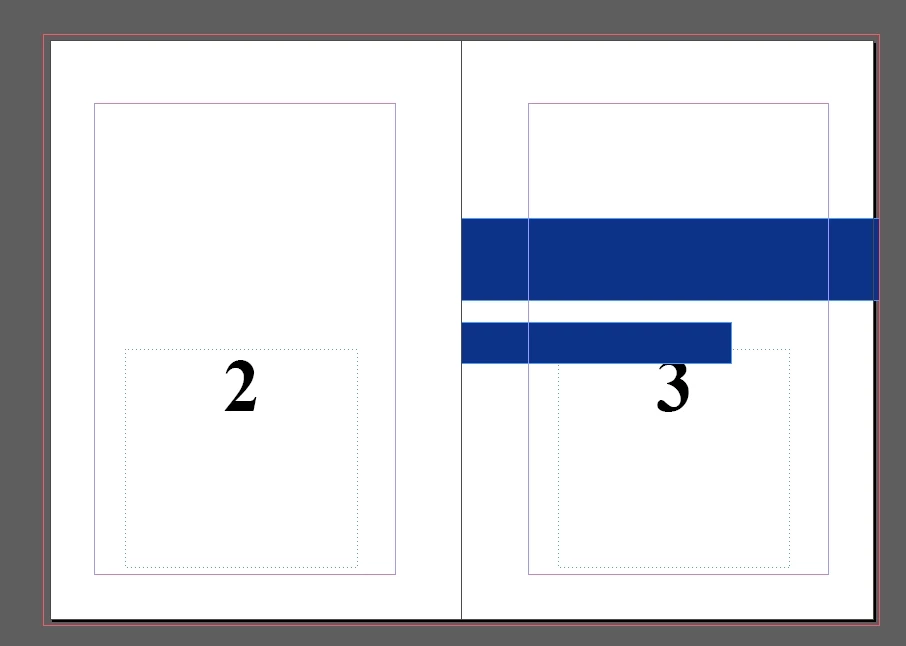
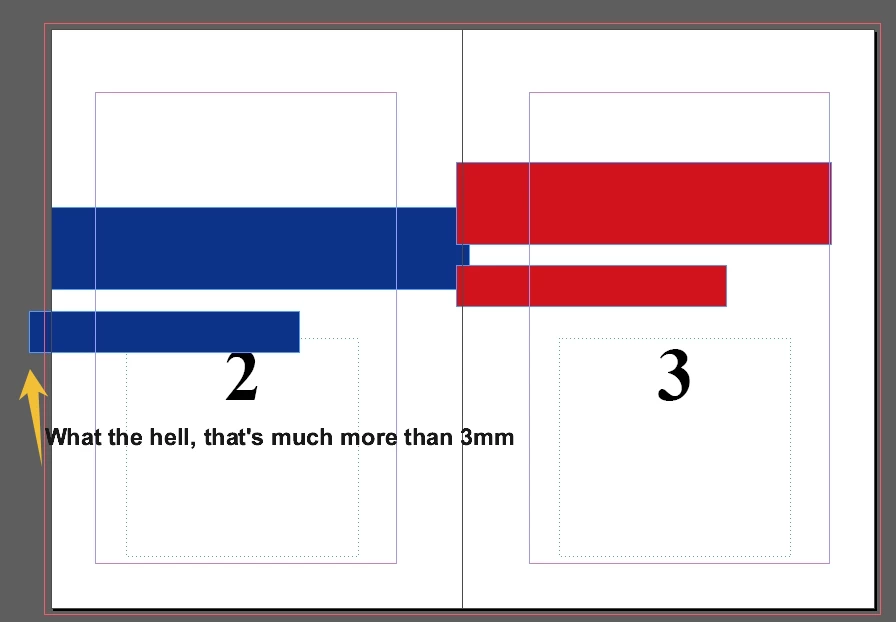
I found the example below, when you delete page 2, there is an unusual bug+?
What the heck, the chunks move far more than 3mm to the left .
 

3 replies

Community Expert
March 16, 2025


Again just a proof of concept that it can be done. And possibly automated ----- outside the already existing method of Anchored Objects.


Thinking about it a bit more maybe it can work with a script


You'll need two object styles - setup to align the object to the spine and the bleed


You'll need to know your page size and experiment with the settings but you can't have a negative number - so you'll have to align to the page right then offset like this


Same for Object Style Right


Once you have both styles setup correctly and working the way you like

In the Window>Utilities>Script Label


Give both a label called Style (you can rename this and update in the script if you wish)


Then the script scans for the label and detects if its' on a left or right page - then applies the correct style 


I've been trying to automate a detection method say if a new page is added the script would go again, but I can't get the automation side of it to run. Can't figure that part out, yet! 

But if it works - then any object that needs to go from edge to edge with bleed - you can add the script label Style to the object and then the script should apply left or right object style


I have not tested in every possible scenario and it might be too complex, maybe you don't need a style. 

Maybe you already have an object style. 


A simpler approach maybe to just detect objects crossing the spine and offset them back to position. 

But I haven't got much more time to keep testing. 


The script label means only objects with the label will be affected. So adds some security. 

Maybe just an offset is better and Object Styles are not required. 


// Ensure that script is running
$.writeln("Script execution started!");

// Get the active document
var doc = app.activeDocument;

function applyObjectStyleBasedOnPage() {
    var pages = doc.pages;
    var pageCount = pages.length;
    
    // Loop through each page and check objects
    for (var i = 0; i < pageCount; i++) {
        var page = pages[i];
        
        // Check if the page is left or right
        var isLeftPage = (page.side == PageSideOptions.LEFT_HAND);
        var styleName = isLeftPage ? "Left" : "Right";  // Determine style name based on page side

        // Log current page and style being applied
        $.writeln("Processing page: " + page.name + " - Applying style: " + styleName);

        // Loop through all page items to find those with the specific label
        var objects = page.allPageItems;
        $.writeln("Found " + objects.length + " objects on this page.");

        for (var j = 0; j < objects.length; j++) {
            var obj = objects[j];

            // Log each object and check if it has the label
            $.writeln("Checking object: " + obj.label);

            // Apply the style if the script label matches
            if (obj.label == "Style") {
                $.writeln("Found object with label 'Style': " + obj.label);  // Log found object label

                // Apply the correct style
                try {
                    var style = doc.objectStyles.itemByName(styleName);
                    if (style.isValid) {
                        obj.applyObjectStyle(style);  // Apply the appropriate style
                        $.writeln("Applied style: " + styleName);  // Log success
                    } else {
                        $.writeln("Style '" + styleName + "' not found.");  // Log error if style not found
                    }
                } catch (e) {
                    $.writeln("Error applying style: " + e.message);  // Log error
                }
            }
        }
    }
}

// Run the function
applyObjectStyleBasedOnPage();


dublove
dubloveAuthor
Legend
March 16, 2025

Thank you very much.
The script in the OP is not responding.

Yes, I remembered that I had tried moving objects with object styles before.


It would make more sense that the script would also automatically determine that.

Community Expert
March 16, 2025

Do a forum search there's a few scripts already out there. 


Anchored objects works though, you should do it this way as it makes it automated without relying on scripts running

Community Expert
March 16, 2025

Anchoring objects in text frames, while not ideal in every situation, solves this issue. 


See my posts here - same principle
https://community.adobe.com/t5/indesign-discussions/anchor-text-boxes-to-location-on-page/m-p/10334243


dublove
dubloveAuthor
Legend
March 15, 2025

I found a version here, great m1b code.

Just the object that in the typeare don't need to be moved.
The main target is the background, the object that fills the page.
https://community.adobe.com/t5/indesign-discussions/adjust-layout-script-not-working-properly/m-p/12903991