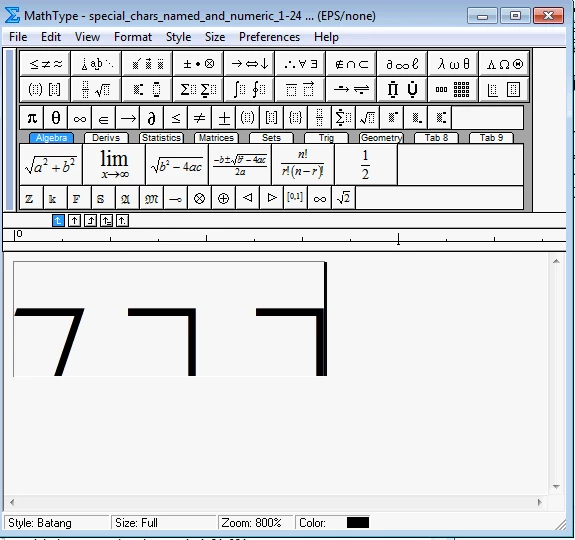
I can answer kundumanab's issue, but first to address @Michael+Witherell's question, "what does None imply?" MathType can save EPS either with a preview image or without. "EPS/None" is pure EPS without the TIFF or WMF preview image that EPS/TIFF or EPS/WMF would provide. Since InDesign generates its own display image, EPS/None is the preferred format when saving MathType equations for use in InDesign.
kundumanab, the links jane-e provided are good ones to reference in the future. For this specific issue, it doesn't look that U+2510 will display in InDesign when saved as EPS from MathType. I tried not only Batang font, but also Malgun Gothic, and neither will display. Here's what it looks like for me (explanation follows):
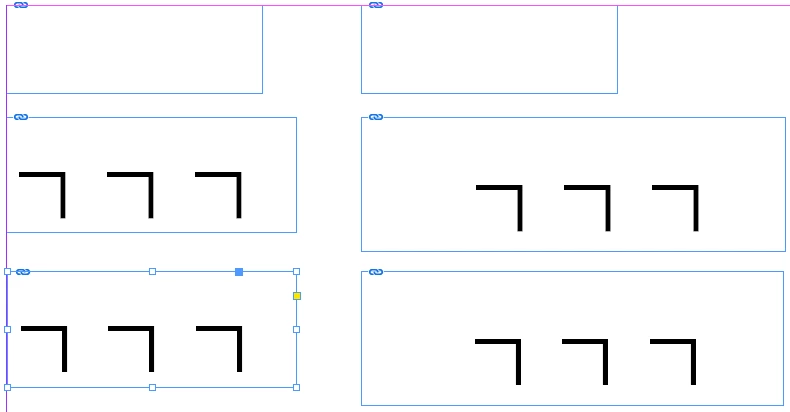
The two placed graphics at the top are EPSs saved from MathType. The 3 in the left column are Batang font; the 3 in the right column are Malgun Gothic. The bottom 4 graphics are PDFs. MathType for Mac can save as PDF directly from MathType. Since you're using Windows, you can use the PDF print driver. The 2 in the second row were printed with the Adobe PDF print driver. The 2 in the bottom row used the "Microsoft Print to PDF" print driver. So choose whichever method works best for you.
To summarize -- when inserting graphics into InDesign that came from MathType, if something doesn't display properly, try a different font. If EPS doesn't work, try PDF.
With MathType 7 (due in a few months), we'll have a new font handler that should provide a better experience than this. I can't say whether U+2510 will display in EPSs from MathType 7 because I haven't tried it, but over all MathType 7 will handle fonts better than MathType 6.x does, and will provide better capability when using with InDesign.
Bob Mathews
WIRIS America, creators of MathType
 AdChoices