
Multilevel Tables and Figures numbering in a single document
Hello,
I have one continuous document with numbered chapters: Chapter 1, 2, 3 etc. I also have numbered headings, according to the chapter nunber: Heading 1.1, 1.2, 2.1, 2.2 etc.
I also have figures and tables that need to be numbered according to the main chapter number. So I would like my layout to look like this:
1 CHAPTER
1.1 Heading
Table 1-1: Table
1.2 Heading
1.2.1 Heading
1.3 Heading
Table 1-2: Table
Figure 1-1: Figure
2 CHAPTER
2.1 Heading
2.1.1 Heading
2.2 Heading
Figure 2-1: Figure
Table 2-1: Table
I have created the lists for each Chapters/Headings , Figures and Tables. Chapters and headings are numbering fine. I have followed instructions in this thread: Solved: Figure Numbering Not Updating - Adobe Support Community - 12368872 and even downloaded the sample document and played with it, amended the ^H-^2^t to ^1-^2 and changed level to 2 but it is not working. The figure and table numbering should pick up the number of the chapter and then an increasing number after dash throughout the same chapter but it should re-set to 1 in each new chapter.
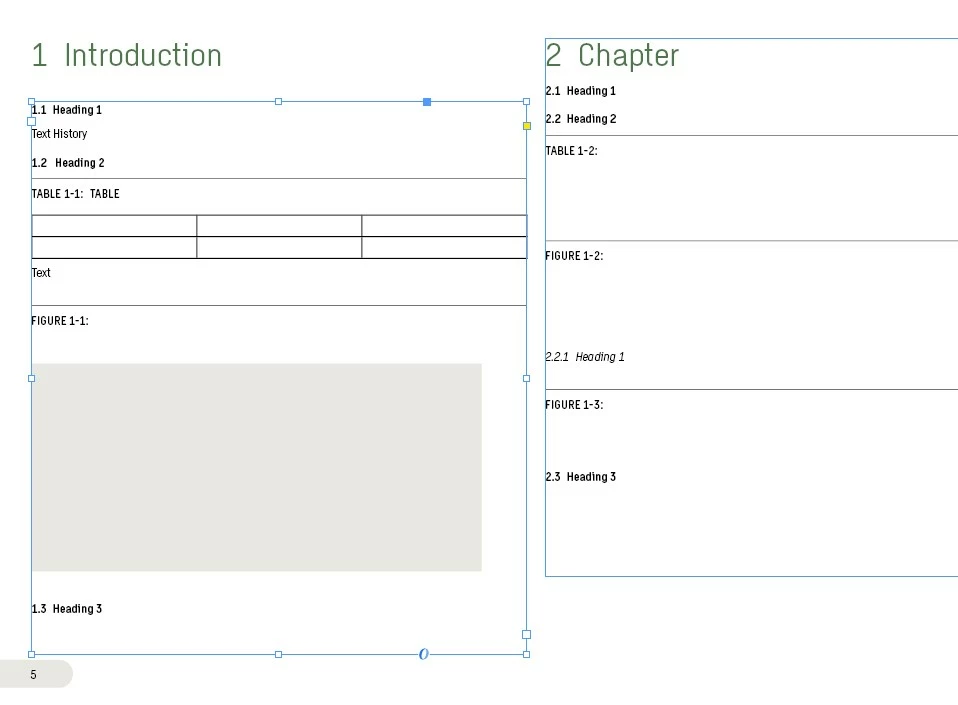
Here is what I end up with - the numbering on the tables/figures continues in 2nd chapter with 1-x
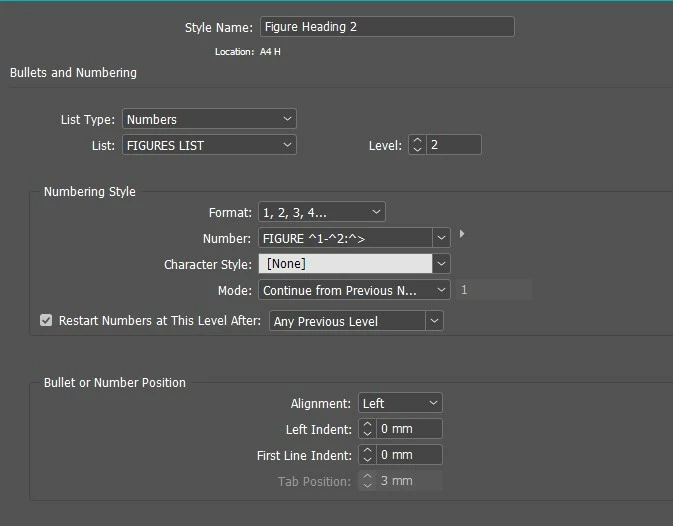
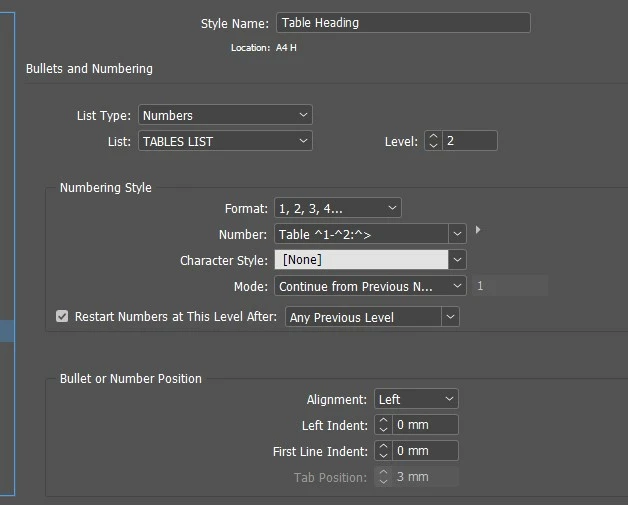
Here are my figures/tables numbering settings:
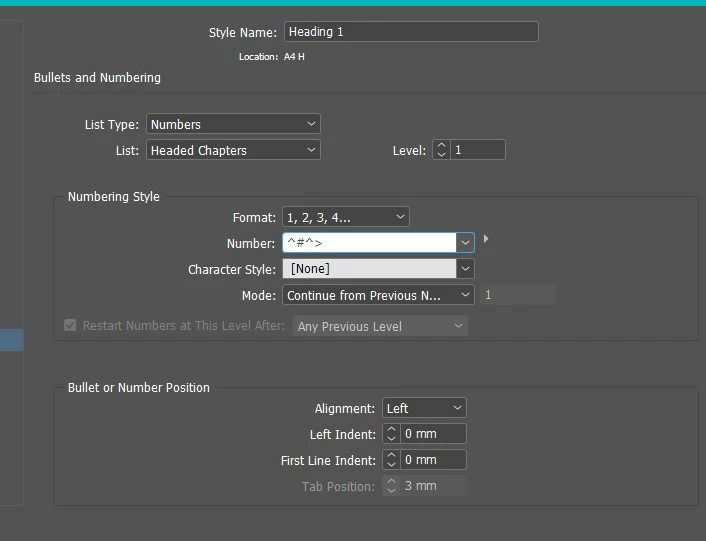
And here is the main Chapter setting:
I have successfully numbered tables and figures this way within a Book with separate documents for each chapter, but can you please advise how do I achieve this type of numbering within one continuous document?
I have attached my document here too if that might help.
I am using Adobe InDesign 2023.
Thank you!
 AdChoices