The CP colors are PANTONE+ Color Bridge swatches, and are defined as Process CMYK—they are CMYK simulations of the PANTONE + Solid ink spot colors.
Like any CMYK defined swatches they change appearance depending on the document’s assigned CMYK profile. When the color appearance changes, the conversion to the Hex (RGB) or Lab color spaces would produce new values representing the changed color appearance.
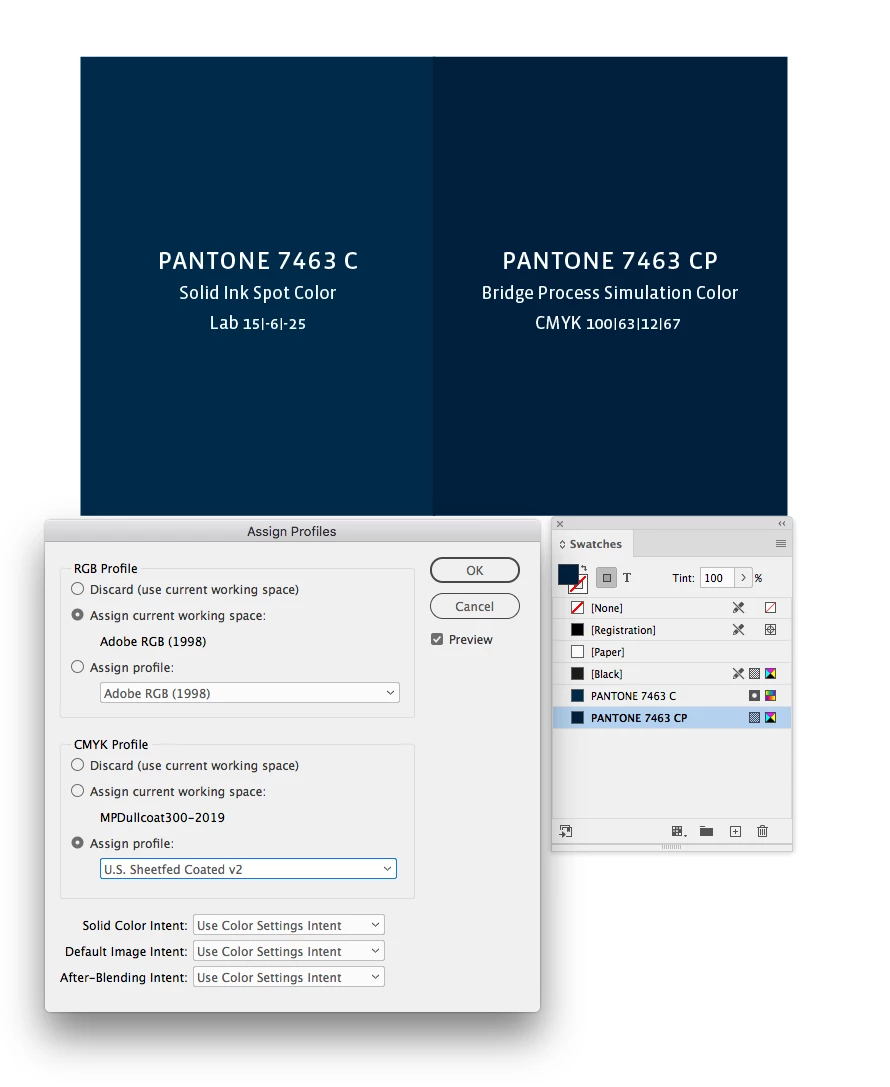
So the expected appearance of CMYK 100|63|12|67 on coated paper on a US Sheetfed Press would be this:
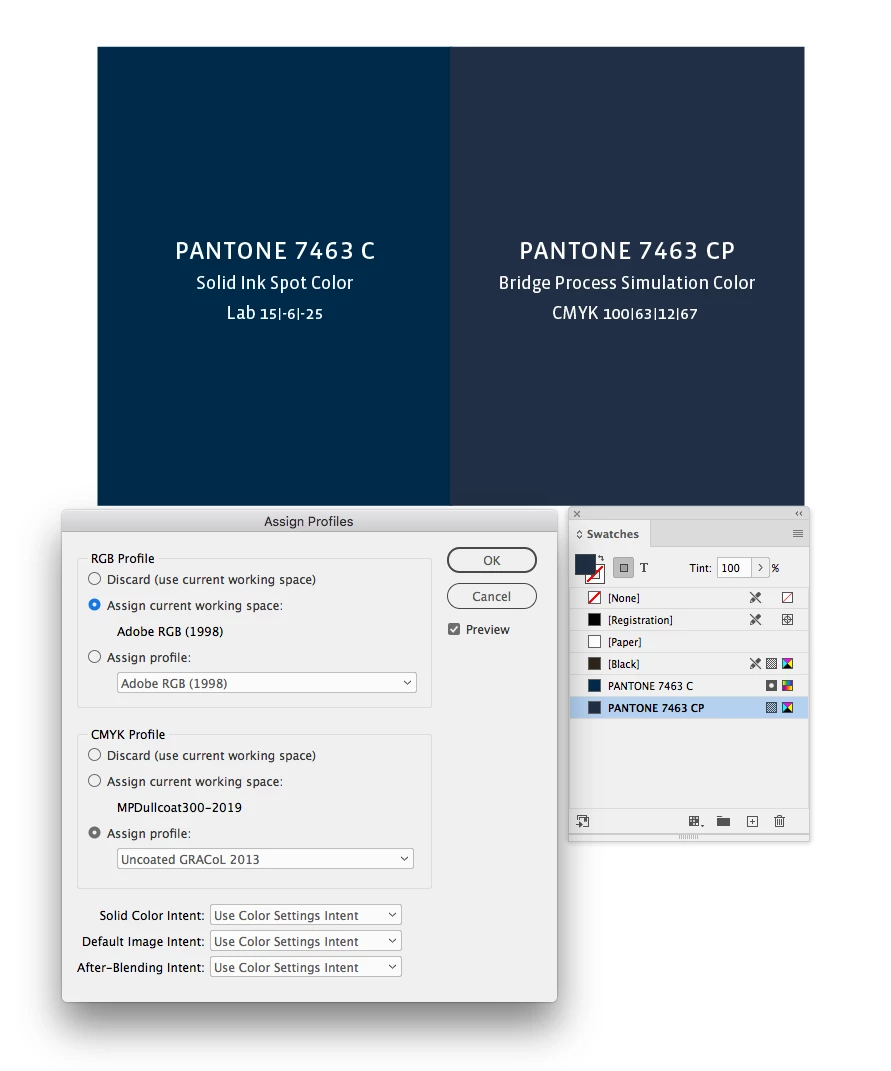
But if the assigned profile is for an uncoated sheet running on a GRACol press the appearance for the same numbers would be this:
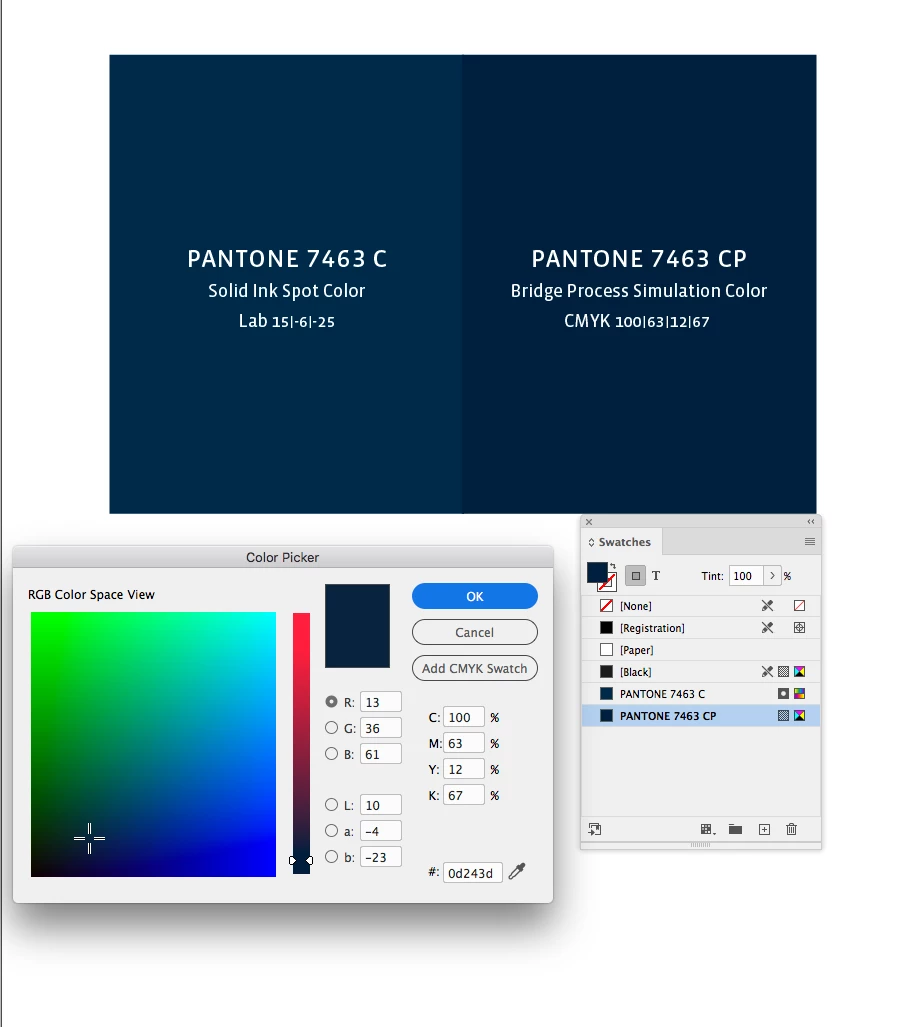
The InDesign Color picker shows the conversion from the source CMYK values to Lab or RGB, and I get different conversion values for the selected CMYK color depending on the document CMYK profile. The RGB conversion in this case is US Sheetfed Coated to AdobeRGB (my document’s RGB profile assignment):
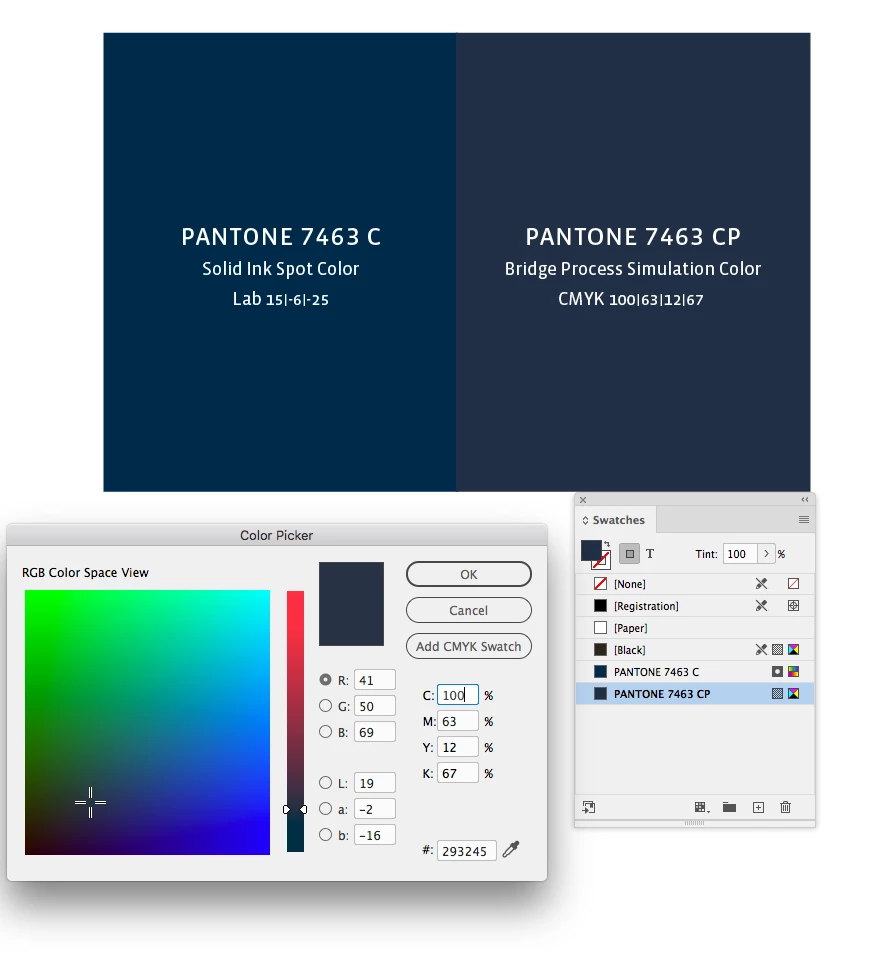
And the conversion from Uncoated GRACol to AdobeRGB:



 AdChoices