Inspiring
July 2, 2025
Answered

Pb d'affichage - (Synchronisation verticale ?)

  • July 2, 2025
  • 2 replies
  • 878 views

Bonjour,

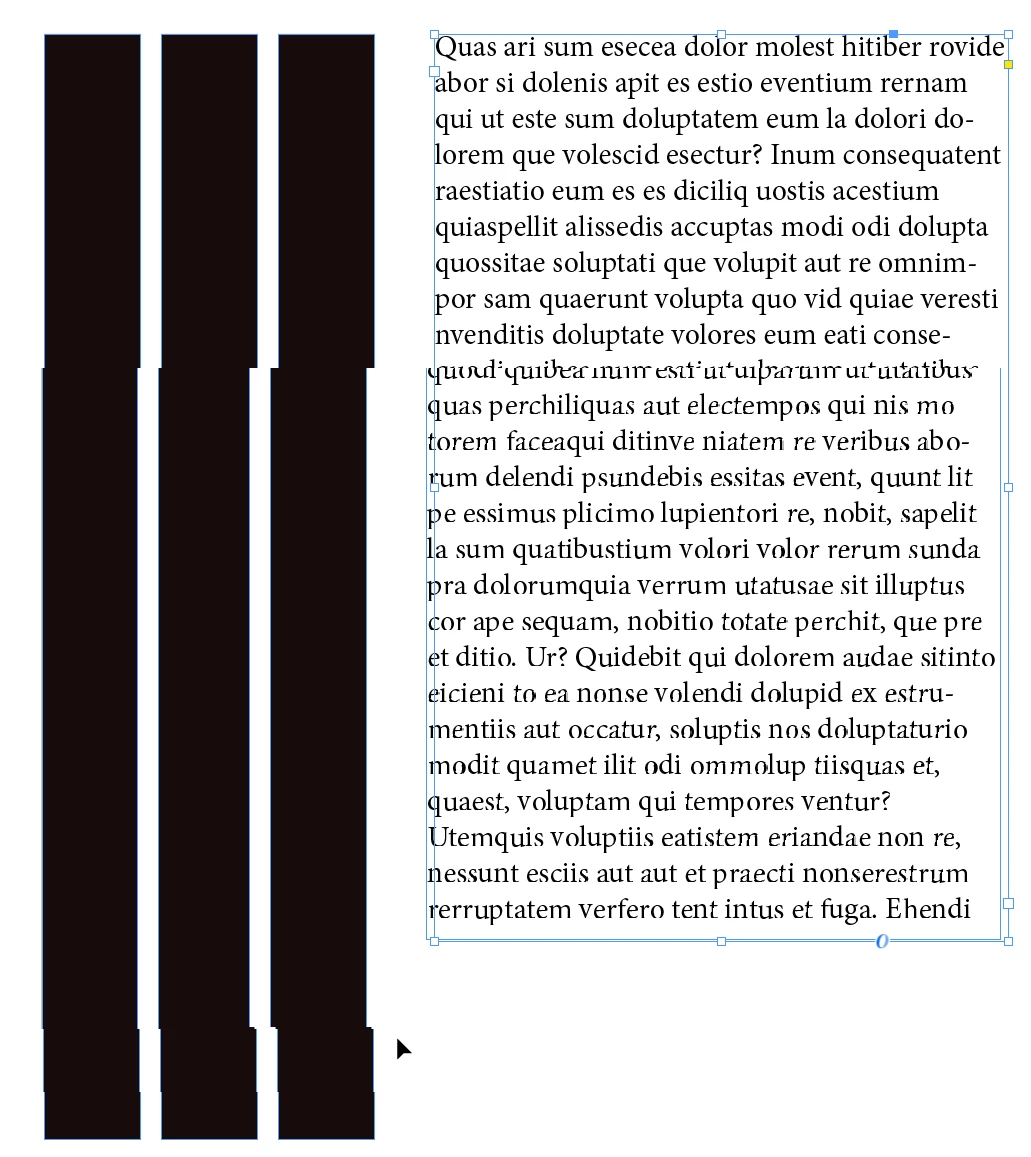
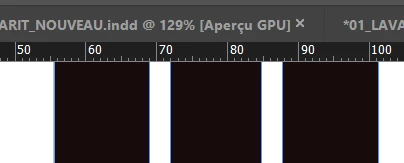
Je rencontre un problème d’affichage dans InDesign. Lorsque je zoome sur une page et que je la déplace à l’aide de l’outil Main (touche Espace), les éléments de la composition qui sortent du champ n'apparaissent pas correctement lorsque je les fais revenir dans le champ : des cassures visuelles apparaissent exactement à l’endroit où les images étaient coupées par les bords de la fenêtre.

J’utilise une carte graphique RTX A4000 avec les derniers pilotes à jour.

Auriez-vous quelques pistes de recherche à conseiller ?
Merci pour votre aide !
Cdt


Correct answer mrpinkpix

Hi @mrpinkpix,


Thanks a lot for sharing the file. I've passed this along and I’m checking with our product team about the display issue you’re seeing with GPU performance. I’ll keep you posted as soon as I hear back from them.

Appreciate your patience and help with all the details you’ve shared so far.


Best,
Abhishek


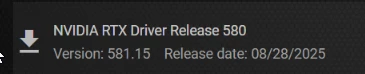
I just installed the new version of the driver, and there were fewer display bugs, but they were still present.

Then I checked out this discussion:
https://community.adobe.com/t5/indesign-discussions/indesign-2022-17-0-1-display-is-glitchy/td-p/12532631
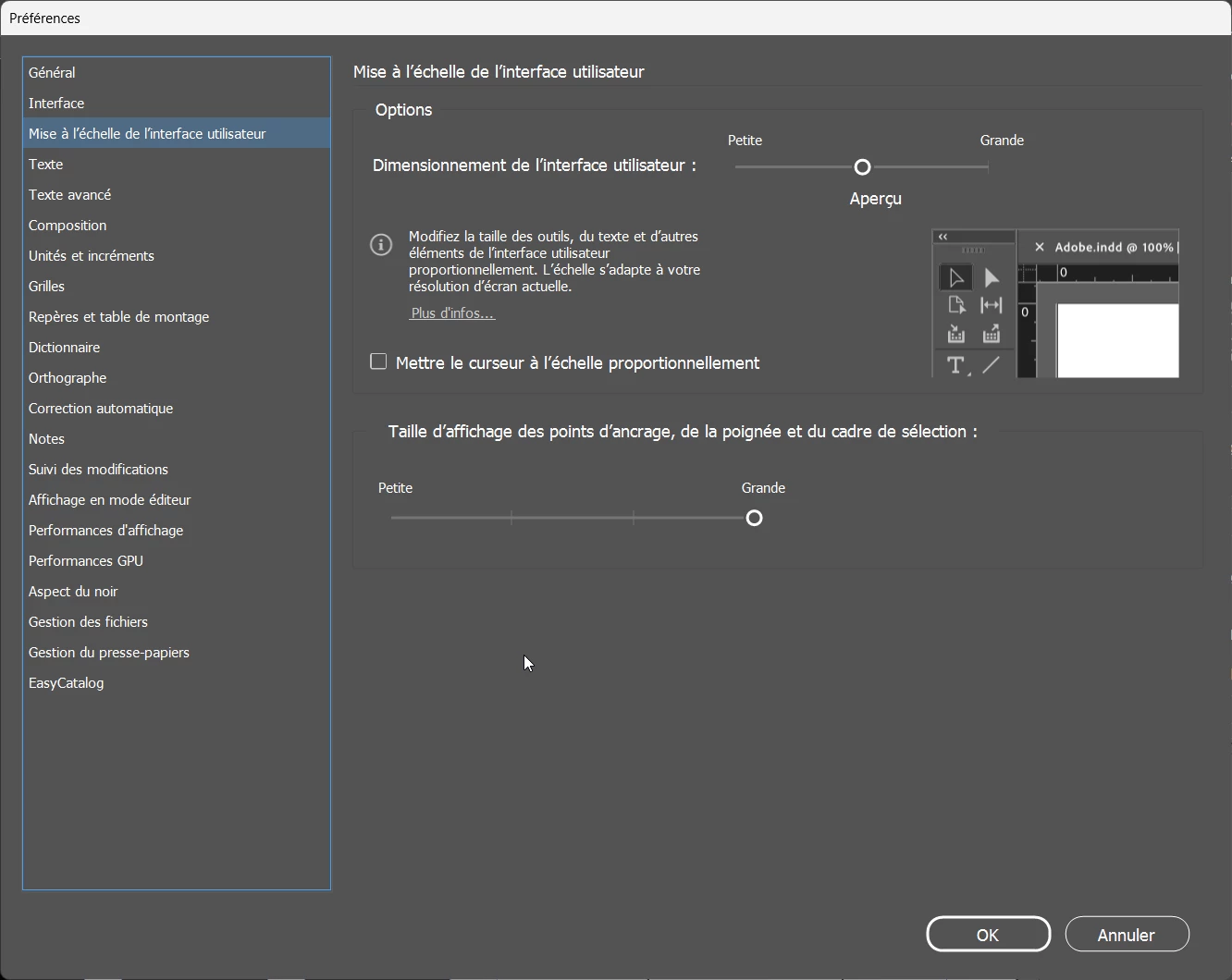
By adjusting the user interface to ‘medium’ instead of ‘small’, it seems that the problem has disappeared.

If the interface is minimal, minor display bugs reappear.
Best,


2 replies

Abhishek Rao
Community Manager
Community Manager
July 2, 2025

Hi @mrpinkpix,


Thank you for sharing all the details and screenshots. I understand how frustrating this display glitch must be.

I tested this behavior on my end using InDesign version 20.4.1 and wasn't able to reproduce the issue. Could you please confirm the exact version you're using (for example, 20.4 or 20.4.1) so I can check more precisely?

Also, please let me know if this happens with all documents or only in a specific file. It would be really helpful if you could try creating a new file and see if the issue still appears there.

If possible, could you also share a short screen recording that shows the issue happening in real time? Additionally, please confirm the details of the machine you're using, such as the operating system, resolution details (you can share the msinfo32 - Description of Microsoft System Information (Msinfo32.exe) Tool - Microsoft Support) and whether you're working with an external monitor, and if so, whether the problem only occurs when using that external display.


Looking forward to your update so we can investigate this further together!

Abhishek 

mrpinkpixAuthor
Inspiring
July 2, 2025

Thank you for your reply
Here are the details : 20.4.x64
This issue happens on all documents (The demo send was a new document)
Nom du système d’exploitation Microsoft Windows 11 Professionnel
Version 10.0.26100 Build 26100
Modèle HP Z4 G4 Workstation
Type PC à base de x64
Processeur Intel(R) Core(TM) i9-10900X CPU @ 3.70GHz, 3696 MHz, 10 cœur(s), 20 processeur(s) logique(s)
Version du BIOS/Date HP P62 v02.76, 29/11/2021
Version SMBIOS 3.2
Version du contrôleur embarqué 255.255
Mémoire physique (RAM) installée 128 Go

I've tried to apply these configurations but to no avail
https://www.youtube.com/watch?v=XzRpLZ0_Ats

Thx!


Abhishek Rao
Community Manager
Community Manager
July 3, 2025

Hi @mrpinkpix,


Thanks a lot for all the details and the update, it really helps us understand the situation better.

I would also like to ask if you could share a sample affected file where you're seeing this issue, so I can try to reproduce it on my end. If the file is confidential, you can share it via DM here in the community. Please package the file before sharing, and you can follow this guide if needed: https://adobe.ly/44eVdSP.


Looking forward to your update.

Abhishek 

mrpinkpixAuthor
Inspiring
July 2, 2025

Je précise que ceci se produit quelque-soit le mode d'affichage et que la performance GPU est active
Merci


mrpinkpixAuthor
Inspiring
July 2, 2025

Le pb semble disparaitre si la performance GPU est désactivée.
Ceci ne résout pas le pb intégralement, car je suppose que cela aura un impact sur les performances globales du logiciel lors de l'édition de compositions lourdes.

Community Expert
July 2, 2025

The GPU performance is only for 5k retina displays or HiDPI monitors. 

It's not required for the overall performance. 


Turning it off is pretty normal for most people.