
Legend
July 15, 2025
Question

PDF export: color question

  • July 15, 2025
  • 3 replies
  • 353 views

Hello!

I'm not 100% sure, but I think I never had this warning before. When exporting a PDF the dialog says the (PDF export) preset specifies a different (color?) profile than a so-called "color settings file".

I just want to understand what's going on. First if all, I don't see any color profile in the preset. The only thing is this:
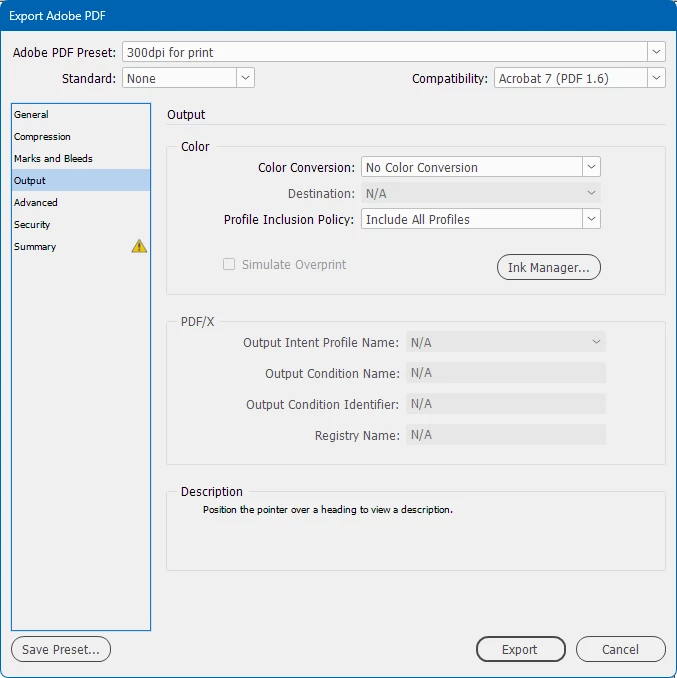
The assigned color profile is as such:
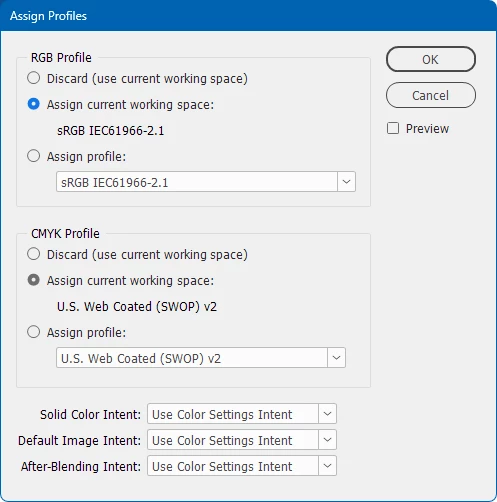
while the global color settings are these:
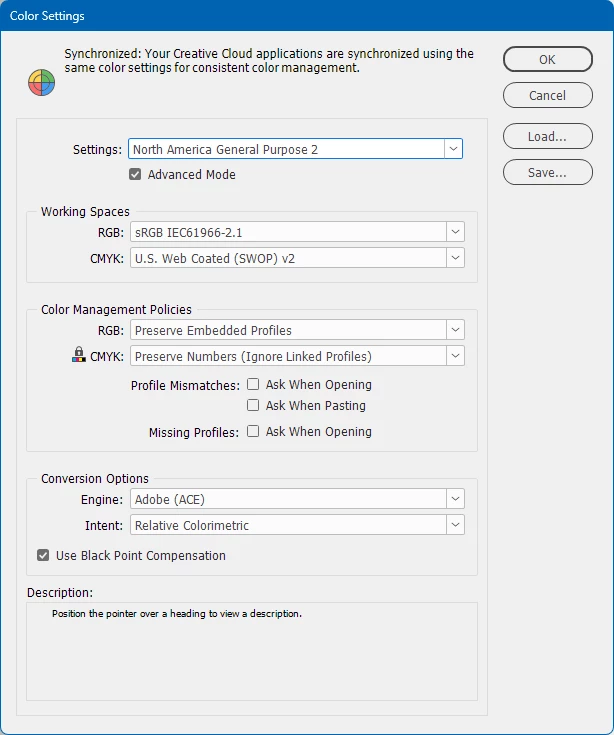
 

So, in regard to another discussion about this color profile warning which says that the warning will/could/should appear when the RGB settings is NOT sRGB, which it is in fact in my case, I wonder how to get rid of this warning, since the preset doesn't specify a color profile at all. Sure, I could also simply ignore it. Thanks.


3 replies

Mike Witherell
Community Expert
Community Expert
July 16, 2025

Are all the graphics placed in the document RGB? Or are one or more CMYK?

Mike Witherell
Doc MaikAuthor
Legend
July 28, 2025

Sorry for the late reply, I was on vacation. The graphics are mostly PNGs, so RGB, but at least one should be CMYK JPG. This mix has always been there and no problem. Like I mentioned, this isn't a general occurrence, only with a few documents. I will ignore it and take care for identical color settings.

Mike Witherell
Community Expert
Community Expert
July 15, 2025

Hey Doc,

What happens if you first go to Edit > Transparency Blend Mode > and set it to RGB, and then try to export the PDF?

Mike Witherell
Doc MaikAuthor
Legend
July 15, 2025

Same.

rob day
Community Expert
Community Expert
July 15, 2025

Hi @Doc Maik , I’m not getting a warning using your Output settings with a default Norh American General Purpose doc. Can you show a capture of your Summery tab?


Doc MaikAuthor
Legend
July 15, 2025


rob day
Community Expert
Community Expert
July 15, 2025

Can you share the InDeign file?