
davew80099685
Participant
January 26, 2022
Answered

Saving document with current split view

  • January 26, 2022
  • 1 reply
  • 223 views

I've searched extensively and haven't found a way to save a document with it's current split view. It always opens with a single view. Is it possible to do with or without an inDesign extension ?

I have a two page document which is not facing pages and would like to have the view split vertically to show both pages at once. When I close the document it always opens in single view.
This topic has been closed for replies.
Correct answer rob day

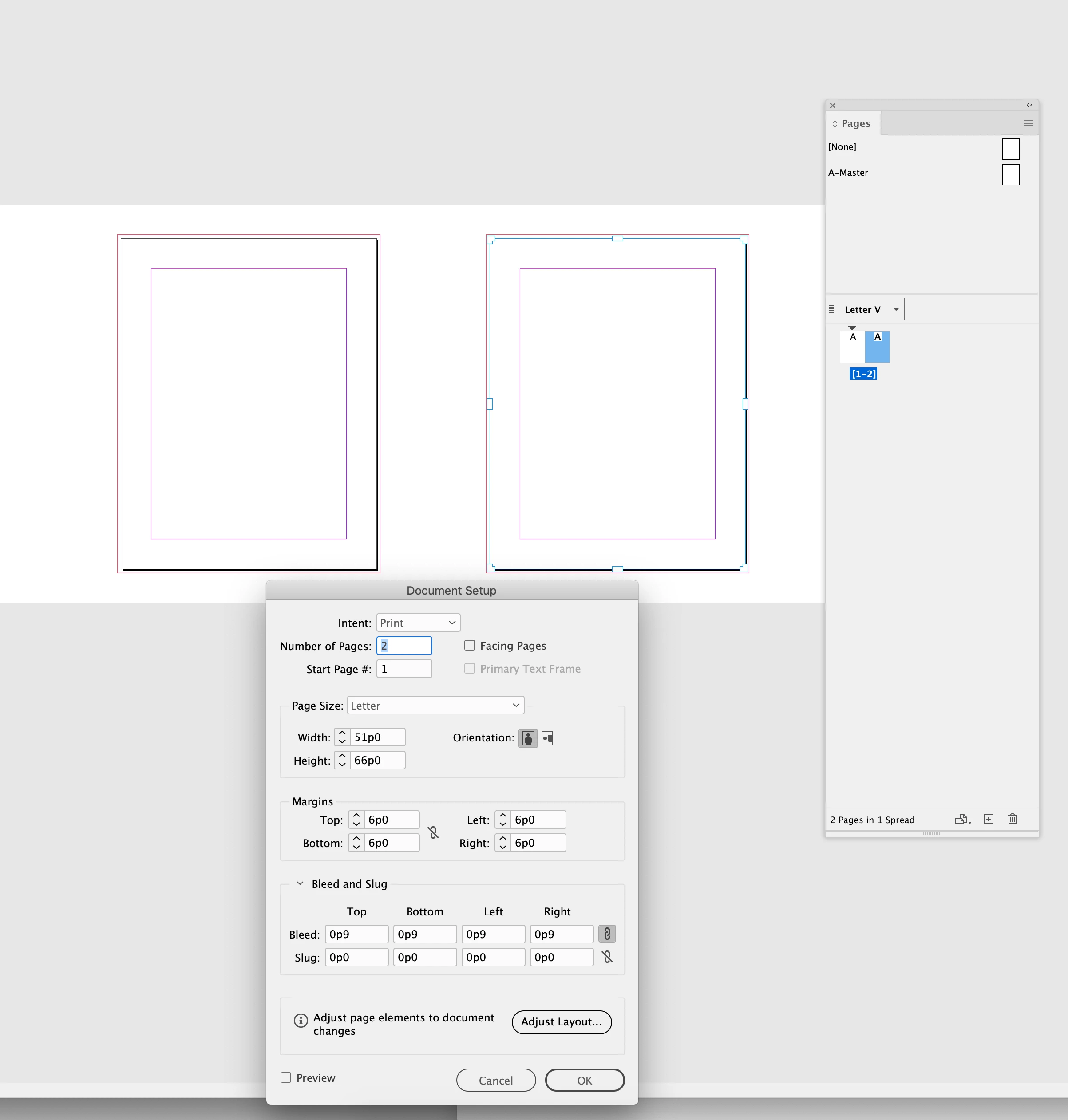
Hi @davew80099685 , it might be scriptable, but you can also arrange non facing pages using the Pages tool. This document was setup with facing pages unchecked.


1 reply

rob day
Community Expert
rob dayCommunity ExpertCorrect answer
Community Expert
January 26, 2022

Hi @davew80099685 , it might be scriptable, but you can also arrange non facing pages using the Pages tool. This document was setup with facing pages unchecked.


davew80099685
Participant
January 27, 2022

Thank you rob day, this will work for my needs. It can be destructive to the page if care is not taken to ensure all page elements move with the page using the Page Tool especially if bleeds are involved.


@rob day wrote:

Hi @davew80099685 , it might be scriptable, but you can also arrange non facing pages using the Pages tool. This document was setup with facing pages unchecked.


rob day
Community Expert
Community Expert
January 27, 2022

Set Liquid page Rule to Off and check Objects Move with page:


Also, if you are trying to create a custom inside bleed this might help:


https://community.adobe.com/t5/indesign-discussions/gutter-bleed-still-the-same/m-p/11367643#M198592