Inspiring
February 17, 2025
Question

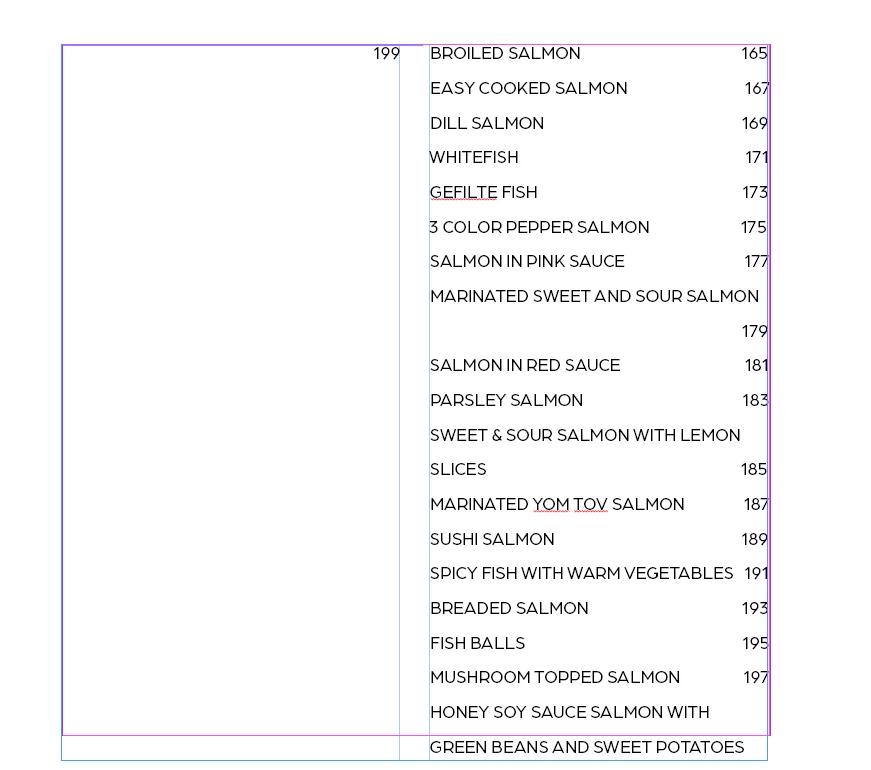
splitting columns in the wrong direction!

  • February 17, 2025
  • 2 replies
  • 665 views

Why is my table of contents going first from the right side??
 

2 replies

Willi Adelberger
Community Expert
Community Expert
February 17, 2025

Do you work on a ME enabled InDesign Version (He rew, Arabic, Farsi, etc.) or was the document previous edited in such a version? If so, go to Type > Story and change the order of colums of a text frame and fix this change immediately in an object style and use this style now.

Inspiring
February 19, 2025
Yes, I do have the ME version available,
But I don't have the option of changing the story.
I'm having this issue for over a year already,
It drives me crazy.
TᴀW
Legend
February 19, 2025

If you do actually have the ME version, as @Willi Adelberger says, in the Story panel (the same place where you would set optical margin alignment) you also have a small icon at the bottom to set the "story direction." The order of the columns in a text frame follows the story direction, so if you want the columns ordered left-to-right, make sure the story direction is set to left-to-right, and if you want columns RTL, make the story direction RTL as well.

Community Expert
February 17, 2025

I don't know - there's very few details here to know what's happening.


Perhaps you are working on the Middle Eastern version of InDesign (InDesign ME) and it's set to Right-to-Left.

https://community.adobe.com/t5/indesign-discussions/right-to-left-toggle-in-paragraph-panel-has-disappeared-from-indesign-2022/td-p/12906304

Community Expert
February 19, 2025
