March 6, 2018
Answered

Table header divider

  • March 6, 2018
  • 2 replies
  • 674 views

Hi,

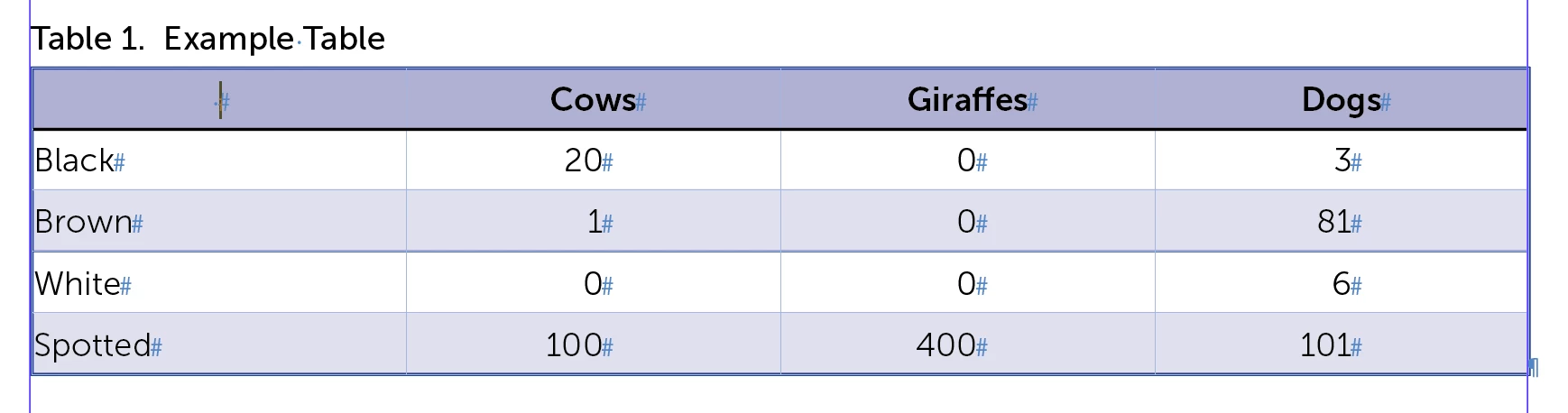
I have a table layout which needs a header divider between group of columns if the header has more than one row, like on the attached image.

Currently I achieve this by adding an empty column.

I was wondering if there is another way I can do it, without adding a column?
This topic has been closed for replies.
Correct answer Barb Binder

Hi piotreba:

I handle this the same way—with a narrow empty column. As an alternative you could handle the lines with paragraph rules.

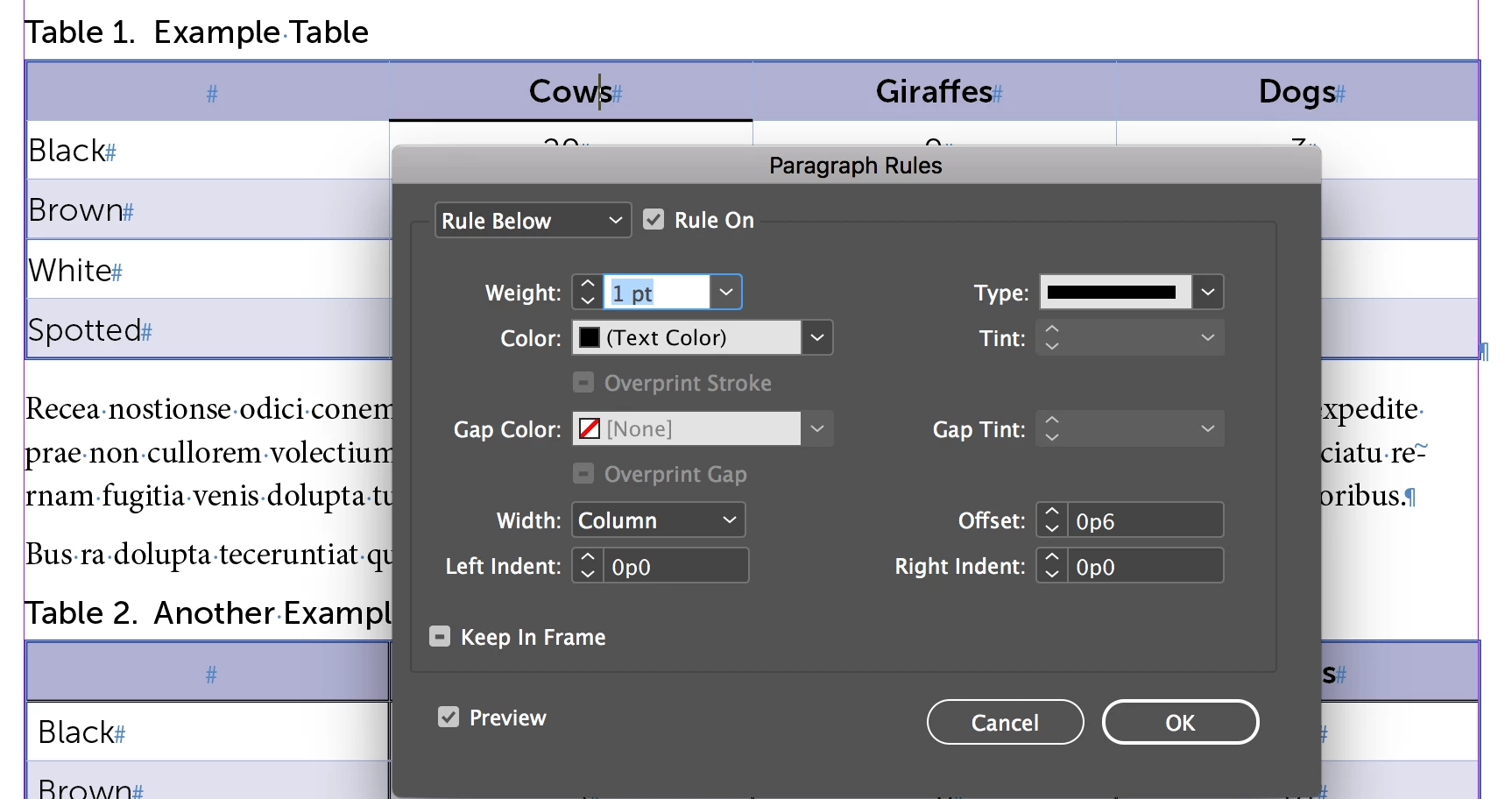
Set up a ruling line below for the cell heading tag:

Assigned to all the cell headings, it's a continuous line.

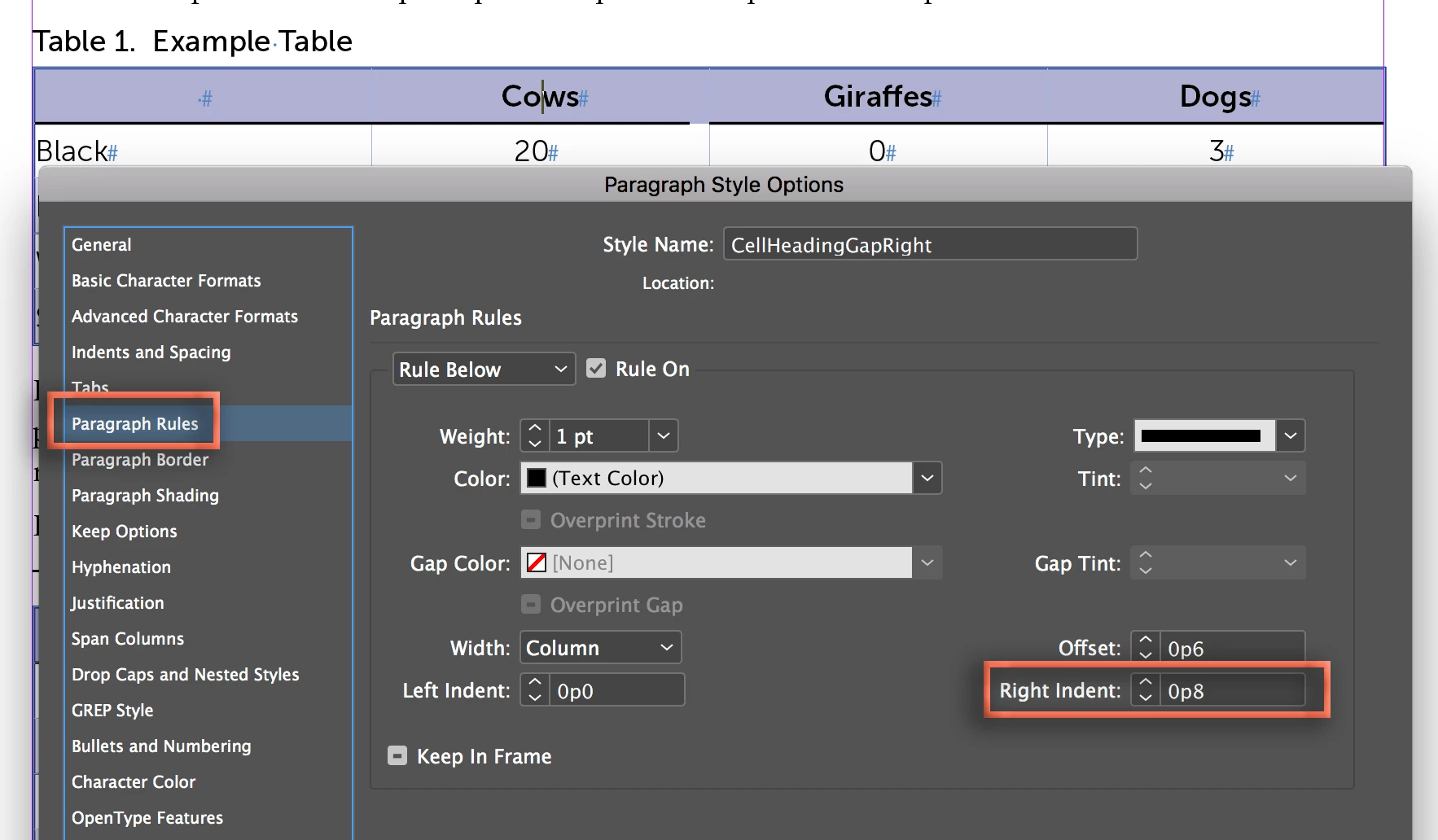
Now you can create a new tag where the line ends a little short on the right to create the gap.

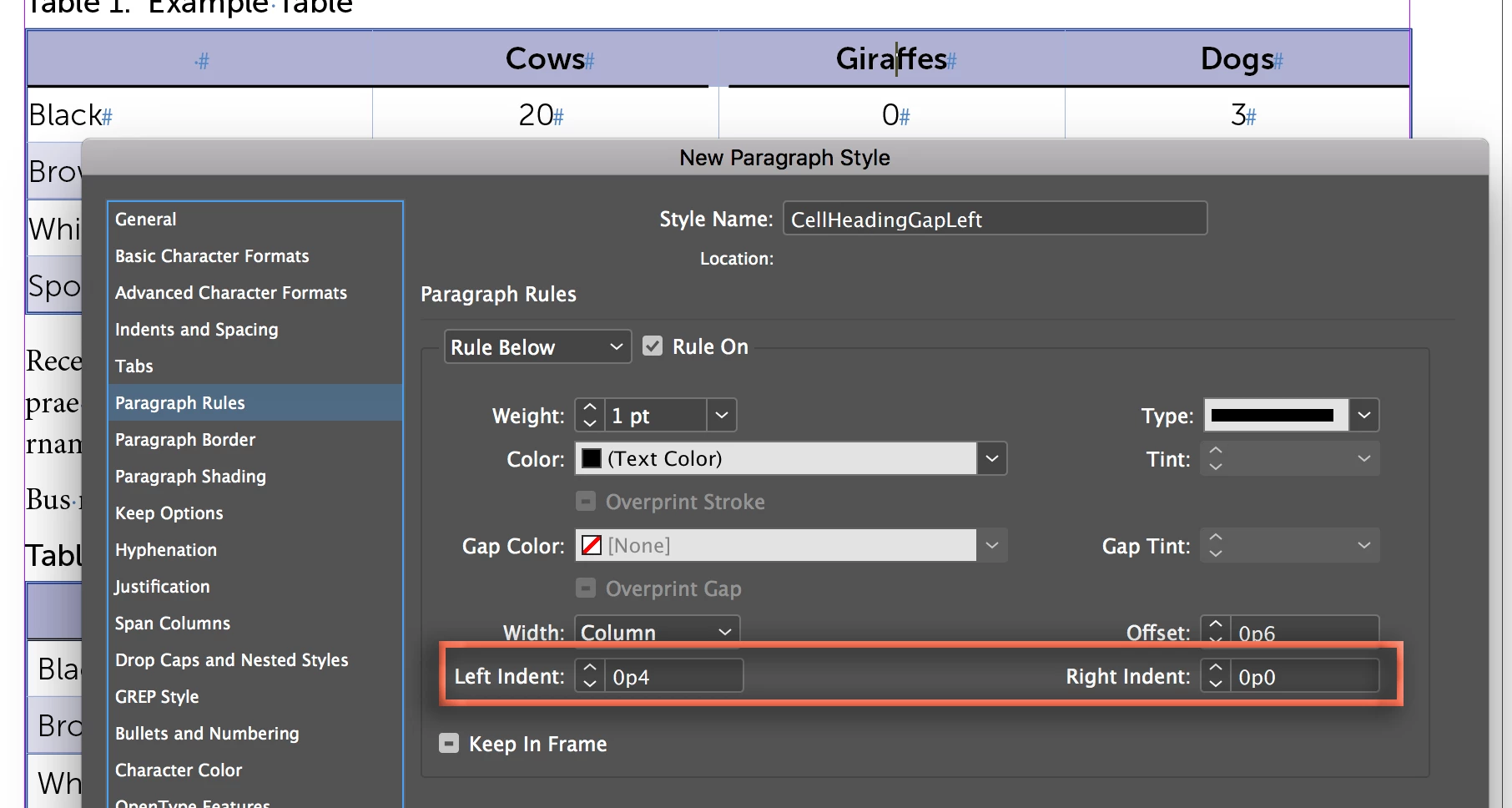
What I like about the narrow column approach is that the spacing is even, and my technique isn't. It would be even better to distribute the gap across two tags: the left on has a right indent and the right one has a left indent.

~Barb

2 replies

Barb Binder
Community Expert
Barb BinderCommunity ExpertCorrect answer
Community Expert
March 6, 2018

Hi piotreba:

I handle this the same way—with a narrow empty column. As an alternative you could handle the lines with paragraph rules.

Set up a ruling line below for the cell heading tag:

Assigned to all the cell headings, it's a continuous line.

Now you can create a new tag where the line ends a little short on the right to create the gap.

What I like about the narrow column approach is that the spacing is even, and my technique isn't. It would be even better to distribute the gap across two tags: the left on has a right indent and the right one has a left indent.

~Barb

~Barb at Rocky Mountain Training
March 6, 2018

Hi BarbBinder​,

thanks, I tested the paragraph approach and it works for me fine, at least for some headers. Indeed I need more than one paragraph style to cover gaps from various sides, but no empty columns needed.

Community Expert
March 6, 2018

Hi piotreba ,

what is your version of InDesign?

Can you post a screenshot where hidden characters and frame edges are showing?
Maybe then it's more clear what you want…

Regards,
Uwe

March 6, 2018

I have CC 2018 version.

I attach two screens below. In the second one I include red arrow, which points to the "break" in an "upper" header which visually divides two groups of "lower" header data. I achieve this by adding new empty column. I was wondering if I can make this break without adding new column, but using some cell properties?

Community Expert
March 6, 2018

Sorry to ask again:
What is your version of InDesign?

Scratch that. Did not read enough :-)

Regards,
Uwe