Question
Trouble with Creating DCS 2 file in photoshop and placing in indesign
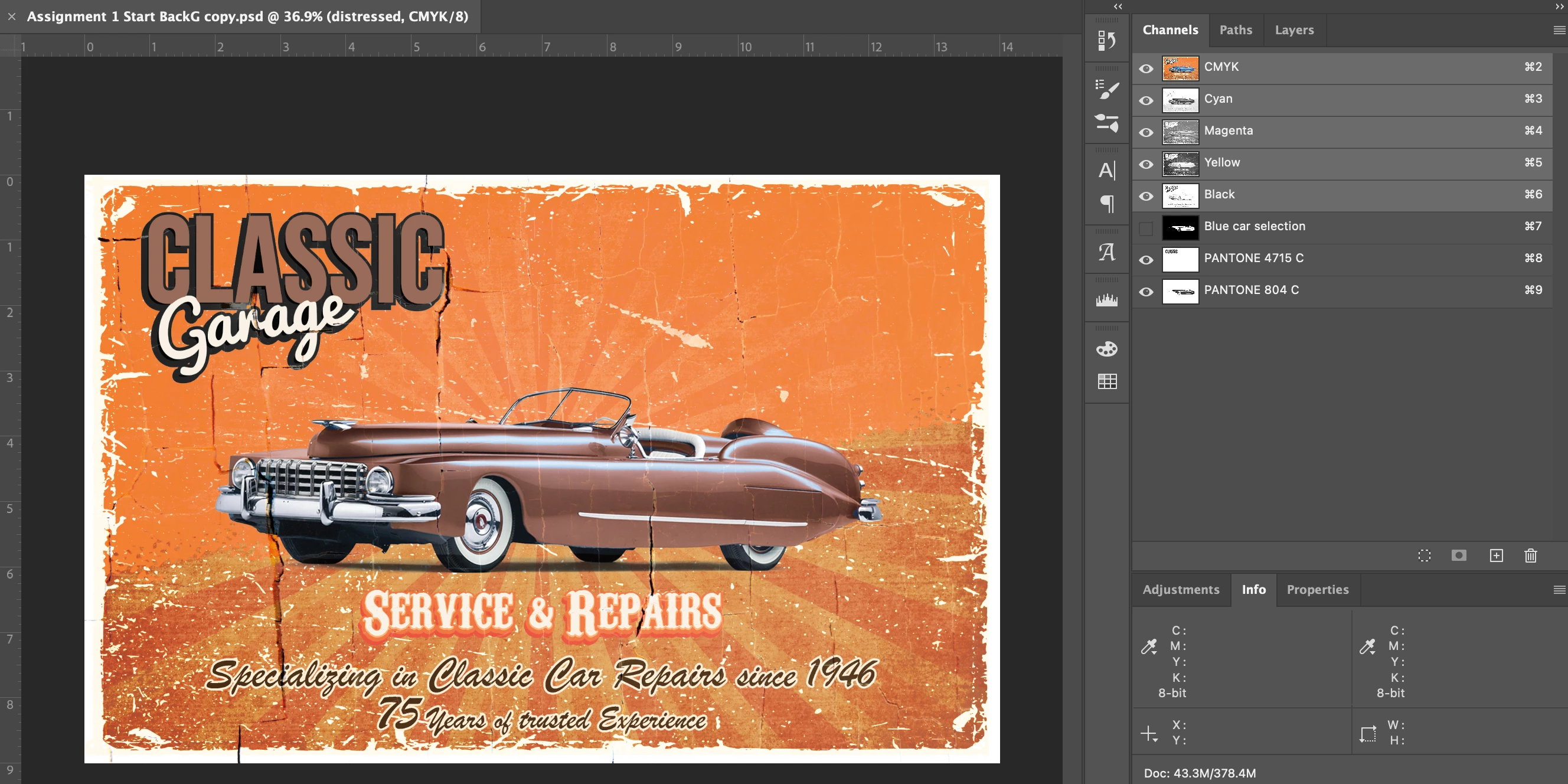
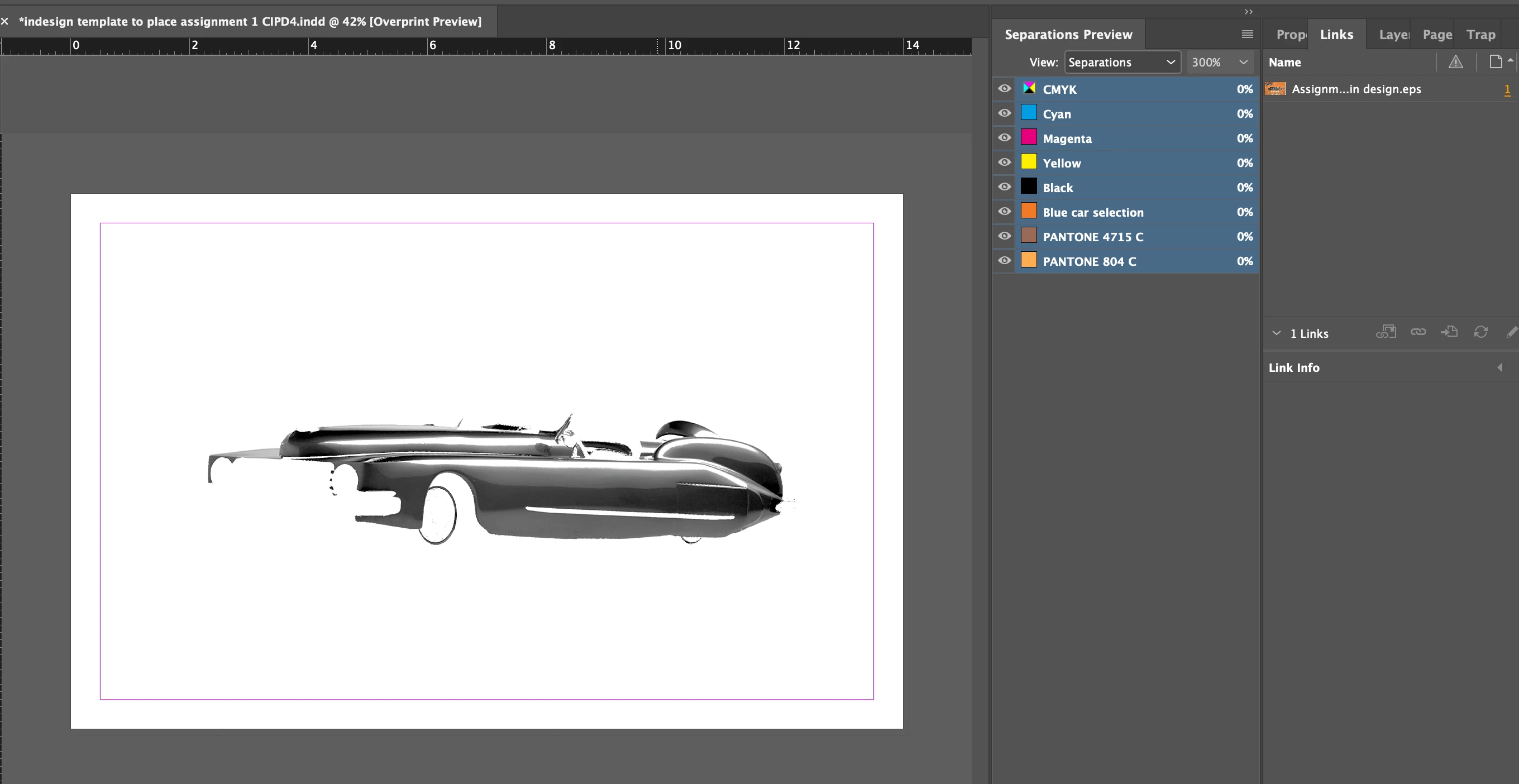
I am dont know why this is happening!! please help! So I created this file in photoshop for a college assignment and we need to save the file as a DCS 2.0 file because as you can see in the images there is pantone colours in the file. But when I follow the teachers directions with the file creation and place in indesign, all of the layers dont show up. It is a large file. Does anyone know why it could be happening? I deleted some files on my computer to make space and I also reset the preferences in Indesign, and made sure the pantones are proper spot colours and still did not work.
The DCS 2 file settings are..
spot colours enable is checked
and Tiff 8 bit
single file with colour composite
Binary
and include vector data is checked
 AdChoices