



InDesign Shows “File Damaged (Error Code 2)” and Crashes When Saving Files
Recently (not linked to an update) I cannot save new or already existing InDesign files. When trying to save a file I have been working on I get the message that the file is damaged (error code 2). When using Save As, I get the message that InDesign cannot perform the requested operation. Usually InDesign crashes after this.
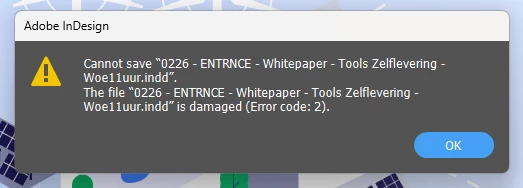
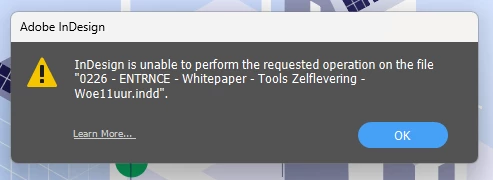
When I restart InDesign, I do get a recovered file (so automated backups are made), I can then save the recovered file without problems, but when editing and working on it, trying to save it again results in the same problem and messages as mentioned above
Ocassionally, I can save a file, but a next time the errors occur again
I have done the things mentioned on the internet
- Reinstalled InDesign
- Cleared the cash
- Removed my personal workspace an rebuild that
I am working locally on my hard drive, but this drive is linked to OneDrive. I also tried pausing the synchronisation with OneDrive, but that made no difference either.
Nothing seems to help and I am getting quite desperated. Hope that anyone can help
Kind regards, Mechteld
 AdChoices