
Color shifts in Develop module LR Classic 7.5 (OS X) Leica M 262
I am experiencing sporadic self-activating color shifts to Leica M 262 .DNG images in the Develop Module of LR 7.5. I am running OS X High Sierra 10.13.6 on a MacBook Pro with graphics processor acceleration disabled. The camera has the latest firmware. This doesn't occur with all images, but seemingly at random, and without any user input. In the Library Module, the images appear normally. I experienced this phenomenon for the first time when I upgraded to LR 7.3.1, but prior to that, using LR 7.2 and 7.3, it did not occur. At first, opening the image in the Develop Module, the color appears as it should, see screen shot below:
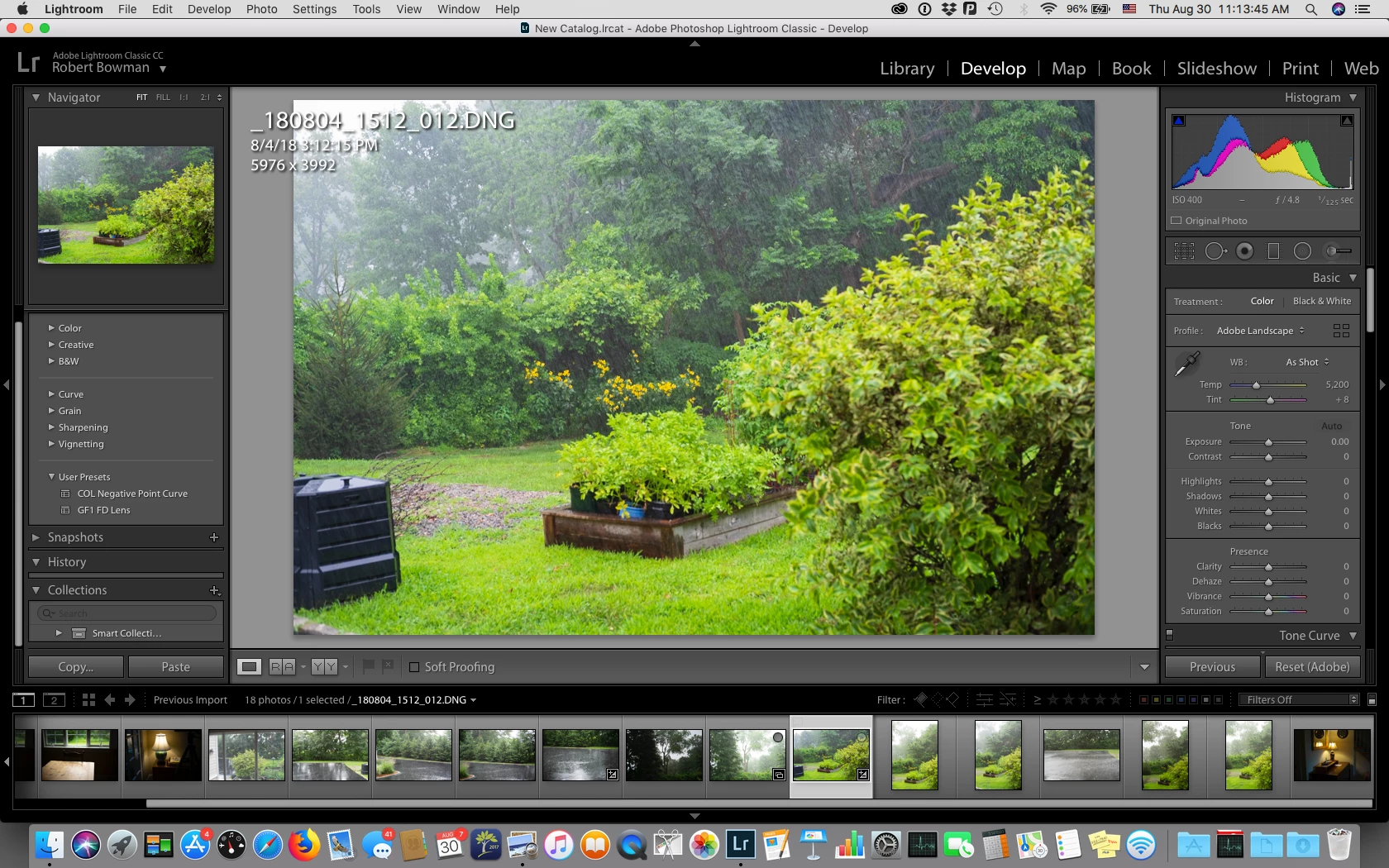
However, after a few seconds, the color shifts, without my having entered any command or pressing any key, as in the screen shot below:
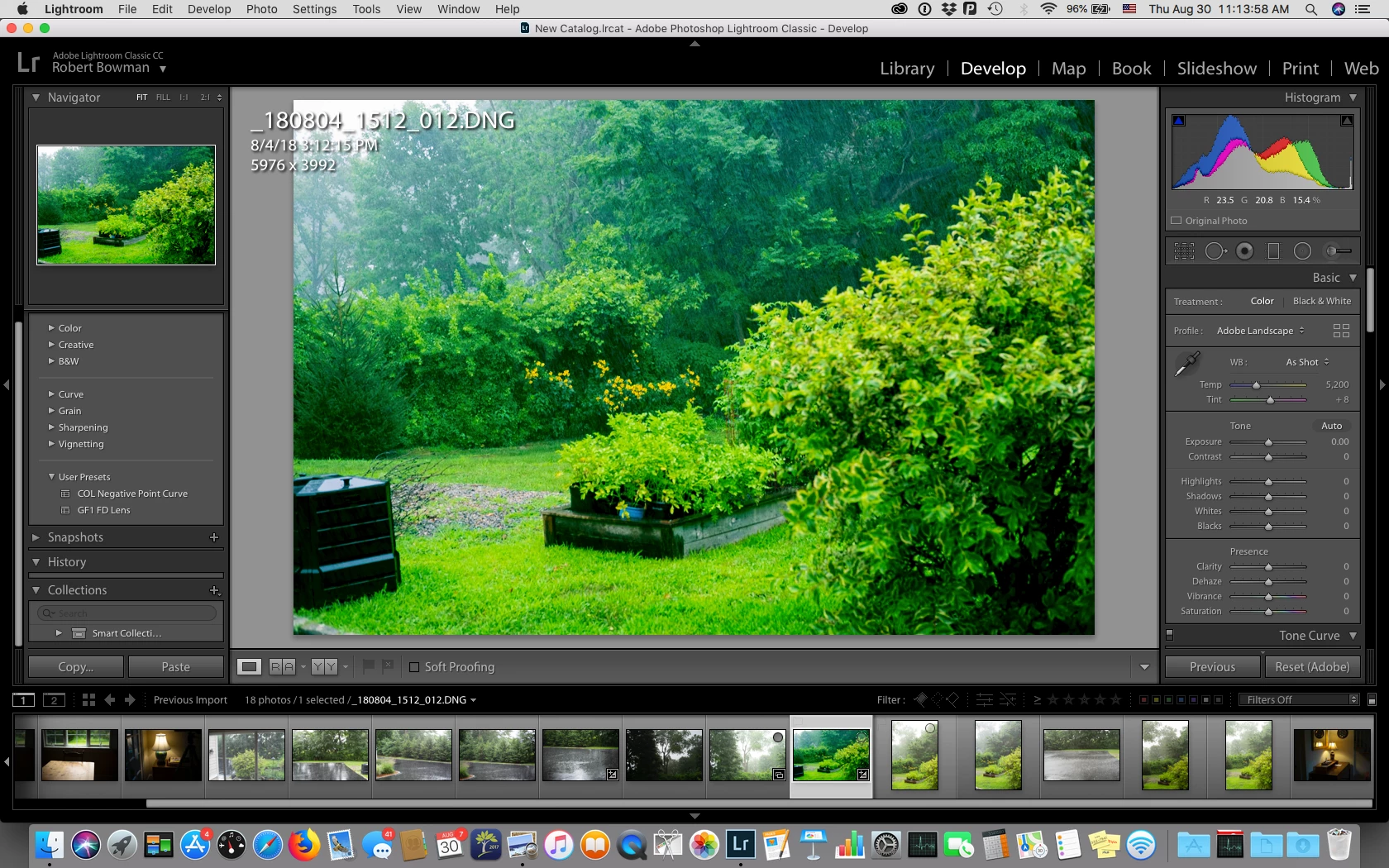
Note that the History panel is unchanged, and the Histogram remains the same also.
The color shift has not occurred with .DNG files from a Pentax 645D or from several Panasonic Lumix cameras.
Any help much appreciated.
 AdChoices