Kalla
Participant
March 31, 2020
공지사항

Develop Module Default Settings

  • March 31, 2020
  • 3 답변들
  • 2301 조회

hello


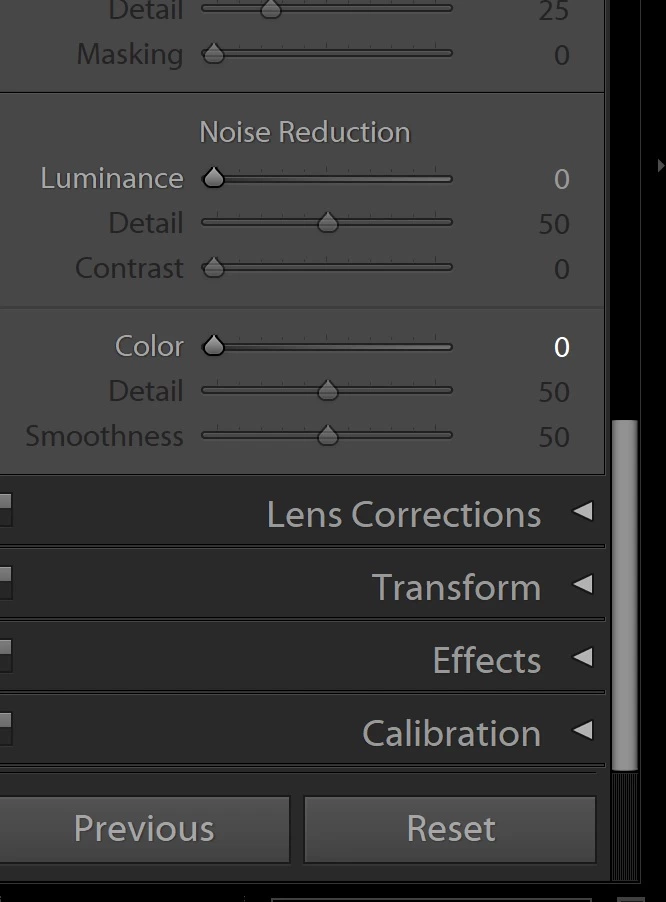
Im trying to cahnage the default import setting in lightroom cc but it always return to it's previuous settings

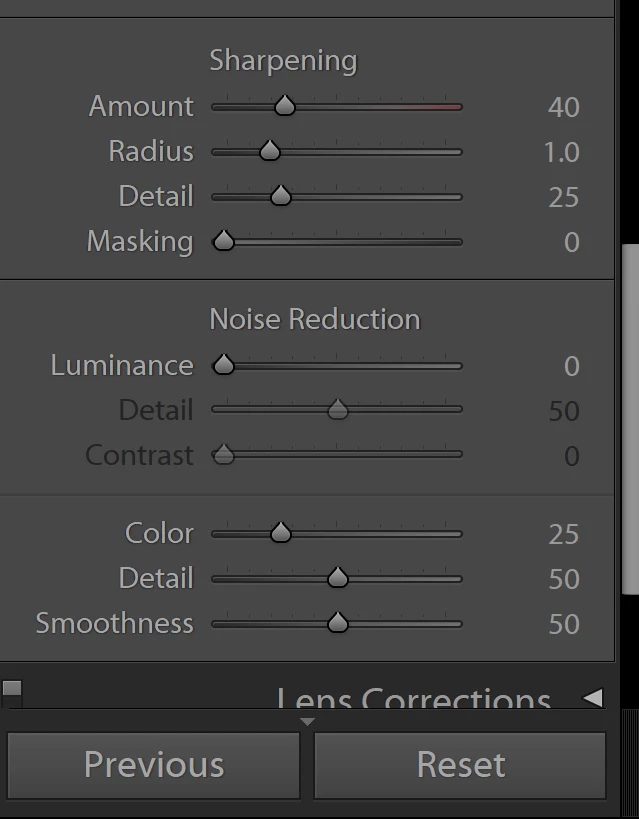
with the ALT key pressing the RESET it should change to Use AS DEFULT SETTINGS or something like that but it does't do thatt. please help


in image 111 it's a default setting like to change it to imgae 112  


eli


(Post Edited by Mod JSM for title change and to inclued the Attached images in line with the text)

이 주제는 답변이 닫혔습니다.

3 답변

GoldingD
Legend
April 7, 2020

And another article on this, that hopefully will help those not liking what Adobe did (clue, think presets):

https://lightroomkillertips.com/customizing-camera-raw-defaults-in-lightroom-classic/


ChrisPearson100
Known Participant
April 7, 2020

David,


I never considered a preset, but it makes perfect sense.  I just wish Adobe hadn't removed the 'Set Defaults' option in the first place.


Regards,


Chris.

Known Participant
April 22, 2020

Yeah, tell me about it.  I just discovered they did this.  What a boneheaded move on their part!  I can't believe more people aren't outraged over this.  Talk about taking something simple and making it convoluted.  Total BS.

Ian Lyons
Community Expert
Community Expert
March 31, 2020
Lauca
Participating Frequently
March 31, 2020

Since default import settings has changed in version 9.2 of LR, we need to know your exact version of Lightroom to be able to help you.

If you don't know, see the menu "Help" >  "About Lightroom Classic"

Kalla
Kalla작성자
Participant
March 31, 2020
hi

version 9.2 the latest one
it's about that :

The Develop module's defaults include:


- White balance: As Shot
- Blacks: 5
- Brightness: 50
- Contrast: 25
- Point Curve: Medium
- Sharpening: 25
- Color noise reduction: 25
- Profile: Adobe Standard


These defaults can be overridden by a Develop Preset applied at Import
time, or can be changed.
To change the defaults in the Develop module:


1. Press the Reset button at the bottom of the right panel. This will
adjust all controls to the current default settings.
2. Make any adjustments you wish to make to the defaults.
3. *Press and hold the Alt/Option key, and note that the Reset button is
now Set* Default... Press it.

Note that if you have your Preferences set to have different defaults per
camera and/or per ISO, you may need to repeat these steps for each
applicable camera, ISO, or camera/ISO combination.

Note 2: This will affect new Imports, but will not affect images which have
already been imported.
DdeGannes
Community Expert
Community Expert
March 31, 2020

The procedures for setting Develop defaults has been changed with the update to Lightroom Classic 9.2.

See the very first post in the top of this forum for additional information.

Regards, Denis: Laptop Win 11, ver 24H2, LrC 15.4 PS 27.8;