



Question
editing photo on the screen is not corresponding to the selected photo on the film strip.
This issue is really affecting my editing workflow. As I scrolling (right/left) through images on the strip to edit, intermittently the selected photo is not showing on the main editing screen. Somehow it get stuck on the previous photo. See sample on the photo. I’ve changed all the preferences to the most efficient and highest performance. I’m at a total loss… and about to pull my hair out. I’ve gone to the extreme to update to a high end Windows workstation. Can someone help me with this issue?
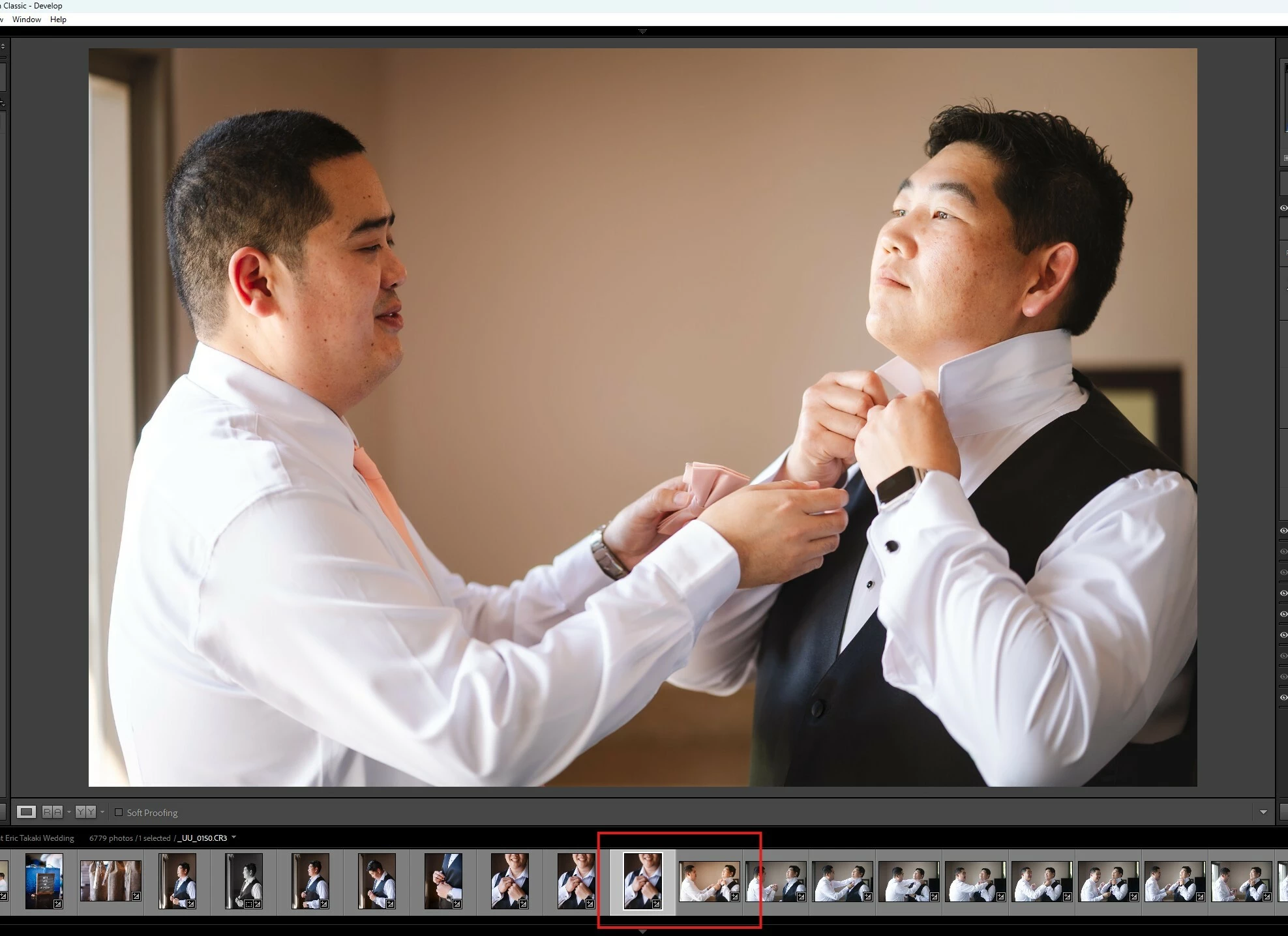
LRC 15.3 RAW 18.3
Windows 11
Intel Ultra 9 285k 32GB mem
Geforce RTX 5070Ti
M.2 SSD 1TB OS, LR catalogs &
cache
M.2 SSD 2TB Photo RAW files
 AdChoices