

Sebastian.Tennis
Participating Frequently
May 3, 2018
Answered

Error when syncing

  • May 3, 2018
  • 1 reply
  • 1081 views

I already updated my LR a few times but when I start the sync option always the same error occurs.

Database "/Users/basti/Pictures/Lightroom/Lightroom Catalog-6.lrcat": UNIQUE constraint failed: AgLibraryFolder.rootFolder, AgLibraryFolder.pathFromRoot

  Statement: UPDATE AgLibraryFolder SET rootFolder = ?,pathFromRoot = ? WHERE id_local = ?; (error code 19)
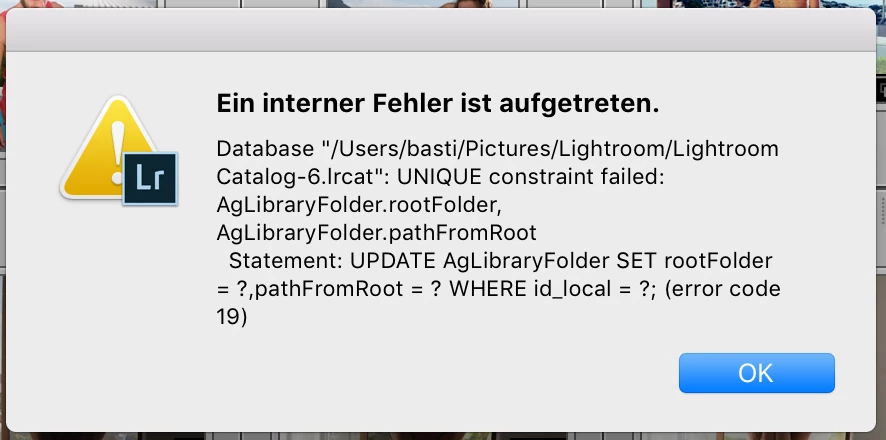
Anybody who could help?

Thanks a lot,

Sebastian

    This topic has been closed for replies.
    Correct answer Akash Sharma

    Hi Akash, what else can I do tro solve the Problem?


    Hi Sebastian,

    Could you please try creating a new admin user account(or a root account) on your computer and then try syncing your working catalog? Refer How to enable the root user on your Mac or change your root password - Apple Support

    Beforehand, It would be ideal to save your catalog on an easily accessible location like external drive so that you can open it on the new account.

    Thanks,

    Akash

    1 reply

    Akash Sharma
    Legend
    May 8, 2018

    Hi Sebastian,

    Sorry that you're getting an error message when you start syncing from Lightroom.

    Do you get the error message while syncing any specific collection or images?

    Could you please take a look at this similar discussion here: Lightroom Classic: 'unique constraint failed' error | Photoshop Family Customer Community ​and let us know if the mentioned suggestions helps?

    Regards,

    Akash

    Sebastian.Tennis
    Participating Frequently
    May 28, 2018

    Hi Akash,

    thanks but nothing helped yet. I reinstalled Lightroom and reimportet the catalogue.

    But the error still occurs when I start syncing with the creative cloud.

    What else can I do?

    Thanks

    Sebastian.Tennis
    Participating Frequently
    May 28, 2018

    Screenshot