
Participant
November 6, 2022
Question

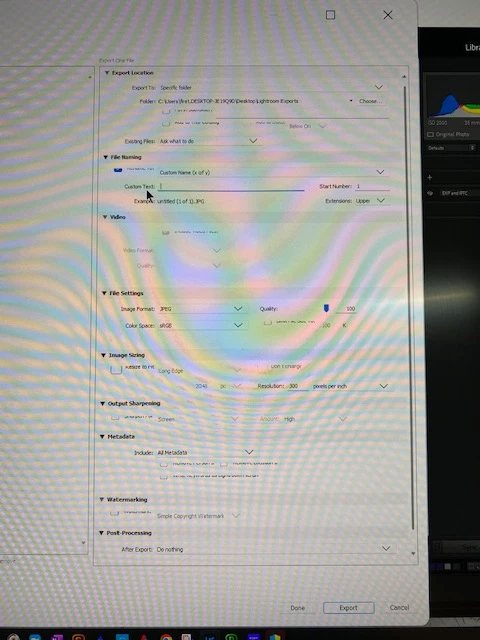
Export pane in LRC 12.0.1 on my PC not showing enough space for dropdown menus to select preferences

  • November 6, 2022
  • 2 replies
  • 207 views

Hello mind hive,

I am using LRC 12.0.1. I am having trouble viewing fields in the export pane. I cannot access the contents in the dropdown menus like watermarks, etc. I have narrowed it down to an issue with the app, not my PC which is a Dell running Windows 11.

Here is what my export pane looks like. Sorry so blurry. How can I fix it?
This topic has been closed for replies.

2 replies

Rob_Cullen
Community Expert
Community Expert
November 6, 2022

"Sorry so blurry. How can I fix it?"  Presume you mean the photo of screen.

Use a screen-clip app in Windows instead of a camera photograph of the screen.

"I cannot access the contents in the dropdown menus like watermarks,"

You need to place a check mark in the watermark option box before you have access to a drop-down menu.


But, yes, I do see that your panels are truncated so as to 'hide' a top portion of each panel.

Try resetting the LrC preferences. PREFERENCES RESET 


Regards. My System: Windows-11, Lightroom-Classic 15.3, Photoshop 27.5, ACR 18.3, Lightroom 9.3, Lr-iOS 10.4.0, Bridge 16.0.3 .
Participant
November 24, 2022

Thanks, Rob. This really helps.

Karin

Ged_Traynor
Community Expert
Community Expert
November 6, 2022

Moved to the Lightroom Classic forum from Using the Community