Pippywheat
Participant
January 6, 2026
Answered

folders are empty in LR after catalogue back up

  • January 6, 2026
  • 4 replies
  • 252 views

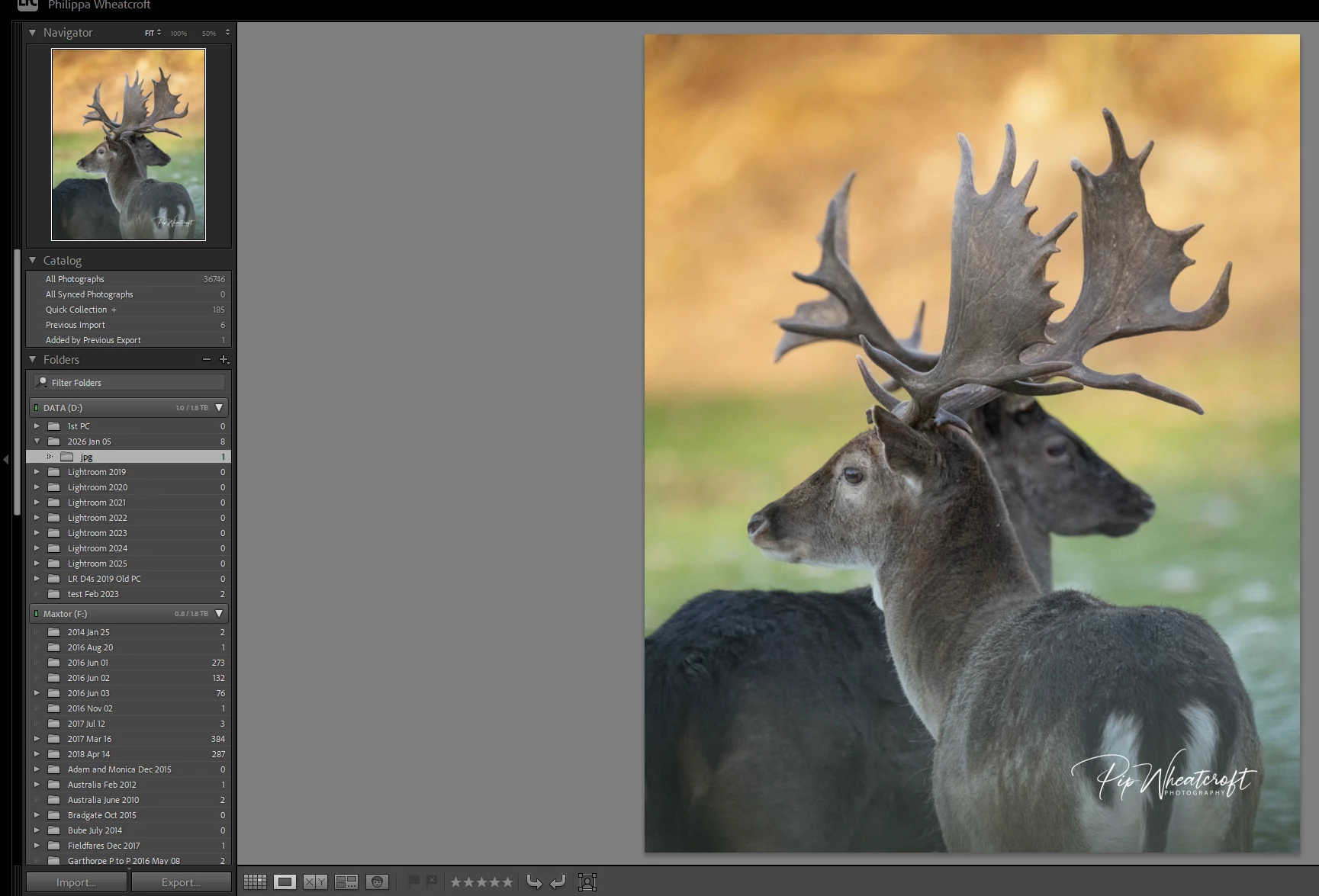
I backed uo my LR catalogue yesterday and now the folders show as empty in LR, the pictures are still on my hard drive in their correct folders873095i8B0FAA69474FA0B0.jpg
Correct answer Rob_Cullen

Could it be as simple as having the Library option unchecked?

873157i033B7EE58DC36D55.jpg


4 replies

Rob_Cullen
Community Expert
Rob_CullenCommunity ExpertCorrect answer
Community Expert
January 6, 2026

Could it be as simple as having the Library option unchecked?

873157i033B7EE58DC36D55.jpg


Regards. My System: Windows-11, Lightroom-Classic 15.4.1, Photoshop 27.8, ACR 18.4, Lightroom 9.4, Lr-iOS 10.4.0, Bridge 16.0.3 .
JohanElzenga
Community Expert
Community Expert
January 6, 2026

If that were the case, wouldn't that not also be the case for the F: drive? That drive seems to show totals for folders with subfolders (unless those folders also contain images in the root), and I don't think you can set this option per drive, only globally.


-- Johan W. Elzenga
JohanElzenga
Community Expert
Community Expert
January 6, 2026

Open your catalog folder and look for 'Catalogname Helper.lrdata'. Delete it and start Lightroom Classic again. Is the issue resolved?


-- Johan W. Elzenga
Pippywheat
Participant
January 6, 2026

873103i108CE89A1339850D.jpg

This is what the catalogue folder looks like, I'm not sure which one to delete.

Sorry, I'm more of a photgrapher than a technical person.

JohanElzenga
Community Expert
Community Expert
January 6, 2026

First quit Lightroom. It is still running. You have several old catalogs in that folder, but this is the current helper file that you should delete.


873145i1BE2E0129C2797FA.jpg

-- Johan W. Elzenga
dj_paige
Legend
January 6, 2026

So please clarify what we are seeing. Are you showing us your working catalog after making the backup, or are you showing us the backup copy of your catalog?


If you are showing us the working catalog, the solution is here: https://community.adobe.com/t5/lightroom-classic-discussions/total-number-of-pictures-in-a-folder-remain-the-same-after-mass-deletion-of-rejected-photos/m-p/15575070#M417292

Pippywheat
Participant
January 6, 2026

my photos are on my hard drive and backed up to a separate drive. this is the screen shot of my library folders in LR showing 0 pics in folders

Community Expert
January 6, 2026

Lightroom Classic backups generated are compressed copies of catalog files.  There are no image files there so it should show zero.   Backing up the image files is a different and necessary process.   What are you doing to keep backup copies of your image files?

Pippywheat
Participant
January 6, 2026

my photos are on my hard drive and backed up to a separate drive. this is the screen shot of my library folders in LR showing 0 pics in folders
