
GPU Issues when in develop module - Lightroom Classic
Hi All,
I need your collective help with an strange and frustrating issue.
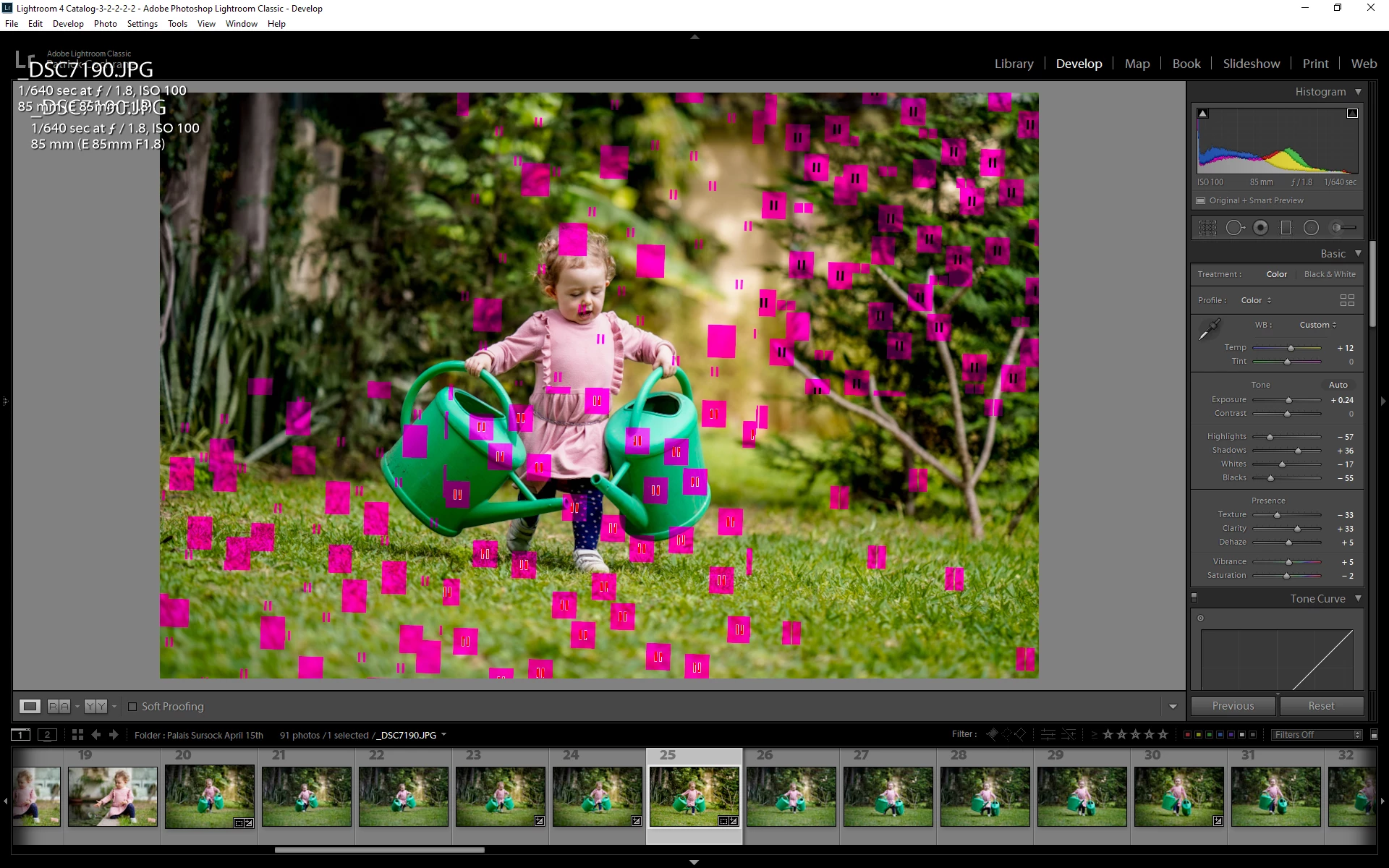
Very suddenly last night after importing a batch of photos, I noticed that when trying to do some preliminary edits in lightrooms develop module, a bunch of red/green/black/blue colored blocks would appear all over the image. See screen shot for reference.
At no time prior to last night did I ever encounter such an issue and for the last month or so I have been using lightroom/photoshop on a daily basis.
I checked that my Display driver was upto date (GeForce GTX 1050ti). it was not so I installed the updated version (445.87), however the issue persisted.
I decided to disable GPU acceleration to see if made any difference as the issue was limited to the Develop Module. It corrected the issue, however I don't consider this as a final solution, just a temporary work-around.
While creating the attached Screen Shot in Photoshop, I noticed that the same thing happens when in Photoshop. Unfortuately when disabiling GPU support in photoshop there is a noticeable performace decline, so again I would prefer not to have to resort to this quick fix.
I spoke to Adobe Support and they were massively unhelpful. 1 hour and a half online only to be told the my Graphics Card is not supported. Even though it is and has been working perfectly since 2018. After presenting this information to them they simply ignored any further chat communication.
Anyone got any ideas as to what could be the issue. Is it possible its a hardware fault that only happens during Lightroom/Photoshop usage?
Any help on the above would be appreciated.
All the best,
Patrick
{Thread renamed by moderator}
 AdChoices