
Participating Frequently
January 2, 2024
Question

Grain/lines/spots added to an image after exporting

  • January 2, 2024
  • 4 replies
  • 3479 views

Hi All


I hope someone can help me.


I have been using Lightroom Classic for a few months now and have come across an issue today that I haven't experienced before.


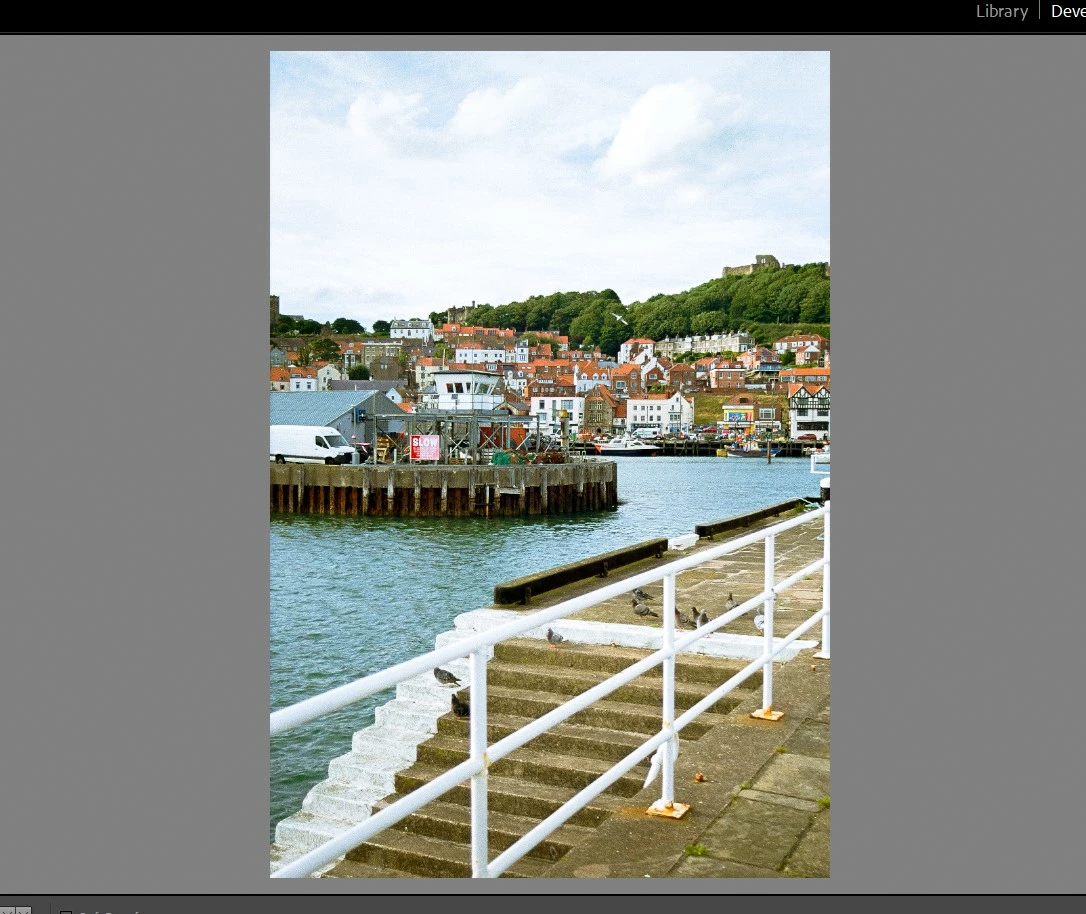
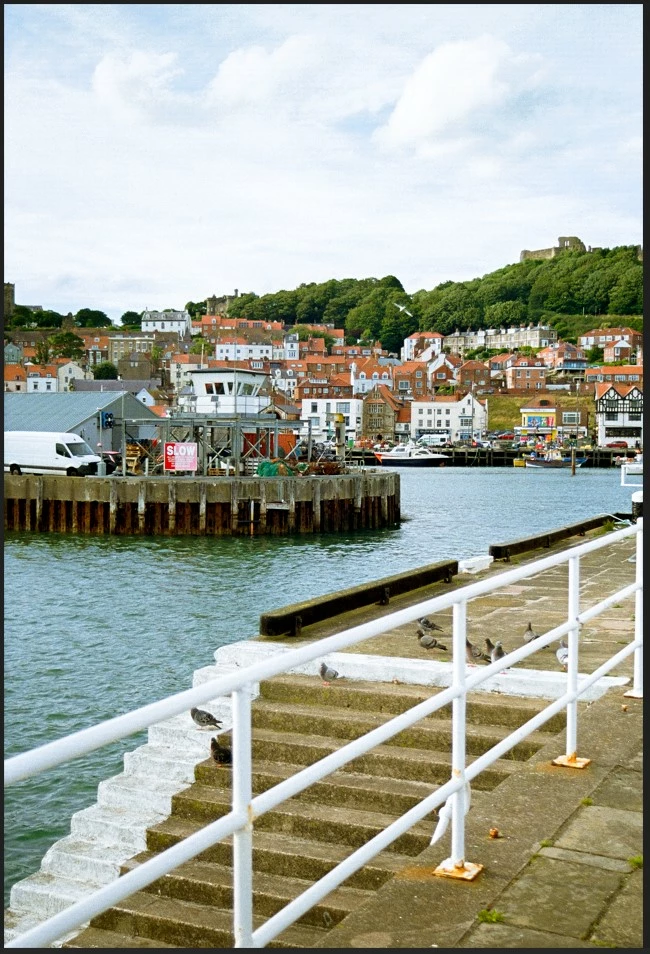
I edit an image then export (as usual), when I open the exported image there is added Grain/lines/spots added to the sky on this particular image. These are not present within lightroom.

(The sky in the image looks like it's been printed when low on ink)


I have exported to every single file format and I have tried each colour space without success.


I have attached a screenshot of both inside Lightroom and the exported image.

This is a 35mm film photo so it is naturally grainy anyway, but this is more than just grain.


Thank you in advance!


Regards


Craig
4 replies

Rob_Cullen
Community Expert
Community Expert
January 4, 2024

Here is a hint for the Sharpening-

Hold down the [ALT] key and move the Masking slider to the right. This will limit sharpening to only the areas you visualize in white. Black areas (eg. the sky) are not sharpened.


Regards. My System: Windows-11, Lightroom-Classic 15.1.1, Photoshop 27.3.1, ACR 18.1.1, Lightroom 9.0, Lr-iOS 10.4.0, Bridge 16.0.2 .
Craig1980Author
Participating Frequently
January 4, 2024

Thanks Rob, that's a great tip.

Per Berntsen
Community Expert
Community Expert
January 4, 2024

You have been given  good advice by @Rob_Cullen and @GoldingD , but we still haven't figured out the issue with exported files. If you could share the DNG file on Dropbox or some other file sharing service and post a link here, I'd be happy to examine it.

I have done a lot of film scanning, and might also have some additional advice on workflow and editing.

Rob_Cullen
Community Expert
Community Expert
January 2, 2024

"This is a 35mm film photo so it is naturally grainy anyway"

So it must have been scanned.

I would suggest the image is showing JPG artifacts (not grain), possibly caused by the scanner .

The 'blotchiness' and 'spots' are visible all over the image (in your Lightroom clip) when magnified greatly.

Sorry- should not be looking at a possted screen-clip. Only the original 'scan' will reveal if the scanner is the problem.


Regards. My System: Windows-11, Lightroom-Classic 15.1.1, Photoshop 27.3.1, ACR 18.1.1, Lightroom 9.0, Lr-iOS 10.4.0, Bridge 16.0.2 .
GoldingD
Legend
January 2, 2024

One issue yet to be clarified concerns your display of the exported image. When you took that screenshot, what image viewer was that in. It does not appear to be LrC.


Also, in that scennshot, it looks like your export is/was a TIFF file? Correct?


In addition to seeing your export dialog settings, it would also be perhaps helpful to see a screenshot of that exported image IN LrC. Not sure about the viewer you are using and how it reads the TIFF file.


/update/ Ok, MS Photos, I never ever use that, but went looking based on how that app looked in your screenshot.

So your export looks like crud in the sky when viewed in MS Photos, how about when viewed in LrC? (In Develop)

Now, I think MS Photos is color corrected, so what about your monitor profile? And what color space was that export to?


see:

https://community.adobe.com/t5/photoshop-ecosystem-discussions/colours-not-matching-photoshop-vs-photo-viewer-windows-10/td-p/11836485


Per Berntsen
Community Expert
Community Expert
January 2, 2024

The Photos app has no problems displaying tiff files, as far as I can tell. (I don't use it either)

And I don't think this has anything to do with color space or color management/monitor profile.

Craig1980Author
Participating Frequently
January 3, 2024

Thanks again for the help.


Below are the current Export settings and a different photo where the spots can be seen more clearly. 

All images were originally scanned as tiff files.

I have also tried different dpi and bit depth settings. 


GoldingD
Legend
January 2, 2024

In your screenshots. the one that is in LrC. Is that the exported image in LrC or the original in LrC?


Second up, the second screenshot, what is that views in?


Craig1980Author
Participating Frequently
January 2, 2024
The photo in Lightroom is the imported and edited photo, before the export.


Best Regards


Craig Wilson
Per Berntsen
Community Expert
Community Expert
January 2, 2024

The images you posted are too small for troubleshooting. Please post screenshots at 100% view of both images.