
How to use Printer Settings?
Hi guys,
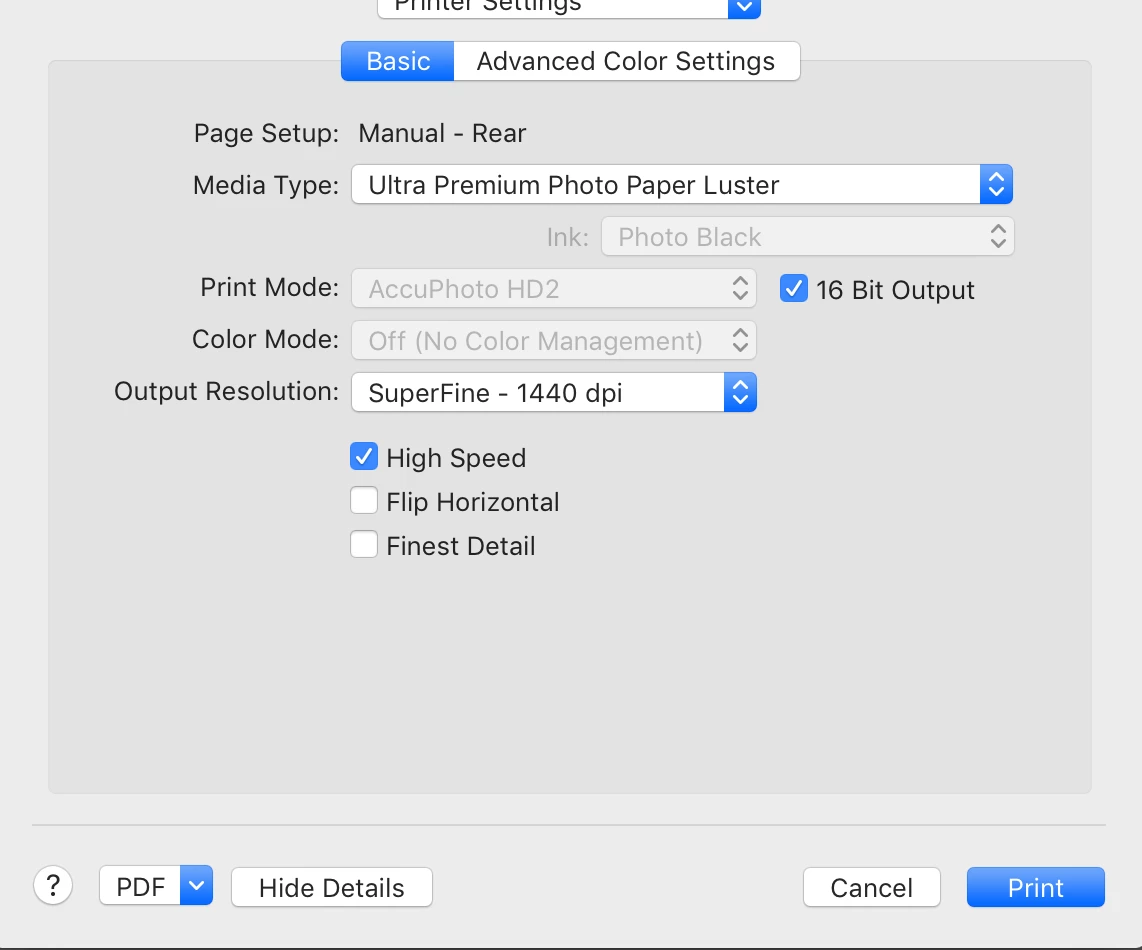
No matter how many times I click "Save" after selecting Epson's "Hot Press Natural" paper (I click Save at every opportunity in the Printer Settings window - and in the User Templates window), when I check back just prior to printing, I see a different paper setup in the Printer Settings window - always the same, wrong set of paper and specs (which won't allow 288 dpi or Finest Detail).
Means my paper choice, and other spec selections, simply do not stick in spite of all the Saves - and that system reverts to another set of specs for some unknown reason.
It also means I have been unable to print.
See attached Screen Shot of the specs relentlessly imposed upon me by the system. I must be doing something wrong; but what?
Any ideas? Thanks a lot,
Raphael
 AdChoices