



gary_sc
Community Expert
Community Expert
November 9, 2022
Question

I do not have one of the options in my LRC Catalog to sync to my other Lightroom Devices

  • November 9, 2022
  • 1 reply
  • 453 views

Using Mac 12.6 on a Mac Studio. I'm on LRC 12.0.1


I've done collections many times in the past and there's never been an issue. I just set up two small folders in the Collection section and nothing is happening over many hours. I have Sync turned on.


I looked up what the cause might be and found this:
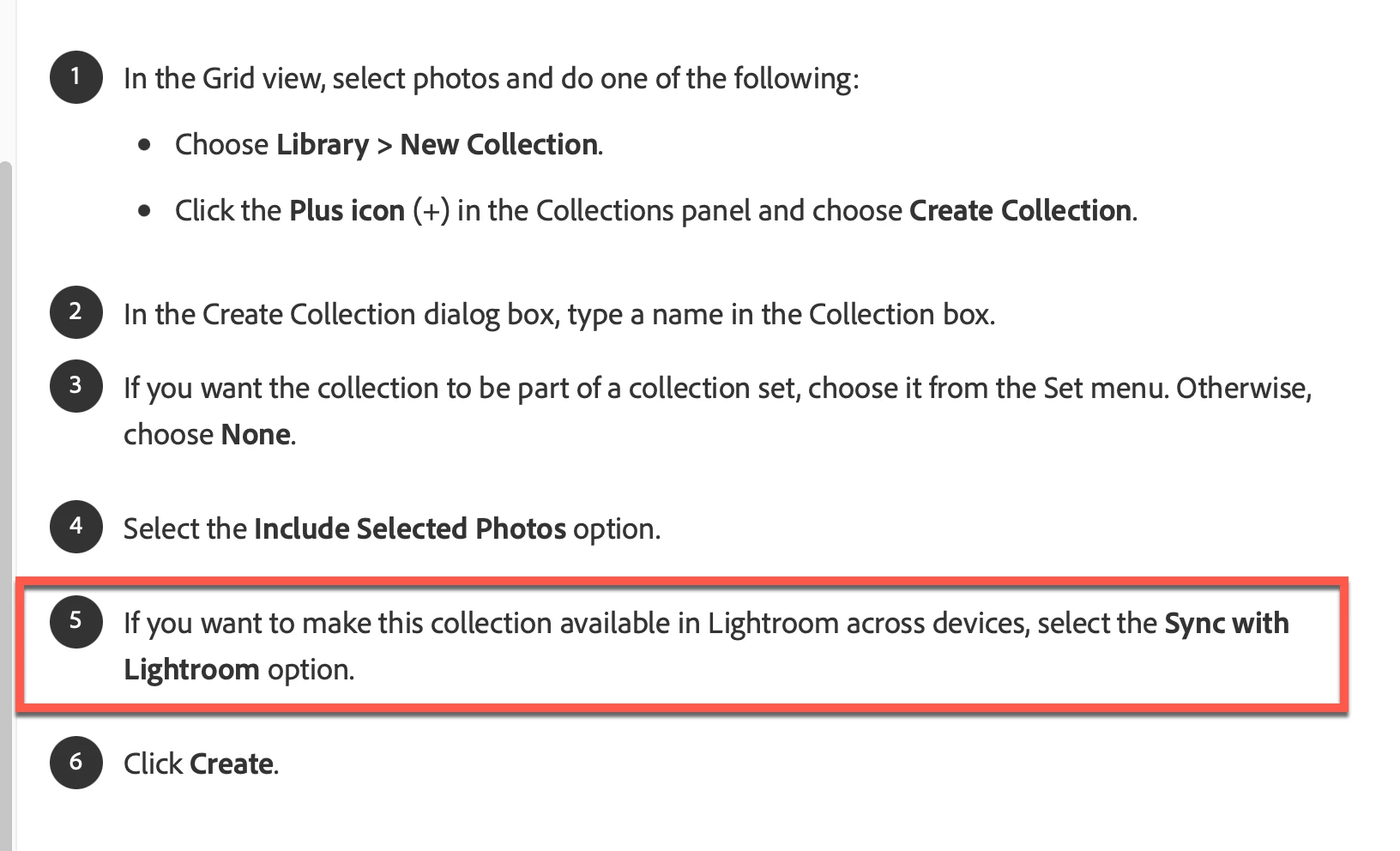
When setting up my Collection options for these new collections, this is what I'm seeing:
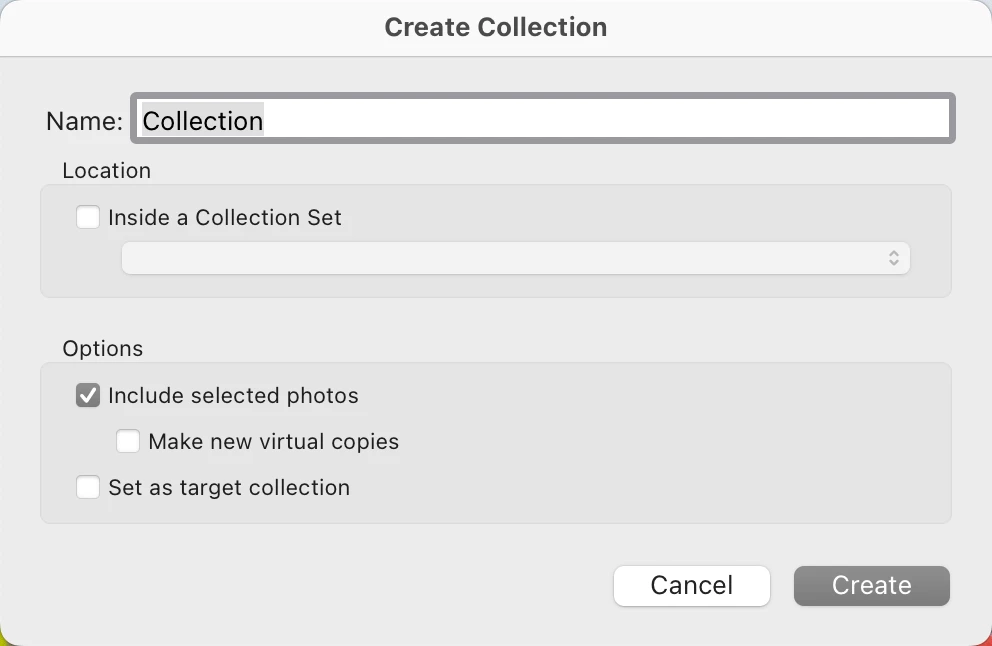
You'll notice that I do not have what the marked region in #5 above wants me to check off. In my preferences, I do have everything set to do what it's supposed to do.


What am I missing? How do I get these folders to sync like I have other folders? 


Thanks for any help,

This topic has been closed for replies.

1 reply

ck16079537
Participant
November 9, 2022

Are you sure the catalog is synced? Can you share a screengrab of the cloud panel in the upper right corner?

gary_sc
Community Expert
gary_scCommunity ExpertAuthor
Community Expert
November 9, 2022

Problem solved — user error. While I still have no idea why my screengrab does not mesh with the instructions I showed a screenshot of, the solution was I forgot to click the sync icon on the left-hand side. Just plain forgot about that. 


Curiously, that requirement was not given in the Adobe instructions. Anyhow, I did that, and all is well now.

Sean McCormack
Community Expert
Community Expert
November 9, 2022

It should still be there Gary. It may be that it doesn't think your current catalog is your main sync catalog. 

Sean McCormack. Author of 'Essential Development 3'. Magazine Writer. Former Official Fuji X-Photographer.