
Answered
I'm unable to open any Adobe 2026 applications or products on my Windows system.
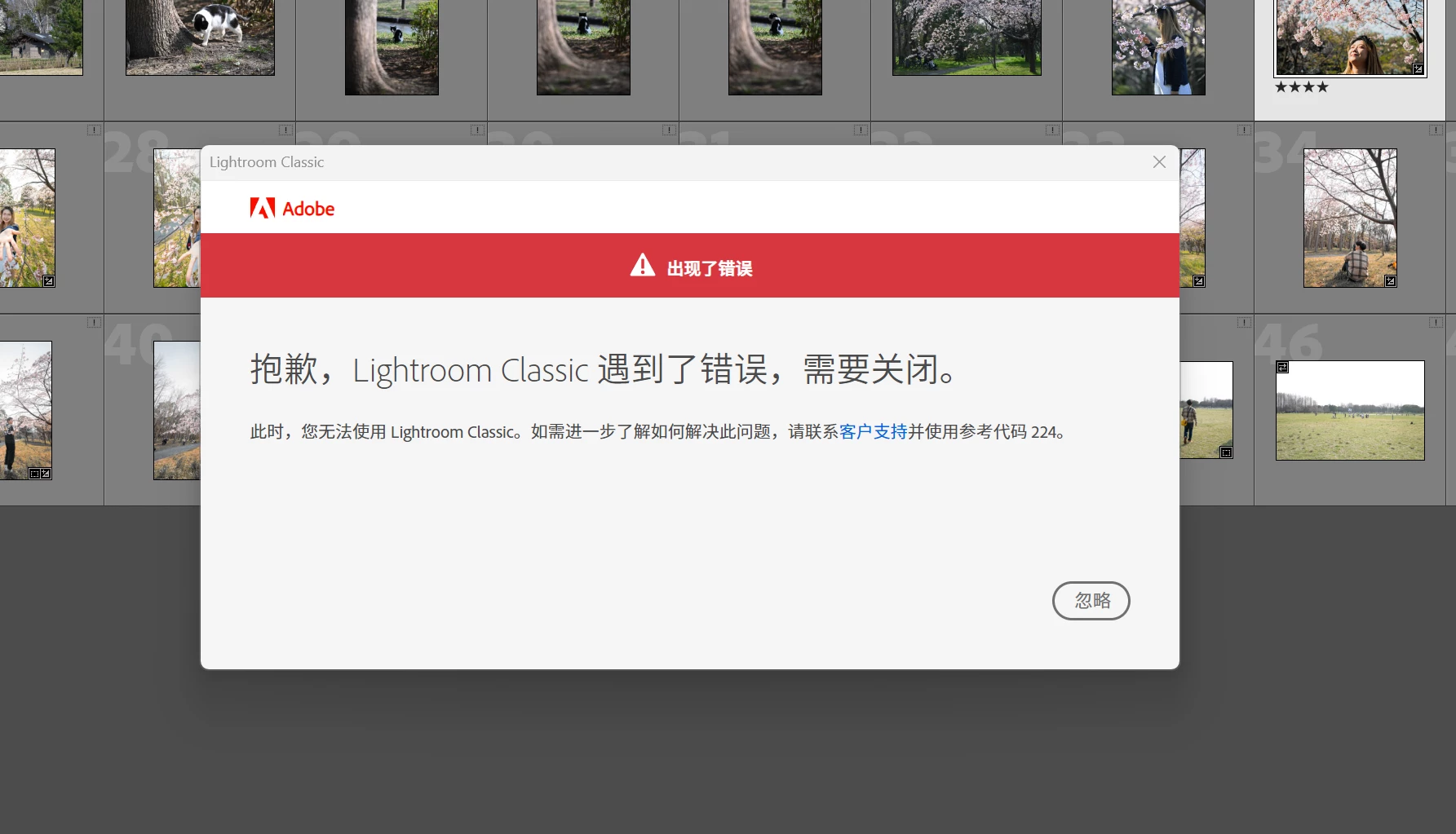
I've been having an issue for quite a while where I can't use any Adobe 2026 applications on my Windows PC after updating.
I've tested Photoshop, Illustrator, Premiere Pro, and After Effects, and they all behave the same way:
- The application launches and starts loading.
- After a few seconds, a pop-up appears with Error 224.
- The application then closes and cannot be used.
The only workaround I've found is to roll back to the previous versions, which work normally.
Here are the versions I'm currently using:
- Premiere Pro: v25.6.6
- After Effects: v25.6.6
- Photoshop: 26.0.0
- Illustrator: 29.0 (64-bit)
My hardware:
- GPU: NVIDIA GeForce RTX 4090
- I've already updated both the latest NVIDIA Studio Driver and my GPU drivers, so everything is fully up to date.
Could you please let me know how I can resolve this issue? I've been dealing with it for a long time and haven't been able to find a solution.


 AdChoices