
Participant
June 18, 2014
Question

Lightroom 5.5 crashes

  • June 18, 2014
  • 33 replies
  • 19012 views

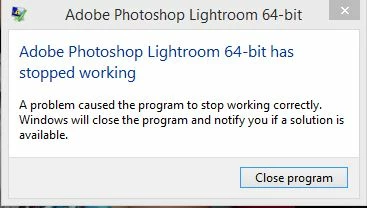
I just installed the update to 5.5, and in the last hour it has crashed 4 times. I get the error below. never had a problem until I upgraded. Ironically, I updated it because I wanted the bug fixes, but all I got were bugs. Is there actually anything I can do to try to fix it? Running Win 8.1. And like I said, worked fine until I updated.
    This topic has been closed for replies.

    33 replies

    Known Participant
    July 6, 2014

    You are much better off reverting to pre LR 5.5.

    5.5 is a disaster for anyone making his living with photography !!!

    EnriqueBorja
    Participant
    July 4, 2014

    Followed the instructions and also crashing whe it reaches the 10,000 GDI Objects it just keeps climbing on each selected image until it reaches 10,000 an then crashes!

    Inspiring
    July 5, 2014

    Perhaps this has nothing to do with it, but using Windows 7, the limit is set to 10,000 GDI Objects in the registry. This can be changed to the theoretical maximum of 65,536 in the registry under:

    HKEY_LOCAL_MACHINE\SOFTWARE\Microsoft\Windows NT\CurrentVersion\Windows\GDIProcessHandleQuota

    Participant
    July 5, 2014

    I suspect all that will do is delay the crash. At the rate it gets to 10,000 it won't take long to get to 65,000 and crash. The problem presumably is a bug that lets it climb to 10,000 (a bug that 5.4 does not have).

    Participating Frequently
    July 3, 2014

    Same issue here; Windows 7 64x, i5, 8 GB. I thought it was fixed after contacting tech support, by deleting the preferences, and rebuilding the catalog. Worked for an hour, next try, back to the same useless performance. I will try a reinstall and then it's back to 5.4. What a waste of time and energy.

    I was using the stand alone version, so I uninstalled it, reinstalled the Creative Cloud Installer and downloaded via CC. Worked great...for a few minutes and then the same old slow down, tics and stalls.

    I wondered if updating my graphics card driver would help. I have done that, and at first, it seems to be somewhat better, but the healing brush and anything while zoomed in to 1:1 is still dreadfully slow. So is exporting...it is really slow. Solutions would be appreciated, Mr. Adobe; this is happening to too many people....

    hvsawat
    Participant
    July 4, 2014

    This may not be the best solution, but one that an IT person suggested to me and it works to get the program working.

    • Find the lightroom.exe application on your C drive.
    • Right click and go to properties.
    • Click on the Compatibility tab.
    • Select Windows XP (Service Pack 3).
    • Click OK.
    • Restart your computer and try launching the program again.
    • On launch Lightroom asks if the program can make changes to your computer.
    • Click OK and it should launch without any problem (at least mine does).

    When my Lightroom 5.5 froze on launch on my Windows 7 operating system on a Dell E6410 2.4Ghz i5 system with 4 GB of ram, this is what I did to get it working again.I have not examined the program enough to know what functionality is missing but at least I have access to the program and my library. Hopefully Adobe will resolve this shortly and put out a revision soon.

    July 3, 2014

    LR 5.5 continues to crash when I am culling images.  I am on Windows 8.1.  Besides going back to 5.4 is there another solution from Adobe? I just upgraded last week ,and I crash constantly. 

    Participant
    June 29, 2014

    Lightroom 5.5 has been a very big disappointment without question. Many software vendors seem to have problems with Windows 81. Last week is was Corel and this week its Adobe. I keep getting the crash screen from lightroom and QT32 Server. Ironically, Corel technical support had to access my system remotely and remove several 32 bit programs that were compatible with and installed on Windows 8 but were incompatible and caused crashes on Windows 8.1. All were 32 bot programs. Once removed all the 64 bit programs from Corel work perfectly.

    I use Premiere Elements and Photoshop Elements 11, which are both 32 bit programs and the Adobe Quick Time 32 server crashes at the same time as Lightroom. Ironically, the only 64 bit program which has worked without incident across all platforms (Linux, Mac, and Windows), and Processors (32 or 64 bit) is GIMP, and free software product that has many features that Photoshop has.

    Adobe would be wise to pay closer attention to quality at the price points they have and the fact they are no longer workstation based. They might also take a look at how the companies that provide free open source products seem to be providing higher quality software products.

    I've been a software developer since 1976 and an adobe customer since Photoshop 1.0 and am seriously considering dumping all their products if they don't start paying more attention to customer needs and less to stockholder wants.

    Inspiring
    June 30, 2014

    I tracked the QT32 Server crash to Quicktime's 'Apple Application Support'. Downloaded iTunes64setup, extracted Apple Application Support and installed it. Since then, no more crashes and error messages in LR 5.5

    Known Participant
    June 26, 2014

    Like cpnd just said, mine is crashing on renaming too.  Hard to believe I reach 10,000 selections in a half hour though.  I'm working with small catalogs, 2,000 - 3,000 images/catalog.  Of course I have multiple selections as I'm shuffling & renaming images, but as I said I'd be surprised if I'm hitting 10,000 selections in 30-60 minutes.

    Does Adobe actually monitor these threads?  It would be nice to know if they're: (1) aware of the problem, (2) working on it, and (3) anticipating another release sometime soon to fix their obviously not-thoroughly-tested-enough 5.5 release.

    CPND
    Participant
    June 26, 2014

    I'm not hitting 10,000 selections, the batch I am working on is just over 4,000, so far today it's crashed about 20 times and I'm just over half way through.

    GDI Objects starts at 360 and increments by approx 70 for each photo selected.

    140 - 150 selections later and crash.

    CPND
    Participant
    June 26, 2014

    As suggested by Andy I have reinstalled 5.4 in parallel.

    Just checked GDI Objects in task manager, as with 5.5 it starts at 360 but barely moves above 370 after selecting 50 photos.

    Simon looks like we have definitely identified one of the main issues that is causing the crashes.

    andy.d.bell
    Known Participant
    June 26, 2014

    I reinstalled 5.4 this morning. I just clicked Adobe's link from the first page-- no uninstalling or anything. Two hours in with no problems. It was definitely worth the extra 10 minutes of downtime.

    The machine I'm working on is remote from the raws so I was worried about having to rebuild 1:1 previews, but it wasn't a problem at all; completely painless.

    Inspiring
    June 26, 2014

    does this mean a side by side installation, or does it install over the top of 5.5?

    Participating Frequently
    June 25, 2014

    uninstalled 5.5... major issues with 5.5 locking up, not responding, video blinking as if it were on the verge of crashing the entire system... will stay with 5.4 until Adobe fixes this nonsense...

    Adobe Employee
    June 25, 2014

    dbilger wrote:

    I just installed the update to 5.5, and in the last hour it has crashed 4 times. I get the error below. never had a problem until I upgraded. Ironically, I updated it because I wanted the bug fixes, but all I got were bugs. Is there actually anything I can do to try to fix it? Running Win 8.1. And like I said, worked fine until I updated.

    For the customers who experienced the Lr 5.5 instability issue on Windows 7/8, are crashes only happen after you have worked in Lr 5.5 a while? There might be some Windows resource leaks. Could you describe the typical steps that you do while in Lr 5.5 when the crash happens?

    1) Have you turned on the Lightroom mobile sync for the catalog?

    2) Before you launch Lr 5,5, could you bring up the Windows Task Manager (Ctrl - Alt - Del works). From the Task Manager's View menu, pick "Select Columns..." and make sure that "GDI Objects", "Threads", "Memory - Working Set" and "Memory - Private Working Set" options are checked and then hit okay.

    3) Launch Lr 5.5 and in your normal routines, monitor the numbers in the above selected columns in the Task Manager and see if those keep going up.


    Thanks,

    wendyk
    Participant
    June 25, 2014

    I upgraded to CC before the end of may.  I was running 4.4 64 bit on a windows 7 professional platform, service pack 1, intel i7 CPU 975@3.33GHz 3.33 GHz, 12 GB RAM with no problems.  I upgraded to 5.4 after months of putting this off because i was hearing so much about version 5 running so much slower than 4.4.  Apparently, this was corrected with version 5.4, so i decided to take the plunge.  I converted my catalog (203,000 images) to 5.4 without a hitch and began using the program.  it seemed to be working fine and at the same speed as 4.4.  No sooner had I joined CC and upgraded to 5.4, Adobe released 5.5 saying it would fix some bugs in 5.4, as well as improve the new ipad/iphone syncing.  I was only interested in fixing the bugs. (I am not interested in mobile syncing at this point in time)  Since upgrading to 5.5 only days ago, working in lightroom has been nothing but a nightmare of frustration!  It crashed 3 times yesterday (in the span of 4 hours) before I gave up editing for the day.  Response times to simple tasks are painfully long.  A simple shift/click to select more than one image takes 3-4 seconds to highlight the chosen images.  Clicking on just one image to bring up a standard size preview takes 5 seconds to open.  Using the scroll bar, to the right of the image thumbnails, responds in 4-5 second delay.  After struggling with this for about an hour, it crashed.  I can tell when a crash is about to happen because the mouse becomes erratic and difficult to point to any place on the screen.  Then the Blue Wheel begins to spin.  Opening the task manager shows that LR is not responding and the CPU is only at 14%.  Clicking "end task" has to be done repeatedly in order to close LR.  While closing, LR flashes the message shown in dbilger's opening post and then all the panels surrounding the grid of previews turn blank white while it tries to shut down. 

    After looking at this for 5-10 minutes, LR decided to finally respond to the shutdown command with it's catalog backup window.  (This is how i have my preferences set-to back up LR daily at shutdown) Yesterday, I backed up the catalog after each of the 3 crashes to preserve my work.

    If I boot up LR again, it responds well for about 30 minutes, when it then begins to lag with responses as simple as clicking on key words to add to images!! But the same "lock up" process begins after working in the program for about an hour.

    I am so disappointed that I chose to jump on the CC bandwagon since everything was working fine in 4.4 and for the VERY short time i tried 5.5.  :-(

    Since I have done a lot of work on my images in 5.5, going back to 4.4 would require me to repeat all of the work i have accomplished since switching to 5.4 initially.  This is not very productive use of my time...

    In response to your posed questions to windows 7 users:

    1. I have NOT turned on LR mobile sync for my catalog

    2. I have checked the items in the view mode of task manager that you suggested.

    3.I started working on a folder in Lightroom 5.5, keywording images.  The starting #s for the items you asked to check were:

      Memory (private working set): 597,180  Threads: 42  GDI Objects:402

    I worked on keywording the 451 images in the folder for 40 minutes.  The numbers after 40 minutes of running lightroom for keywording only were:

      Memory (private working set) 1,825,923  Threads:41  GDI Objects: 546

    working set delta (memory) values fluctuated to various levels both + and - numbers, but most often was at 0K when i checked it.

    (NOTE: no crash in this 40 minute working time...)

    I have no idea what this information means, but I certainly hope it can help you help me get lightroom running as it should!

    Thanks-

    Wendy

    Participant
    June 25, 2014

    I'm running Windows 7 64 bit.  I was trying to process over 500 photos with Lightroom 5.5, and it kept crashing, displaying that pop up window - Lightroom has stopped working... close program.  It was actually doing that about every 10 minutes, which made it totally unusable.  Re-booting the computer and closing other programs did not help at all.  I can see that there is no patch offered by Adobe to fix this.  So, I uninstalled, then re-installed version 5.4, which is VERY stable.  Problem solved!  Zero crashes since then.  In my opinion, this is the best solution to this problem.  I will not be so quick to install updates in the future.