


Participant
November 10, 2014
Answered

Lightroom 5 importing photos in random order

  • November 10, 2014
  • 25 replies
  • 33708 views

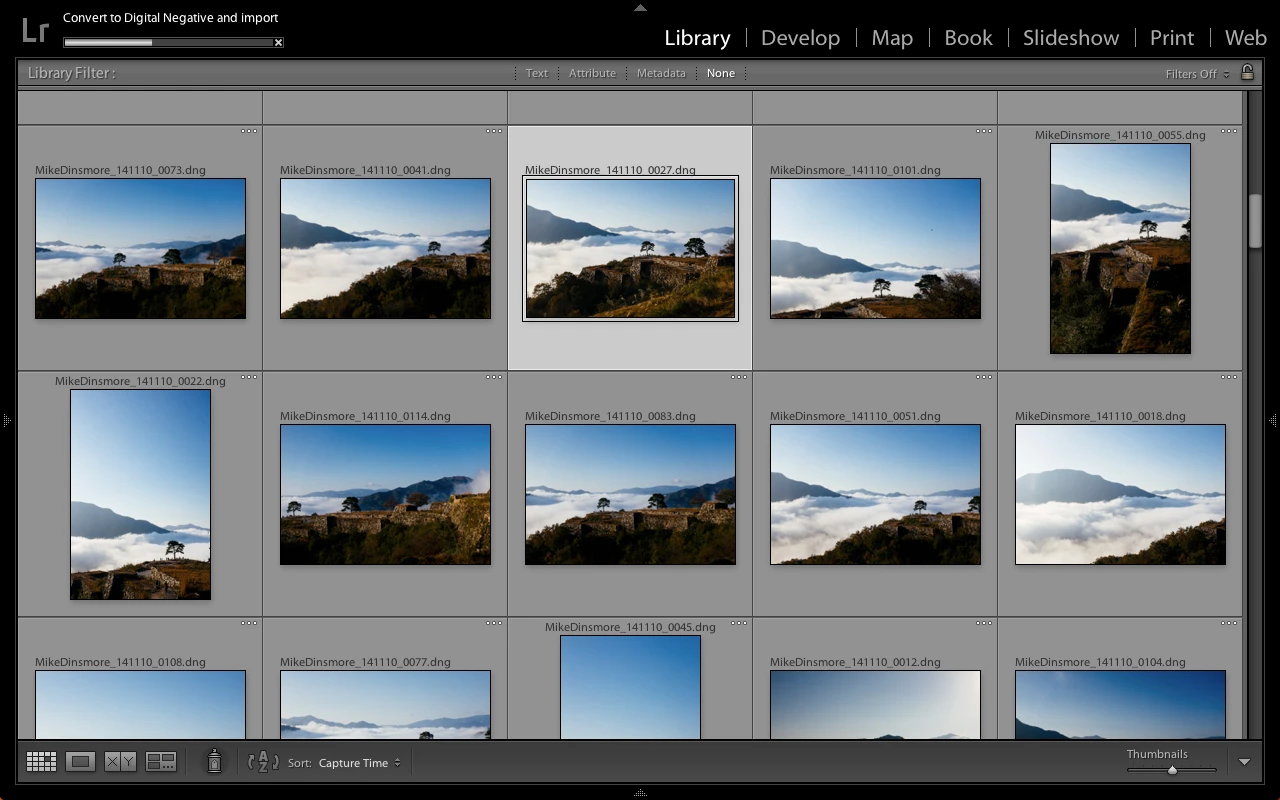
I have been using Lightroom 5 for some time and just recently my photos are importing out of chronological order. It will import photos from all over the card. They appear in chronological order but they are numbered according to which one was imported first. I can see them in chronological order on my computer but when I hit import through Lightroom the photos are imported and numbered in a non chronological order. This only started happening recently so I think it has to do with a recent update. I've tried formatting my card, using another card, and importing to another catalog, but nothing has changed yet.
Correct answer Vibrant_Walrus0D4B

When you click on import look at the bottom of Lr5, center and slightly right ... you should see a button titled "Sort", click on it and choose capture time.  That was annoying until I found the button.  Good luck.  James

25 replies

Participant
February 7, 2015

I have also had this issue and I believe it has been happening since I upgraded my Mac os to Yosemite. Before that it was never an issue. Now I seem to have to either hunt for my recent images or try to remember to delete previous shoots from my cards so that only current images are available for import. Very annoying.

D Fosse
Community Expert
Community Expert
February 7, 2015

Temple Dog
Participating Frequently
November 18, 2016

Tried changing the import dialogue as suggested - no luck. This has only happened since the latest LR update and its about t time Adobe got off their butt and fixed it. It seems a lot of us are having this issue.

Participant
January 30, 2015

I have the same issue and I never had to sort them previously.

Vibrant_Walrus0D4B
Vibrant_Walrus0D4BCorrect answer
Participant
December 14, 2014

When you click on import look at the bottom of Lr5, center and slightly right ... you should see a button titled "Sort", click on it and choose capture time.  That was annoying until I found the button.  Good luck.  James

msanity
Participant
June 1, 2015

Very helpful - thank you!

Participant
December 6, 2014

I have this exact issue, and it is driving me nuts. I have tried uninstalling LR5 and deleting all the system files I could get my hands on. The only thing I have not deleted is probably my catalogue file as that would more or less be the end of me...

And nothing works... after the import is done I end up reordering my shots by capture time and I have given up trying to have them in a numbered sequence however much it helps when I am doing edits with several thousand raw files from long work trips.

Rob, your solution is not a bad suggestion, but I still don't understand what has changed since I haven't changed settings anywhere.

areohbee
Legend
November 10, 2014

I dunno what order Lr is supposed to import in.

But here is one way to resolve your issue:

* Choose a filenaming convention which does not rely on import sequence number.

For example, if you name according to "capture-date + original-image-number", then it won't matter what order they're imported in.

Maybe somebody else can get import order straightened out so you don't have to resort to changing filenaming convention - check: order in OS, and order in import dialog box for clues.

Rob