


dmshort
Known Participant
October 21, 2017
Question

Lightroom Classic CC grainy photos when developing

  • October 21, 2017
  • 17 replies
  • 12516 views

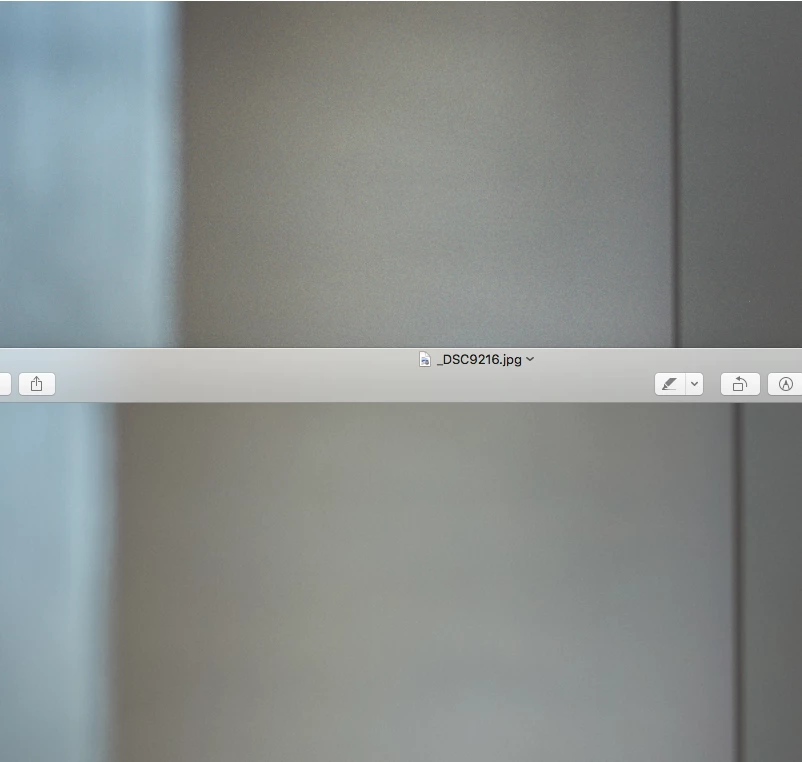
So I've just decided to upgrade to lightroom Classic. Probably should have waited. All of my photos now have an unnatural (non added effect or from high ISO) amount of grain or banding in them as what it used to look like in the old Lightroom CC when the photo was loading. Now what happens is I'll switch to a photo and it'll be fine for about 2 seconds then the banding/noise appears. Fortunately is doesn't follow along when exporting the file. Here's a screen shot of what I'm seeing. The top part is what is being rendered in Lightroom Classic and the bottom half is the same section of the photo zoomed in slightly more with no banding/noise. This needs to be fixed asap. Any help is greatly appreciated.
This topic has been closed for replies.

17 replies

Participant
May 27, 2021

Hi All,

I've started having this problem after a recent upgrade of lightroom classic and since I recently changed camera
as well I was first wondering if it could be some settings issue, until I discovered the wierd 2s of good quality
before it goes all grainy. It says it's release 10.2 with camera raw 13.2.

None of the solutions I've found in this chain seem to work. Did anyone have this problem after the recent update and discovered another issue ? My files are very large, but that was the whole purpose of getting a new camera...

Help much appreciated!

Thanks,

Niels


Kairsis
Participant
April 20, 2022

Hi, I have the exact issue right now. Were you able to find a solution?

Kara Beth
Participant
April 20, 2022

Hi Kairsis, what worked for me was going into settings (preferences) - performance - and disabling using your graphics processor. Also, I noticed that my photos only turn super grainy in develop mode, and then if I edit to accommodate that, when I exit develop mode, they are too soft. So I would double check which area of Lightroom you're seeing the issue in just so you don't export soft photos. But the graphics processor thing really helped. Hope this works for you!

Participant
January 30, 2020

THANK YOU SO MUCH!!!!! You are the only one that has found the solution after days of searching. I've been struggling for a week trying to figure this out and it has been a nightmare. Everyone was giving horrrible solutions like "did you change the sharpness", OF COURSE I CHANGED IT FOR THE 1000 PHOTOS I JUST IMPORTED. Sorry for such a hectice reply but thank you so so so much for this!

Participating Frequently
August 12, 2019

Hey everyone! I was having this same issue. My photos looked wonderful in Lightroom and Photoshop but once saved to my desktop, Windows Viewer would display them are extremely grainy. Turns out (because I married I genius... An IT guy) we both did some research and it's because the file was too big and the computer couldn't compress it correctly, thus making it very grainy. Once I saved my photos as a smaller file, they looked perfect. It had nothing to do with my ISO settings, nothing to do with improper lighting, it was all about the file size. Bigger isn't always better.    Hope this helps everyone!

Participant
September 17, 2019
Ahh thank you so much, I've been trying to work out what I've been doing wrong as my ISO was only on 200 and on light room was perfect then looked TERRIBLE once saved. You are a life saver!!
Participating Frequently
September 17, 2019
So glad it helped! We had a h*ll of a time trying to figure it out and everything kept saying my ISO was wrong even though it was low and looked amazing in lightroom. So happy we were able to help!
Playful_Heart
Participant
August 4, 2019

Thank you for identifying this issue. This has been making me nuts. I never thought that would be the issue. I just thought I was doing something wrong on capture.

Participant
November 15, 2017

I’m going to try this. My last three weddings are looking noisy even at 400 iso!  Thank you

Participant
October 28, 2017

Thank you dmshort for figuring this out. This has been a major issue with processing photos for the past few days that never occurred in the old LR CC.

Todd Shaner
Legend
October 28, 2017

This issue has been reported and is marked 'In Progress' at the below report. It appears to be due to DirectX GPU support added in LR Classic that isn't rendering properly on some systems.

Lightroom Classic: Noise reduction effect not displayed in Develop mode | Photoshop Family Customer Community

Participant
October 24, 2017

I'm also having same issue on MBP 2016 with Intel Iris 550

Participant
October 23, 2017

Same issue here, again turning off using graphics processor resolves. Apple iMac Late 2012 NVIDIA GeForce GT 650M 512 MB.

Participating Frequently
October 23, 2017

Same issue here.  Turning off Preferences, Performance, Use Graphics Processor resolves.

dmshort
dmshortAuthor
Known Participant
October 21, 2017

Definitely going to report it! Thanks for the link to do so!

Participating Frequently
October 26, 2017

Same problem solved turning off the graphic processor !! thanks a lot. I was desperate!!!

AMD Radeon HD 7900 Series latest driver