anotherCharles
Participating Frequently
June 15, 2022
Question

Lightroom Classic crashes on startup

  • June 15, 2022
  • 5 replies
  • 910 views

hi,


I have a MacBook Pro (Intel, 16" - 2019), OSX 12.4, Lightroom Classic 11.4.


When I start Lightroom Classic, a Dialog appears something like "... Photo Upload is performaing shitdown tasks ...." (I have a German version of Lightroom Classic - see screenshot) and then Lightroom disappears.


I uninstalled Lightroom and reinstalled the latest version.
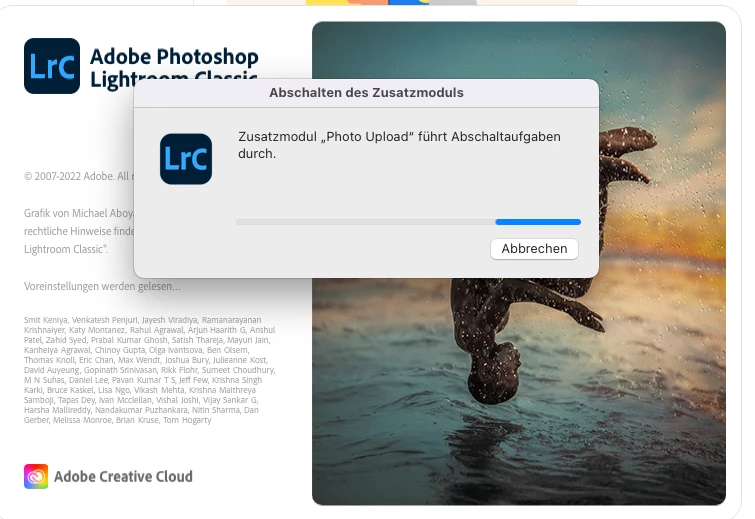
 

Any ideas howto solve this problem?


Thanks

Charly 


This topic has been closed for replies.

5 replies

Adobe Employee
June 23, 2022

Does Lightroom Classic 11.3 work fine on your machine?

Also, do you see any 'Adobe Lightroom classic<time>.crash' file in the folder /Users/<username>/Library/Logs. ( ~/library/logs/DiagnosticReports ), if so, could you share the files with us?

Venkatesh PenjuriAdobe Lightroom Team
anotherCharles
Participating Frequently
July 20, 2022

Hi Venkatesh Penjuri,


Sorry for my late answer. I had no access to my MacBook during the last weeks.


I found some dump files under 

~/Library/Logs/Adobe/CrashPadDumps/Adobe Lightroom Classic/11.4 as well as an empty folder 11.4.1/[202206241800-b406ce4c]


I installed 11.3 => same result. It crashes immediately. Result is an empty folder in ~/Library/Logs/Adobe/CrashPadDumps/Adobe Lightroom Classic/11.3.1/[202204181225-f90ebff5]


Regards

Charly 

Software Developer

johnrellis
Legend
June 17, 2022

Something changed in Mac OS 12.3.1, and many people are finding they need to grant LR Full Disk Access. See:
https://community.adobe.com/t5/lightroom-classic-discussions/quick-tips-how-to-give-full-disk-access-to-lightroom-classic-on-macos/m-p/12913413


Let us know whether that fixes the problem.

anotherCharles
Participating Frequently
June 22, 2022

Thanks a lot for your answers.


Finally I solved the problem by

1. unintstalling Lightroom

2. removing the remaining Lightroom folder in Applications

3. Reinstalling Lightroom

It seems that LR crashes without any report due to an old plugin. Since I didn't know which plugin belongs to LR I removed the complete folder after uninstalling.

anotherCharles
Participating Frequently
June 22, 2022

Sorry - I made a mistake - I started Lightroom and not Lightroom Classic ;-/

So - after I have tried


* deleting the preferences

* granting full disc access

* deleting all custum plugins

* uninstalling and reinstalling Lightroom Classic

I get for a few seconds the startup screen and then nothing happens. Lightroom disapperas.

I even do not get a crahs notice.


Thanks for any hints....

Charly

Participating Frequently
June 15, 2022

Have you tried holding down option+shift while starting Lightroom?

anotherCharles
Participating Frequently
June 15, 2022

No - I can't do anything. The dialog appears for about 2 seconds. No Menu. Nothing appears execpt this screen shown in the screenshot.

Legend
June 15, 2022
Adobe Employee
June 15, 2022

Are there "Photo Upload" plugins? Can you try disabling them (maybe by removing/resetting the preferences)?